



A campaign volunteer knocks on 50 doors in one afternoon. A donor pledges $500 at a town hall. A voter shares what they care about during a phone call. The next morning, that context sits across spreadsheets, inboxes, and text threads.
Campaigns collect nonstop data, but scattered tools make it difficult to act on it. Field, finance, and communications teams need the same up-to-date records to coordinate outreach, track donations, and follow up without delays. A political CRM puts contacts, conversations, and contributions in one shared place so teams can move faster with fewer handoffs.
This guide covers what makes a political CRM different from general-purpose CRM software, the 7 features campaigns rely on most, and the 9 platforms worth evaluating. You’ll also learn how to match a CRM to your campaign size, timeline, and reporting needs.
Try monday CRMKey takeaways
- Centralize voter, donor, and volunteer records so every team works from the same information.
- Track outreach history and next steps so follow-ups stay timely and consistent.
- Monitor fundraising activity with contribution limits and reporting workflows in mind.
- Use dashboards to spot gaps early and adjust field and communications plans faster.
- Run campaign outreach in one flexible digital workspace with monday CRM.
What is a political CRM software?
Campaign work produces a steady stream of voter, volunteer, and donor information. A political CRM stores that information in one place and keeps it organized around outreach and reporting workflows.
Use a political CRM to:
- Track voter and donor interactions over time
- Coordinate volunteer assignments and field activity
- Log outreach across channels and keep records tied to each contact
- Support compliance workflows such as contribution limits and reporting
A general-purpose business CRM can manage contacts and basic pipelines, but it often lacks campaign-specific needs such as volunteer operations, voter file workflows, and compliance support. Political teams also rely on fast updates from the field, which makes mobile-friendly data entry and shared visibility non-negotiable.
Bottom line: Political CRMs help campaigns coordinate outreach and manage compliance while keeping the full contact history easy to access.
How political CRM needs differ from business CRM needs
Political CRMs prioritize campaign operations and reporting. Business CRMs prioritize revenue processes and sales forecasting.
- Political campaigns focus on FEC reporting, donation limits, and voter segmentation by district and precinct.
- Sales teams focus on quota forecasting, deal stages, and customer purchase history.
7 must-have features in political campaign CRMs
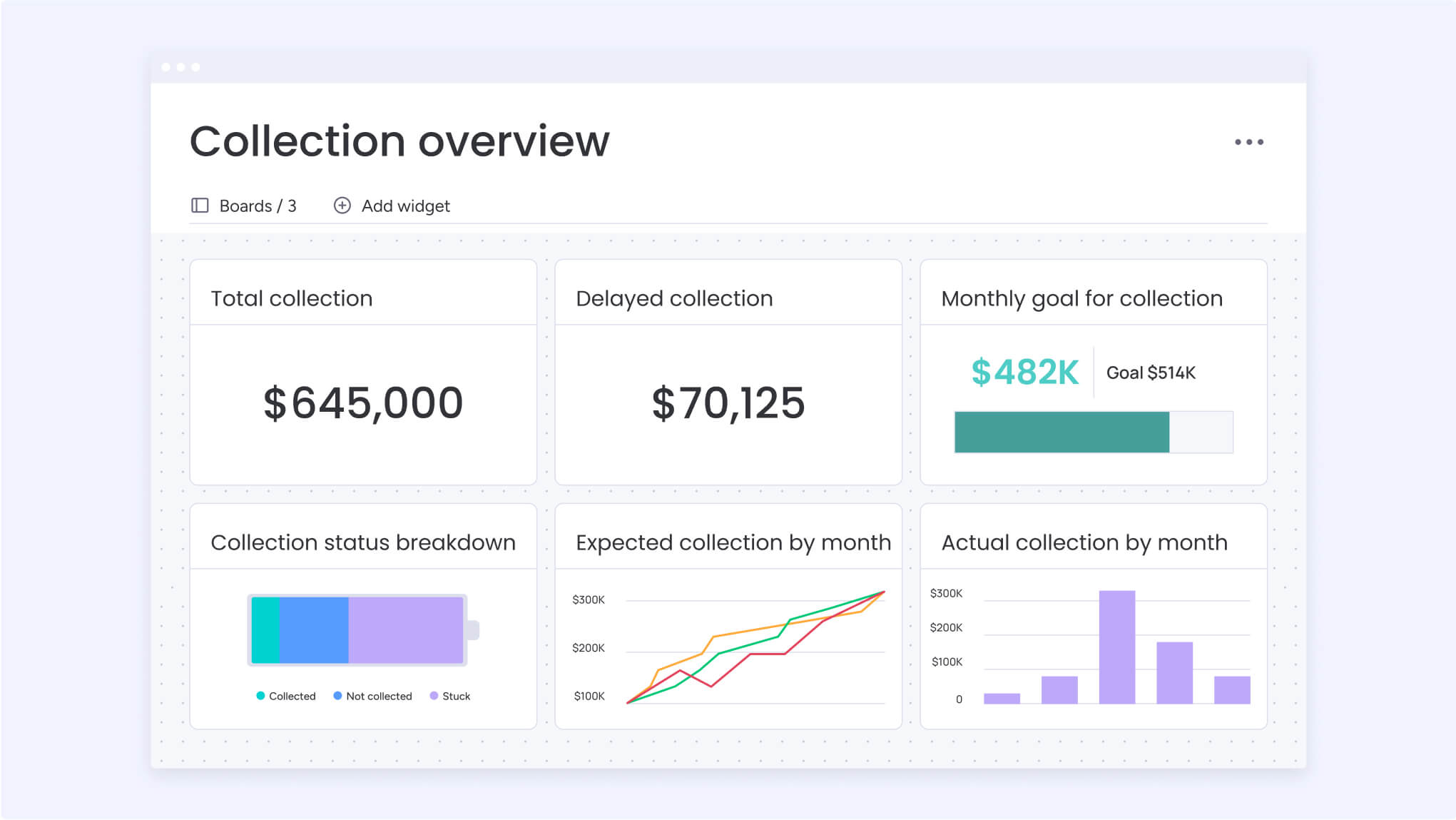
Campaign teams manage voter outreach, volunteer activity, and fundraising at the same time. The right CRM supports that pace with clear workflows, shared visibility, and reporting built around campaign needs.
Use the checklist below to assess whether your current system supports how your team actually works.
Feature 1: Unified voter contact management
Keep the full voter profile in one shared record so teams work from the same information.
- Complete history: View past interactions and engagement patterns.
- Issue tracking: Capture topics that matter to each voter.
- Interaction log: Track calls, emails, and notes in one timeline.
When a field organizer logs voter feedback, communications, and fundraising teams see it right away. Outreach stays consistent without handoffs or duplicate work.
Feature 2: Volunteer coordination tools
Organize volunteer availability, skills, and assignments from one place. Replace scattered spreadsheets with a live view of who is active and where support is needed.
Use volunteer data to assign coverage, follow up on missed shifts, and keep engagement high across canvassing, phone banking, and events.
Feature 3: Donor pipeline tracking
Manage donor relationships with the same discipline as voter outreach.
- Pledge tracking: Follow commitments from first conversation through receipt.
- Contribution limits: Flag donors approaching legal caps.
- Touchpoint logging: Record every interaction automatically.
Teams using monday CRM can generate compliant reports in minutes, giving finance staff more time to focus on fundraising priorities.
Feature 4: Multi-channel communication hub
Store emails, texts, and outreach notes in the same contact record. Keep every team aligned around what messages went out and how voters responded.
When campaigns launch new policy messaging, responses flow back into each voter profile so teams adjust follow-ups without hunting for context.
Feature 5: Real-time campaign analytics
Replace static reports with live dashboards that reflect voter contacts, volunteer activity, and fundraising progress.
Use these views to spot coverage gaps, adjust field plans, and prioritize districts while the campaign is still in motion.
Feature 6: Compliance and reporting workflows
Automate FEC reporting steps and flag potential contribution limit issues before reports go out. Build workflows that support finance teams through every reporting cycle.
Feature 7: Tech stack integration
Connect voter files, email platforms, and accounting systems so data moves without manual copying.
Teams stay in their preferred tools while monday CRM keeps contact records and activity logs up to date across systems.
How a political CRM supports campaign operations
Campaigns succeed when teams stay organized, act on fresh information, and mobilize volunteers without friction. A political CRM brings those pieces together.
Step 1: Launch campaign workflows quickly
Start with ready-made outreach and fundraising workflows instead of building everything from scratch. Teams begin logging activity and tracking progress within days.
Step 2: Activate volunteers with simple tools
Offer clear, mobile-friendly workflows so supporters can contribute without long onboarding.
- Phone banking: Make calls from personal devices using shared scripts.
- Canvassing: Log door-to-door outreach with guided prompts.
- Data entry: Capture interactions as they happen.
Every volunteer becomes part of the campaign system from their first shift.
Step 3: Turn activity into actionable insight
View message performance, volunteer coverage, and voter engagement in one place. Identify which outreach strategies resonate in each district and update plans while momentum builds.
9 best CRM for political campaigns
Campaign teams rely on fast handoffs, accurate records, and clear reporting. The platforms below support those needs in different ways, from grassroots organizing to enterprise-level fundraising.
Use the breakdowns to compare strengths, typical use cases, and pricing so you can shortlist the tools that match your campaign goals and timeline.
1. monday CRM
monday CRM gives political teams a flexible digital workspace to manage voter, donor, and volunteer relationships in one place. Campaign staff track outreach, update workflows as priorities shift, and share visibility across field, finance, and communications teams.
Best for: Campaigns that need fast setup, shared visibility, and customizable workflows that adapt over time.
Key features:
- Expanded Item View: Keep contact context, notes, and updates together so organizers work from the same record.
- Emails & Activities timeline: Log calls, emails, meetings, and notes in one history for every voter or donor.
- Visual pipelines: Customize stages to reflect fundraising asks, endorsements, or outreach progress.
- Built-in email tools: Send individual or mass emails with dynamic fields and track engagement.
- Custom dashboards: Create no-code CRM dashboards that surface activity, performance, and gaps in coverage.
Pricing:
monday CRM offers flexible pricing plans starting at $12 per seat per month when billed annually. Higher tiers add automation, reporting, and security features. Every plan includes a free trial and scales based on team size and workflow needs.
Why teams choose monday CRM:
- Flexible workflows: Update boards, stages, and dashboards as campaign priorities change.
- Shared records: Keep voter, donor, and stakeholder data in one place so handoffs stay clean.
- Actionable reporting: View outreach and fundraising activity in real time to guide next steps.
Advanced AI features:
- AI Timeline Summary: Generate short summaries of emails, calls, and notes in Emails & Activities.
- AI email assistance: Draft responses directly within outreach workflows.
- Autofill with AI: Extract sentiment, summarize notes, and populate fields automatically.
Automations:
- Trigger follow-up actions when a status changes, such as moving a donor from “contacted” to “meeting scheduled.”
- Send automated email follow-ups to keep supporter outreach consistent.
Integrations:
- Connect email platforms, spreadsheets, and accounting tools so contact records stay current without manual copying.
Political campaign workflows supported:
- Voter and supporter tracking: Manage outreach history, notes, and feedback in one place.
- Volunteer coordination: Capture assignments and progress in shared boards.
- Fundraising relationship management: Track donor outreach in pipelines and surface activity in dashboards.
2. Qomon

Qomon supports grassroots organizing with a mobile-first platform designed for field teams. Campaigns use it to coordinate volunteers, manage canvassing activity, and capture voter data directly from the field.
Best for: Grassroots campaigns focused on door-to-door outreach and volunteer-driven field programs.
Key features:
- No-code automation workflows: Trigger Smart Emails and SMS based on survey responses and task completion.
- Offline mobile access: Capture canvassing data without connectivity and sync when devices reconnect.
- Territory mapping: Create and assign turfs for geo-targeted outreach.
Pricing:
Plans start at $39 per month when billed annually, with higher tiers adding SMS, advanced mapping, and multi-space management. Discounts apply for annual and two-year prepay options.
Considerations:
- Automation triggers rely on limited input types such as survey responses and support levels.
- SMS requires prepaid credits and 10DLC registration for US campaigns.
3. NationBuilder

NationBuilder combines website management, email communications, and a voter database into one platform. Established campaigns use it to manage digital presence and supporter engagement from a shared system.
Best for: Campaigns with dedicated digital teams that manage websites, email, and fundraising from one environment.
Key features:
- Integrated CMS and CRM: Manage websites, contacts, email, events, and donations from one data model.
- Supporter journeys: Build automated Paths with conversion tracking.
- Network tools: Sync data and themes across chapters or regional groups.
Pricing:
Plans start at $34 per month with contacts-based pricing. Higher tiers add automations and testing features. A 14-day free trial is available.
Considerations:
- New teams often need time to learn the full platform.
- Email automation limits vary by plan.
4. HubSpot CRM

HubSpot CRM provides a freemium platform focused on digital marketing workflows such as email automation, landing pages, and analytics. Political campaigns often use it to manage online outreach and pair it with separate systems for voter data and compliance reporting.
Best for: Campaigns that rely heavily on digital acquisition and want built-in tools for email, forms, and landing pages, especially when budgets are limited early in the campaign.
Key features:
- Workflow builder: Create automated email sequences and lead-nurture flows based on engagement activity.
- Landing pages and social tools: Build campaign pages and manage social publishing from one interface.
- Analytics dashboards: Track email performance, website activity, and conversion metrics across channels.
Pricing:
A free tier includes basic CRM, email, and form tools. Paid plans start at $15 per seat per month, with advanced automation and reporting available on Professional and Enterprise tiers that begin around $800 per month.
Considerations:
- Does not include voter file integrations or compliance reporting workflows.
- Advanced automation features require higher-tier plans, which can raise total cost.
5. Zoho CRM

Zoho CRM offers a highly configurable platform with layered automation and a broad integration ecosystem. Campaigns with technical staff often use it to build customized outreach and tracking processes.
Best for: Budget-conscious campaigns that want flexibility and have team members who can manage configuration work.
Key features:
- Layered automation: Combine Workflow Rules, Blueprint, and CommandCenter to guide multi-step processes.
- Custom modules and fields: Build campaign-specific data structures for donors, volunteers, and outreach stages.
- Native integrations: Connect with more than 55 Zoho apps and a wide range of third-party tools.
Pricing:
Plans start at $14 per user per month when billed annually. A free plan supports up to 3 users.
Considerations:
- Advanced automation capabilities are limited to higher-tier plans.
- Campaign-specific workflows require hands-on setup and technical familiarity.
6. Act-On

Act-On focuses on marketing automation for teams running complex digital outreach programs. Campaigns typically integrate it with external voter databases and compliance systems.
Best for: Well-funded campaigns with dedicated digital marketing staff and established data infrastructure.
Key features:
- Visual journey builder: Design multi-step email and SMS outreach flows.
- Webhook integrations: Connect voter and supporter data through custom logic.
- Security certifications: ISO 27001 and HIPAA compliance for sensitive data handling.
Pricing:
Plans start at $900 per month, with enterprise pricing available by quote.
Considerations:
- Connecting to voter files requires technical resources.
- Teams using older versions may need to migrate to the current Journey Builder.
7. Marketo Engage

Marketo Engage supports enterprise-scale outreach with advanced segmentation and automation capabilities. Large campaigns use it to manage high-volume digital engagement.
Best for: National and statewide campaigns with full marketing operations teams.
Key features:
- Smart Campaign automation: Define rules for qualification, triggers, and follow-up actions.
- Journey Builder: Create multi-touch outreach flows with visual planning tools.
- API extensibility: Build custom integrations for specialized campaign processes.
Pricing:
Pricing is quote-based and depends on contact volume, channels, and add-ons.
Considerations:
- Navigation across multiple assets is required for complex programs.
- Trigger-based workflows operate within fixed execution windows.
8. Keap

Keap combines CRM, email marketing, scheduling, and payment processing in one platform designed for small teams.
Best for: Local campaigns managing basic donor outreach and appointment scheduling.
Key features:
- Automation canvas: Build workflows triggered by forms, email activity, or appointments.
- Donation processing: Collect payments and create invoices directly in the platform.
- Multi-channel messaging: Coordinate email and SMS outreach.
Pricing:
Plans start at $299 per month, with additional costs for setup and messaging volume.
Considerations:
- Limited support for large voter databases.
- Does not include voter file or compliance reporting tools.
9. Kizen

Kizen delivers AI-driven workflow automation with enterprise compliance features. Teams use it alongside other platforms for predictive targeting and advanced data operations.
Best for: Data-driven campaigns comfortable managing multiple systems.
Key features:
- AI workflow builder: Create automation flows that use predictive scoring.
- Multi-agent orchestration: Support complex engagement logic.
- Compliance certifications: SOC 2 Type II, ISO 27001, and HIPAA.
Pricing:
Plans start at $15 per month when billed annually, with limits based on record volume.
Considerations:
- Requires external tools for voter files and compliance workflows.
- Advanced integrations rely on API knowledge.
Choosing the right political fundraising CRM
Fundraising success depends on clear workflows, reliable records, and fast reporting. Use the steps below to evaluate platforms based on how your campaign operates today.
Step 1: Match the platform to your campaign scale
Different campaign sizes require different levels of structure and reporting.
- Local campaigns: Focus on contact management, volunteer coordination, and basic donation tracking.
- Statewide campaigns: Add voter segmentation, network coordination, and advanced compliance workflows.
- Federal campaigns: Prioritize large-scale automation, enterprise reporting, and permission controls.
Step 2: Set a realistic implementation timeline
Campaign timelines move quickly, so deployment speed matters. Ask vendors how long setup, migration, and team onboarding typically take.
Some platforms offer templates that support outreach and fundraising workflows within days. Others require extended configuration and training cycles.
Step 3: Evaluate pricing for your full campaign cycle
Budget around the length of your campaign rather than annual contracts. Factor in:
- Setup fees: One-time configuration or onboarding costs.
- Training time: Staff hours required to adopt the system.
- Integration work: Costs to connect voter files, email platforms, and accounting tools.
Step 4: Confirm integration coverage
Campaign teams rely on multiple systems. Select a CRM with native integrations or a robust API so contact records stay current across voter databases, email platforms, and finance tools.
AI innovation in political CRM platforms
AI features now support everyday campaign work, from outreach planning to volunteer coordination.
- Predictive voter scoring and targeting: AI tools analyze engagement patterns to highlight which voter segments respond to specific messages. Teams can prioritize districts and adjust outreach without waiting for static reports.
- Volunteer coordination with data signals: AI supports assignment workflows based on availability and engagement history. Coordinators gain visibility into where volunteer coverage is strongest and where more support is needed.
- Personalized outreach at scale: AI-assisted drafting tools help teams tailor messages to voter segments using existing contact data. Staff keep control over content while reducing manual writing time.
Why teams choose monday CRM for campaigns
Campaign teams work across field, finance, and communications at the same time. monday CRM gives them one shared system to manage outreach, track fundraising activity, and respond to changes as the campaign evolves.
Build workflows without developer support
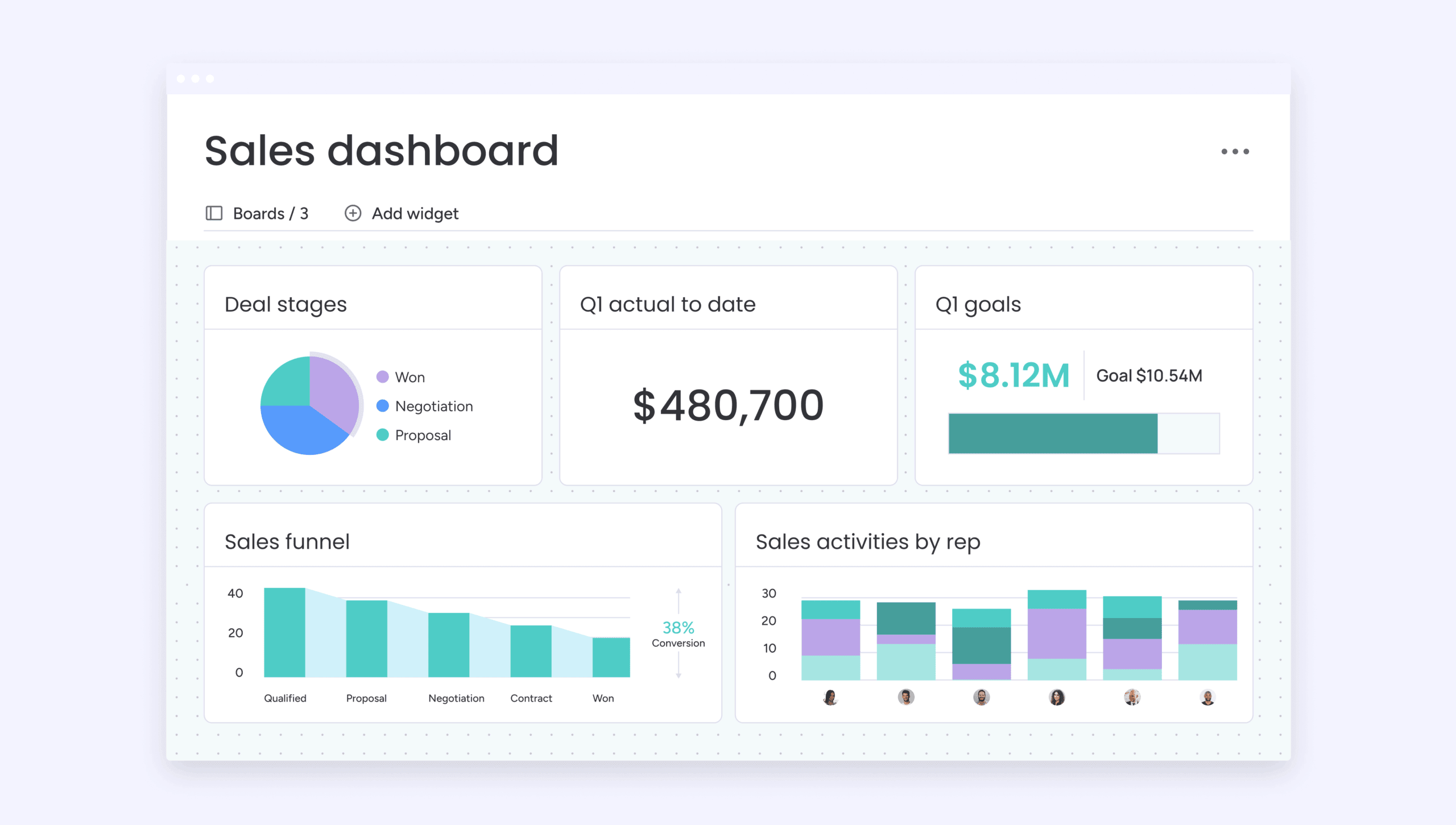
Design boards for voter outreach, donor tracking, and volunteer coordination using no-code building blocks. Campaign staff update stages, add fields, and adjust reporting views as priorities shift, without waiting on technical help.
Keep teams aligned around shared records
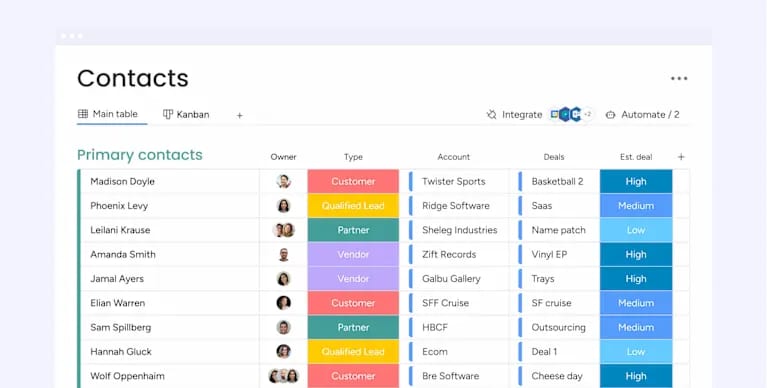
Maintain voter, donor, and volunteer profiles in one digital workspace. Field updates, finance activity, and communications notes stay connected to the same contact record so handoffs stay clear and follow-ups stay timely.
Use AI insights to guide decisions
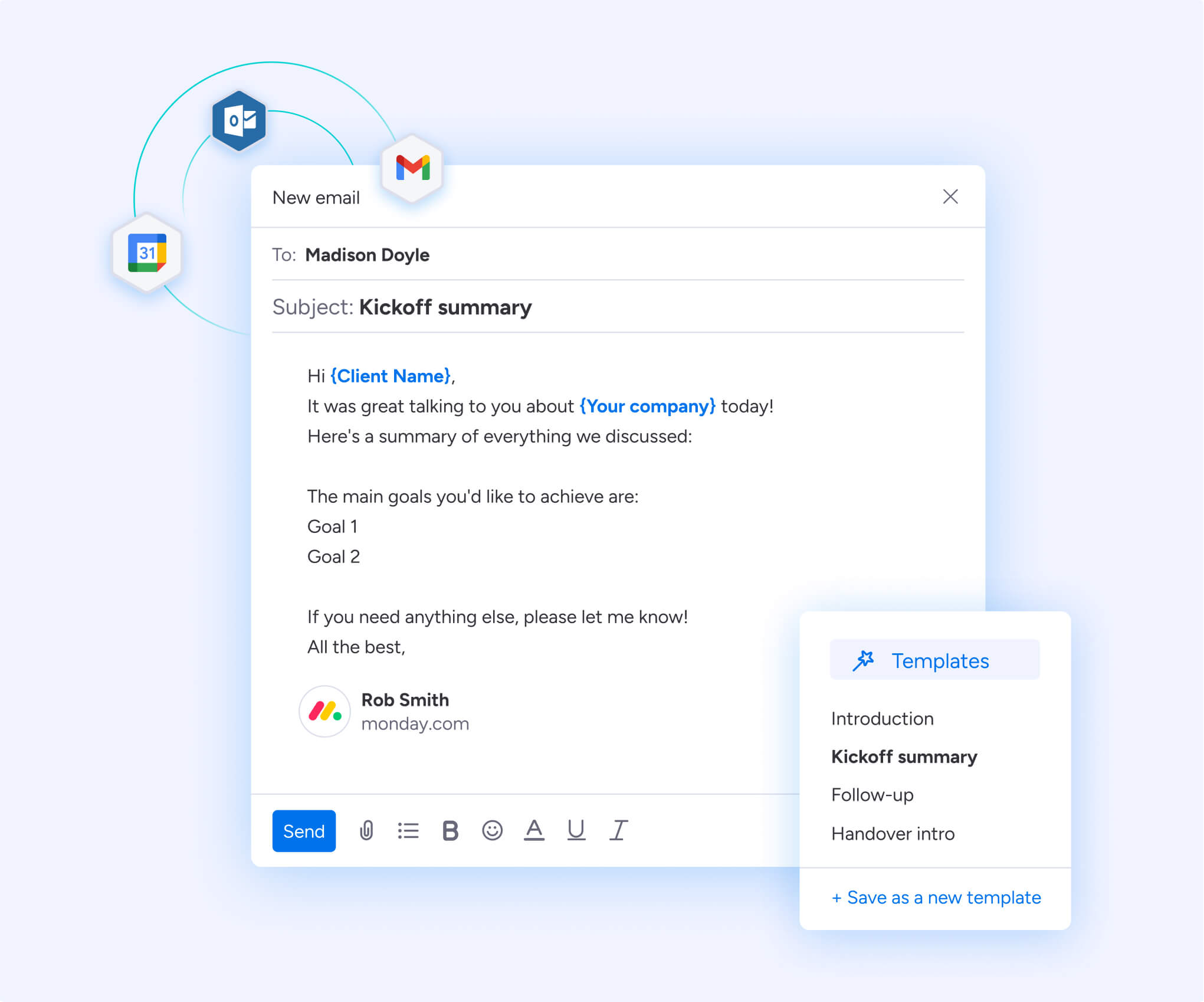
Review summaries of outreach history directly in Emails & Activities, draft responses with AI assistance, and surface engagement trends across canvassing notes and call logs. Teams spend less time sorting through records and more time planning next steps.
Turn your campaign tech into a competitive advantage
Select a CRM that fits your campaign size, timeline, and data environment. Prioritize shared visibility, flexible workflows, and integration coverage so teams stay focused on outreach instead of system maintenance.
Campaign teams launch faster, coordinate activity across departments, and adjust plans using live campaign data with monday CRM. Get started with more effective campaign planning today.
Try monday CRMWhat data security standards should campaigns look for in a CRM?
Look for platforms with SOC 2 or ISO 27001 certifications, role-based permissions, and audit logs to control access to sensitive voter and donor information.
Can a campaign keep historical data between election cycles?
Most platforms allow teams to export records or maintain reduced-rate accounts so data stays accessible for future campaigns.
How should campaigns evaluate mobile support?
Check whether volunteers and field staff can log activity, update records, and sync offline data from mobile devices.
What permissions do campaign teams need?
Finance, field, and communications teams often require different access levels. Choose a CRM that supports granular permission settings.
How does monday CRM handle role-based access for campaign teams?
monday CRM supports granular permission settings so finance, field, and communications teams only see the data relevant to their roles. Campaign leaders can control who edits fundraising records, who accesses voter notes, and who views reporting dashboards.

 Get started