



Sales teams are working harder than ever, yet many still spend the majority of their time on administrative tasks such as updating records, logging activities, and managing follow-ups while deals stall and forecasts remain uncertain. Traditional CRMs were built to store information and do not actively drive sales performance or provide actionable insights.
AI-powered enterprise sales automation changes this equation. These platforms move beyond data storage to predict deal outcomes, automate repetitive work, and surface insights that elevate average performers into top closers. With AI integrated into workflows, teams can focus on high-impact activities, improve forecast accuracy, and scale best practices across the organization.
This guide explores what AI sales automation actually delivers, why it outperforms conventional CRM systems, and which capabilities are driving measurable results in 2026. From predictive lead scoring and real-time conversation intelligence to no-code workflow automation, the focus is on tools that accelerate revenue while making sales operations more efficient and actionable.
Key takeaways:
- AI sales automation improves productivity: AI platforms handle repetitive tasks like data entry, follow-ups, and email composition, freeing sales reps to focus on closing deals.
- Forecasts become more accurate and actionable: AI analyzes historical deal data, engagement signals, and pipeline trends to provide reliable predictions, reducing reliance on gut feelings.
- Conversation intelligence enhances team performance: platforms like Gong and Thunai AI analyze calls and emails to surface winning behaviors, objections, and coaching opportunities.
- Flexibility and no-code workflows are critical for adoption: platforms that allow teams to build and adjust workflows without IT support increase usability and accelerate implementation.
- monday CRM combines AI with intuitive workflows: it enables teams to automate deal management, summarize engagement history, and draft emails in context, supporting real sales work without extensive technical setup.
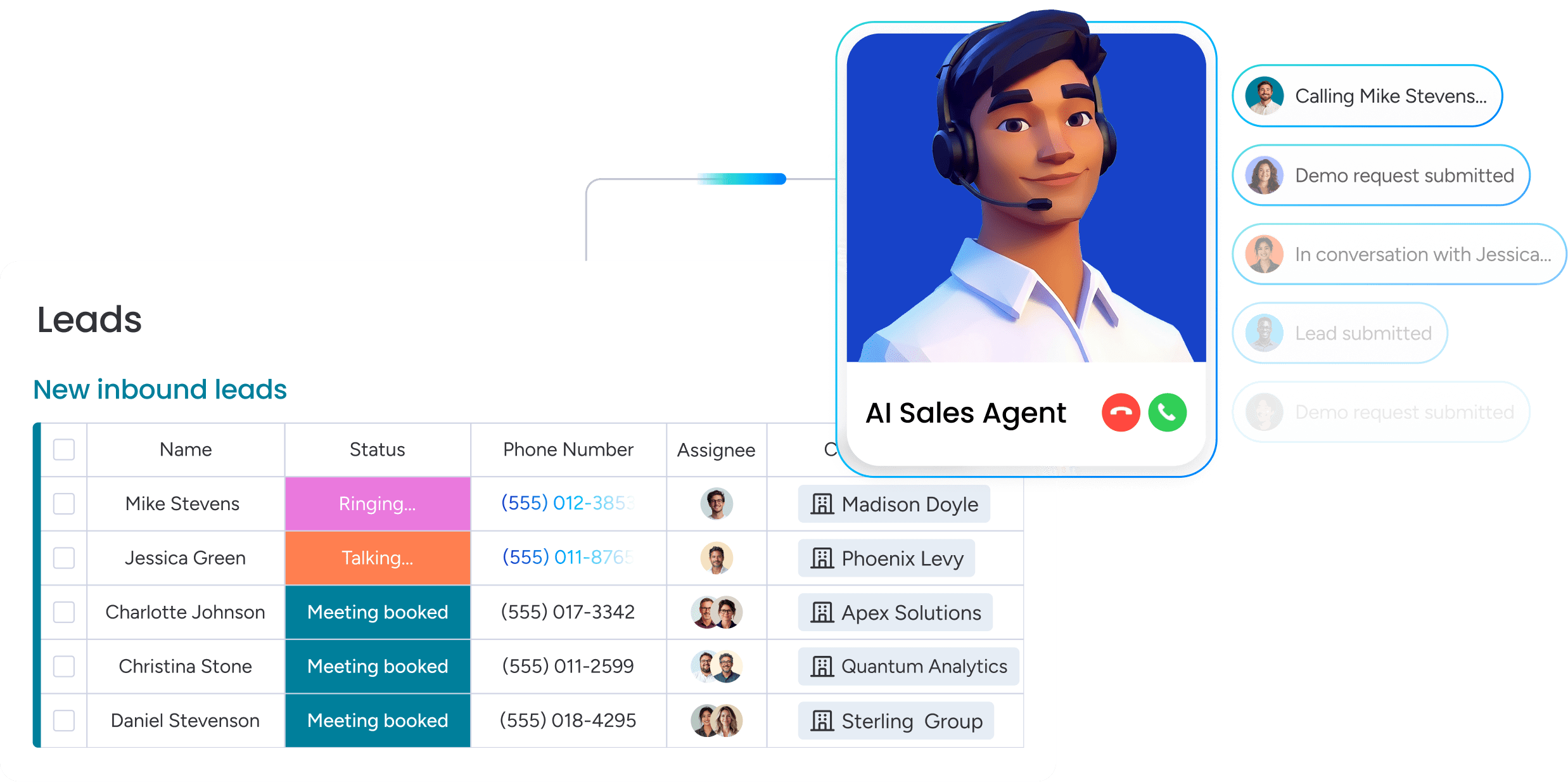
What is AI-powered enterprise sales automation software?
Your team is spending too much time on admin work instead of closing deals. AI-powered sales automation software changes that by handling repetitive tasks, giving your team the time to focus on what matters most: selling.
This software powers your sales operation, not just stores data. Instead of acting as a digital filing cabinet, it uses AI to predict which deals are likely to close, automate the next best step, and highlight coaching moments that make a real impact.
Here is what this means for your team: it provides a platform that works with them, not against them.
- Smarter lead scoring: the AI identifies the best leads based on actual behavior, not just job titles. This prevents chasing prospects that will never convert.
- Forecasts you can trust: AI analyzes past deals and team performance to provide accurate predictions. No guesswork, just a reliable view of your pipeline.
- Winning sales plays: the system analyzes calls and emails to uncover what top reps do differently and shares these practices across the team.
- Automation that just works: create custom workflows that match your sales process perfectly. No developers are required.
Why AI sales automation beats traditional CRM tools
Legacy CRMs were designed for data storage, not revenue growth. AI automation transforms this by giving your team time back and forecasts you can rely on.
Here is what matters most: focusing on actions that drive results, not just completing tasks faster.
Manual tasks are eating your selling time
Sales reps spend over half their week on work that does not generate revenue. Data entry, scheduling, and follow-ups consume about twenty-four hours per week per rep.
For a fifty-person team, that is approximately three million dollars in salary for work that adds no revenue. AI automation recovers those hours, enabling reps to spend time building relationships and closing deals.
Bad forecasts cost more than just revenue
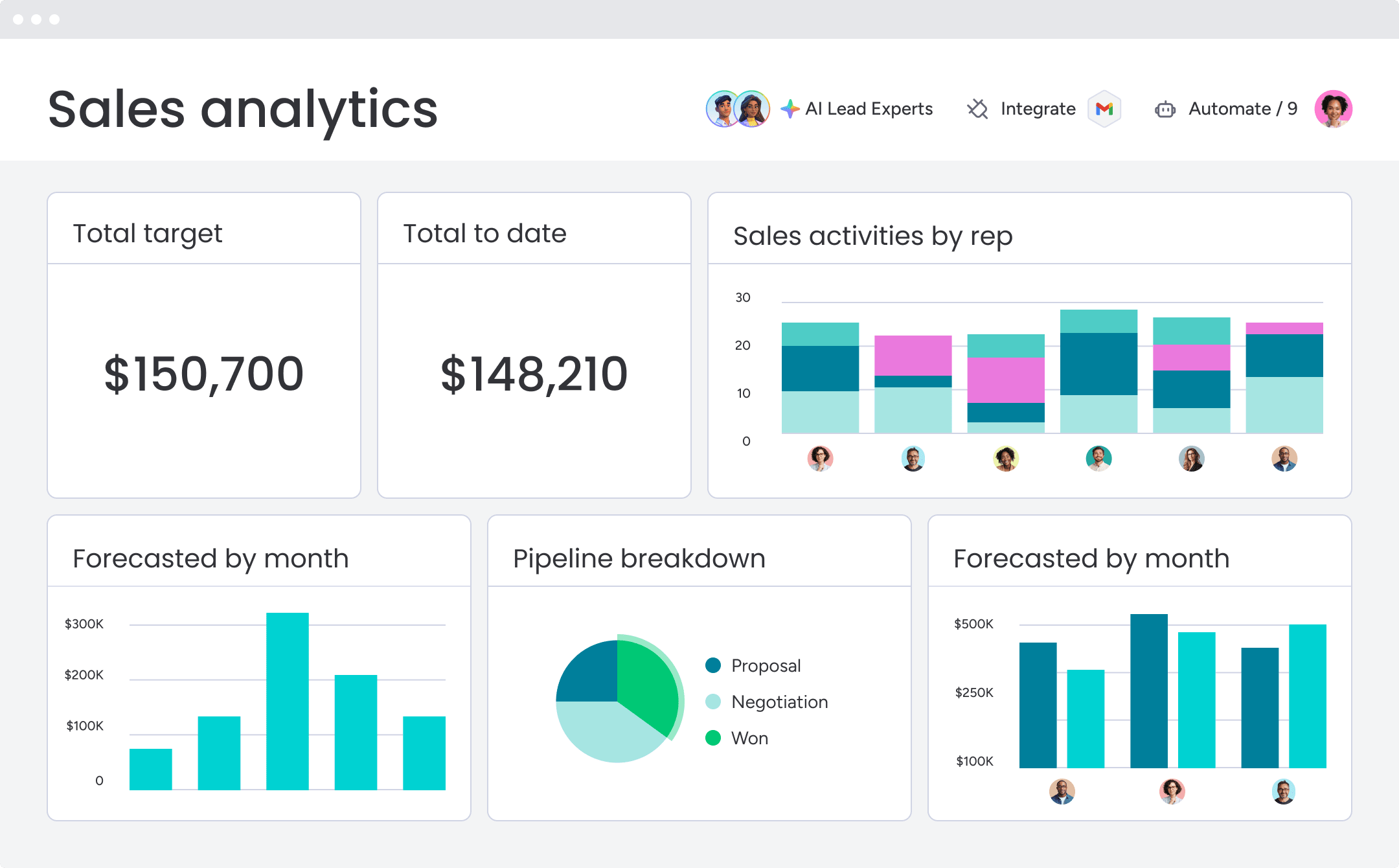
Relying on gut feelings and spreadsheets for forecasting often leads to errors of twenty to thirty percent. This creates chaos — finance teams cannot budget, and leadership loses confidence.
AI builds forecasts from real signals such as deal speed, engagement, and other critical factors. This allows leaders to report with confidence and allocate resources where they will have the most impact.
Turn every rep into a top performer
Top performers close three to four times more than their peers. They know when to push a deal and how to manage challenging buyers. AI captures these patterns and shares them with the entire team.
That’s what AI does. It analyzes winning patterns and gives every rep a playbook for what to do next:
- Flagging stalled deals: identifies momentum blockers before they become issues.
- Real-time suggestions: recommends the optimal next move during live calls.
- Pipeline velocity: accelerates the pipeline and improves win rates.
7 AI capabilities that actually drive sales results
Marketing hype makes it hard to see what AI truly does for sales. Focus on these seven capabilities that genuinely move the needle.
Most AI sales promises sound impressive but fall short in practice. Revenue teams do not need more features; they need solutions that solve real problems. AI that works versus AI that wastes time comes down to a few capabilities that accelerate your pipeline.
When these capabilities operate together, they drive revenue instead of merely tracking it.
1. Lead scoring that sees beyond the job title
Stop chasing impressive titles that go nowhere. Traditional scoring often focuses on demographics, while a manager with a real problem and a ready budget can go unnoticed. What if you could identify buying intent before competitors do?
AI-powered scoring emphasizes behavior, not just titles. It analyzes signals such as pricing page visits, demo requests, and content downloads to identify prospects actively seeking a solution. Teams end up talking to people who are ready to buy, not just people who look good in a spreadsheet.
2. Forecasting that is more than a wild guess
Does your weekly forecast feel like a wish list? Relying on gut feelings and lagging data makes it difficult to know if targets will be met. Teams cannot allocate resources or report upward with confidence.
AI reviews the entire deal history to uncover patterns that lead to wins. It highlights which deals are on track, which need attention, and where gaps exist in the pipeline. This delivers a forecast that revenue leaders can trust.
3. Conversation insights that elevate team performance
Your team’s best sales calls contain valuable strategies, from discovery questions to objection handling. The challenge is that this knowledge often leaves with the rep.
AI conversation intelligence records and analyzes customer interactions to identify effective talk tracks. It flags common objections and the most successful responses. Managers can coach on what works, and new reps can learn from top performers in days rather than months.
4. Automation that works the way your team does
Every sales process is unique, so why should a CRM force teams into a rigid workflow? Complicated automation creates friction, while complex tools require technical support for small changes.
No-code AI automation adapts to a team’s existing process without writing a single line of code. The most flexible platforms let teams build custom workflows using drag-and-drop interfaces, automating processes and handoffs in minutes. This approach empowers teams to operate efficiently on their own terms.
5. Pipeline alerts that identify risk in real time
By the time a deal is marked “at risk” in a weekly review, momentum is often lost. Prospects go quiet, leaving teams scrambling to revive stalled deals.
AI monitors deal health continuously and signals early warning signs, such as a decline in email responses or a stalled sales stage. Alerts give teams the opportunity to intervene before deals slip away.
6. Personalization that scales effectively
Generic outreach is ignored, but manual personalization across thousands of emails is impractical. Sales teams often face a choice between quality and quantity.
AI generates tailored opening lines, recommends relevant content, and identifies the optimal send time for each prospect. Teams can maintain a personal touch while reaching thousands of prospects at once.
7. Connections that break down silos
When marketing, sales, and customer success teams do not communicate, customers fall through the cracks. Smooth handoffs and complete information accelerate deals and improve the customer experience.
A connected platform keeps every team aligned. AI synchronizes data from the first marketing touch to the final renewal. Handoffs become seamless, and customers experience a consistent journey from start to finish.
Try monday CRM11 enterprise sales automation AI platforms to know
AI for sales is widespread. The promise is large, but often the reality adds complexity and introduces platforms teams do not adopt. Revenue leaders require platforms that reduce manual work and provide clear pipeline insights.
The following table highlights top platforms, their use cases, key AI capabilities, starting prices, and implementation complexity. Each description emphasizes practical outcomes rather than buzzwords.
| Platform | Use case | Key AI features | Starting price | Implementation complexity |
|---|---|---|---|---|
| monday CRM | Mid-market teams wanting AI without technical complexity | AI Blocks for custom automation, timeline summaries, email composition, no-code workflows | $12/user/month | Low - visual setup, no IT required |
| Thunai AI | Teams prioritizing AI-first automation across sales workflows | Automated lead scoring, predictive routing, conversation analysis | Custom pricing | Medium - requires configuration |
| Salesforce Sales Cloud | Large enterprises with complex customization needs and technical resources | Einstein AI for forecasting, lead scoring, opportunity insights | $25/user/month | High - extensive implementation required |
| Gong | Revenue teams focused on conversation intelligence and deal insights | Call recording, pattern analysis, coaching recommendations | Custom pricing | Medium - integration with existing stack |
| Outreach | Sales development teams managing high-volume sequences | AI-powered sequencing, optimal send times, response prediction | Custom pricing | Medium - workflow configuration needed |
| HubSpot Sales Hub | Small businesses wanting integrated marketing and sales automation | Predictive lead scoring, email tracking, meeting scheduling | $45/user/month | Low - quick setup for basic features |
| LinkedIn Sales Navigator | Teams prioritizing social selling and relationship-based prospecting | Lead recommendations, account insights, relationship mapping | $99/user/month | Low - browser-based platform |
| ZoomInfo Sales | Organizations needing extensive B2B contact data and intent signals | Intent data, buyer identification, contact enrichment | Custom pricing | Medium - data integration required |
| Highspot | Sales enablement teams managing content and training at scale | Content recommendations, engagement analytics, training optimization | Custom pricing | Medium - content migration needed |
| Clari | Revenue operations teams focused on forecasting accuracy | Revenue forecasting, pipeline inspection, deal risk analysis | Custom pricing | High - cross-functional implementation |
| Bombora | Marketing and sales teams leveraging intent data for targeting | Company-level intent signals, topic tracking, account prioritization | Custom pricing | Low - data feed integration |
The right platform depends on a team’s budget, technical resources, and specific challenges. Modern platforms like monday CRM enable AI-powered workflows without requiring coding, giving teams the tools to prioritize deals, automate routine tasks, and gain actionable insights.
1. monday CRM
monday CRM provides revenue teams with a CRM they can adapt to their sales process without turning every update into a project. Teams can manage leads, deals, accounts, and post-sale operations in a single platform. Automations and AI reduce manual updates and ensure communication remains organized.
AI in monday CRM supports the daily work of reps and managers, including drafting emails, reviewing activity history, and keeping board data current. Admins can enable AI capabilities on Standard, Pro, and Enterprise plans.

Example:
monday CRM is ideal for mid-market teams that want AI to assist with communication and data hygiene while managing pipeline, handoffs, and reporting in one place.
Managing a long sales cycle with multiple stakeholders? monday CRM keeps every email, call, meeting, and note linked to the correct account or deal, giving teams the full context they need at the right time.
Key features
- Emails & activities: keep emails, calls, meetings, and notes logged in one timeline so reps, managers, and account teams can follow the full story in one view.
- Visual pipeline management: track deals in a pipeline, customize deal stages with drag and drop, and maintain momentum by making next steps visible.
- Lead, account, and contact management: store key details in one place and connect deals, accounts, contacts, and related work. use the expanded item view for full context.
Advanced AI features
- Timeline summary with AI: receive a short summary of your emails and activities timeline based on communication events such as emails, calls, meetings, and notes. perfect for deal reviews and quick handovers.
- AI email assistant in emails & activities: draft emails faster with first versions, cleaner rewrites, or sharper follow-ups.
- Autofill with AI on boards: apply AI actions to columns to reduce manual updates. actions include detect sentiment, extract information, improve text, summarize, or create custom actions.
Automations
- No-code automations: match your workflows without IT assistance so reps spend more time selling and less time updating fields.
- Deal management workflows: automate actions as deals move through stages, including handoffs to legal and finance.
- Follow-ups that do not slip: pair email workflows with automation to ensure timely follow-ups while keeping activity tied to the correct record.
Integrations
- Powerful integrations: connect monday CRM to existing systems, keeping customer information centralized while your team continues using familiar tools.
- One platform beyond sales: manage post-sale operations within the same platform for onboarding, renewals, and collections.
Best enterprise sales automation software AI features
- AI that supports real sales work: summarize engagement history, draft context-aware emails, and maintain board accuracy with autofill.
- Consistent data without constant reminders: use AI actions such as extract information or assign label to populate and categorize fields.
- Faster handovers: leverage AI timeline summaries to onboard account managers or customer success teams in minutes instead of hours.
Pricing
- Basic: $12/month per user, billed annually
- Standard: $17/month per user, billed annually
- Pro: $28/month per user, billed annually
- Ultimate: contact sales for quote-based pricing
- Annual discount: save 18% with yearly billing
- Minimum purchase: three seats required
- 14-day free trial: no credit card needed
Why it stands out
- Built for adoption: combines an intuitive interface with customizable workflows so teams consistently follow the process you design.
- Flexible across the customer journey: manage lead tracking, deal management, account oversight, and post-sale operations in one platform.
- Reporting that matches leadership needs: use code-free dashboards and widgets to track status, forecast accuracy, and performance.
2. Thunai AI
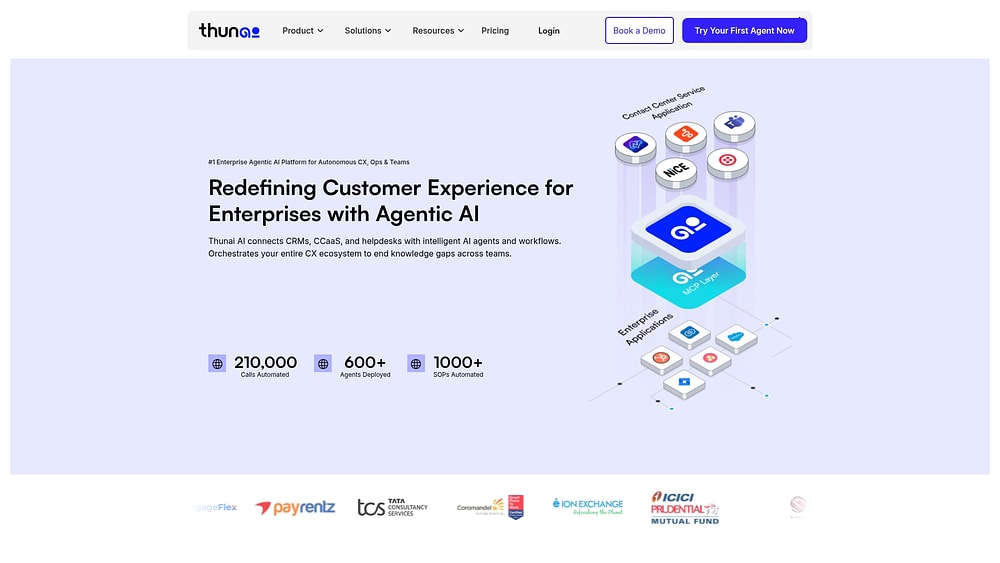
Thunai AI provides autonomous sales agents that operate across voice, chat, email, and social channels to automate the entire revenue process. The platform combines AI-powered conversation intelligence with unified knowledge management, making it suitable for teams handling high-volume sales motions where consistent execution drives results.
Use case:
Sales development teams managing thousands of leads through standardized qualification processes benefit from Thunai AI’s multichannel automation and real-time pipeline intelligence.
Key features:
- Revenue AI: automatically detects deals from calls and chats, scores opportunities using more than 300 buying signals, and syncs bi-directionally with Salesforce, HubSpot, and Microsoft Dynamics.
- Multi-channel agents: deploy voice agents with SIP trunking, chat agents with sub-50ms response times, and email agents that learn your brand tone across all customer touchpoints.
- Real-time agent assist: provides live scripts, sentiment detection, upsell prompts, and automated CRM updates during customer conversations.
Pricing:
- Free: basic agent with limited AI credits.
- Starter: seven to nine dollars per month with expanded AI credits and features.
- Basic: seventy-nine to ninety-nine dollars per month with increased agent capacity.
- Standard: one hundred fifty-nine to one hundred ninety-nine dollars per month with advanced automation capabilities.
- Premium: three hundred ninety-nine to four hundred ninety-nine dollars per month with full feature access.
- Enterprise: custom pricing with on-premises deployment options.
- Add-ons: premium modules available for additional purchase.
Considerations:
- Pricing information varies across website versions, requiring direct quotes for accurate cost planning.
- Limited independent validation of performance claims and compliance certifications, with few third-party reviews for enterprise-scale proof points.
3. Salesforce Sales Cloud
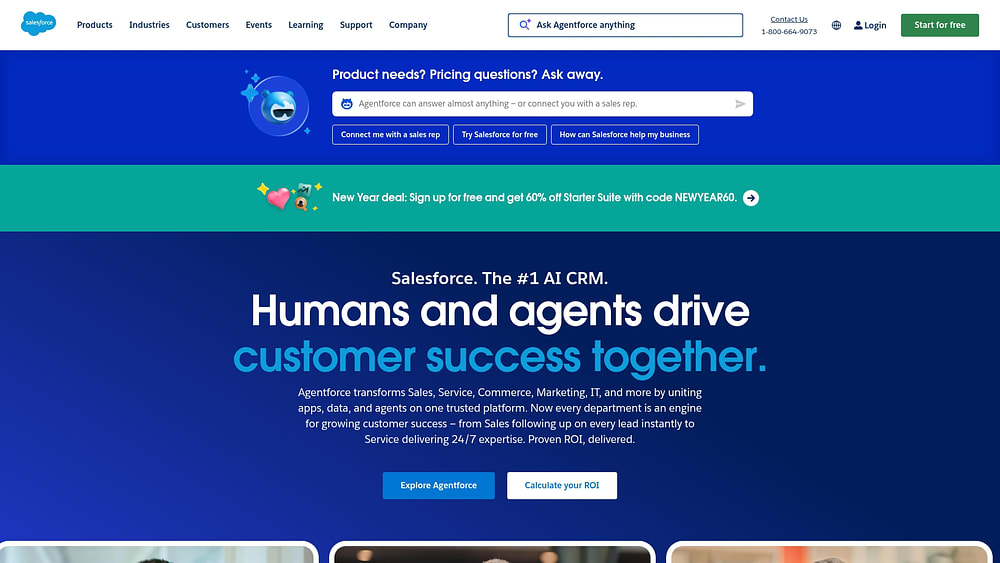
Salesforce Sales Cloud, soon to be Agentforce Sales as of October 2025, is an enterprise CRM platform with comprehensive functionality. Its deep AI automation is powered by the Einstein 1 Platform. Built for large organizations with complex sales processes, it offers extensive customization and a robust ecosystem of integrations for teams with technical resources.
Use case:
Ideal for large enterprises with intricate deal structures, dedicated technical teams, and existing Salesforce ecosystems who need end-to-end automation across their revenue cycle.
Key features:
- Einstein 1 Platform AI: powers predictive lead scoring, forecasting, and autonomous agents that handle prospecting and guide deals.
- Sales engagement platform: provides automated cadences, prioritized work queues, and conversation intelligence with call recording and AI-powered summaries.
- Revenue Cloud integration: enables end-to-end automation from quoting and pricing approvals to billing and product-to-cash workflows.
Pricing:
- Free Suite: zero dollars per month for up to two users.
- Starter Suite: twenty-five dollars per month per user.
- Pro Suite: one hundred dollars per month per user, billed annually.
- Enterprise: one hundred seventy-five dollars per month per user.
- Unlimited: three hundred fifty dollars per month per user.
- Agentforce 1 Sales: five hundred fifty dollars per month per user for the all-in bundle including AI suite, Slack Enterprise+, and Tableau Next. The core AI suite is available as an add-on from one hundred twenty-five dollars per user per month.
- Add-ons: sales engagement and conversation intelligence are available at fifty dollars per month per user.
- Premier Success Plan: costs thirty percent of net license fees, included with Unlimited.
Considerations:
- Implementation typically requires six to twelve months with dedicated technical teams, and ongoing customization demands continuous investment.
- Feature gating across editions can fragment the experience, with advanced capabilities often requiring expensive add-ons or higher-tier plans.
4. Gong
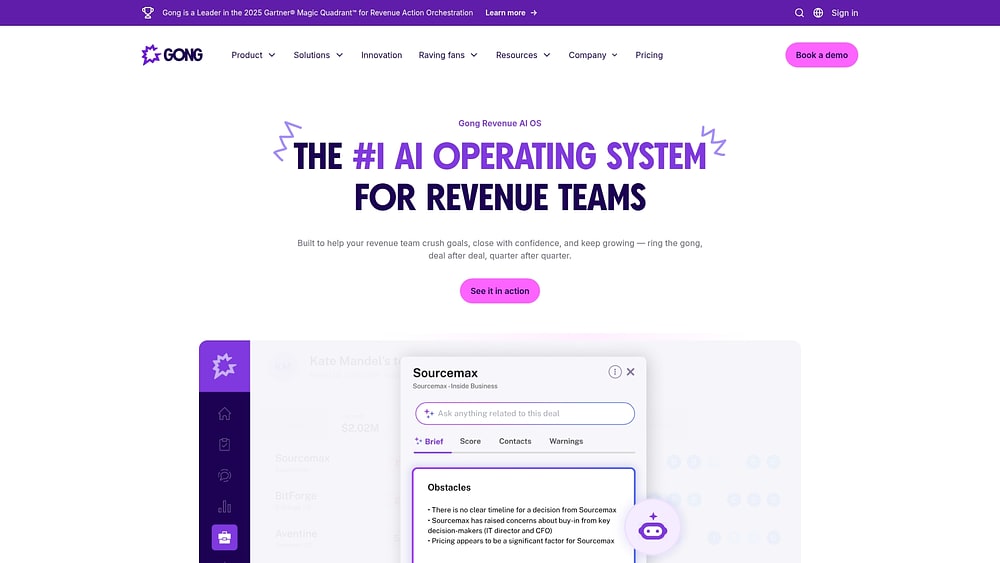
Gong converts sales conversations into revenue intelligence by recording, analyzing, and extracting insights from every customer interaction. Serving mid-market and enterprise revenue teams, it focuses on conversation-driven automation rather than basic cadence sequences. With over five thousand customers and recognition in Gartner’s 2025 Revenue Action Orchestration Magic Quadrant, Gong delivers AI agents that turn interactions into actionable insights.
Use case:
Revenue teams prioritizing sales coaching and conversation analysis use Gong’s AI-powered insights to improve win rates from customer interactions.
Key features:
- AI agents (Tasker, Composer, Deal Reviewer): automate follow-ups, draft emails, and evaluate deal health based on conversation context.
- Conversation intelligence: records, transcribes, and analyzes sales calls to identify patterns and coaching opportunities.
- Revenue orchestration platform: combines sales engagement, pipeline management, and forecasting with full interaction data.
Pricing:
- Quote-only pricing with per-user licenses plus a platform fee.
- Free integrations to existing tech stack included.
- Professional services and add-ons handled through sales consultation.
Considerations:
- High cost is frequently cited by users as a primary concern.
- Automations are limited to company flows, with date-based triggers restricted to Opportunity objects.
- LinkedIn Sales Navigator integration requires Advanced Plus plan, adding potential coordination complexity.
5. Outreach
Outreach delivers AI-powered sales engagement automation for high-volume prospecting. The platform focuses on intelligent sequencing across email, phone, and social channels, making it ideal for sales development teams running complex outbound campaigns. With more than thirty-three billion interaction signals captured weekly, Outreach uses data at scale to optimize send times and predict response likelihood.
Use case:
Sales development teams managing hundreds of prospects simultaneously benefit from Outreach’s AI-powered follow-ups while maintaining personalization and proper cadence.
Key features:
- Multi-channel sequences: AI-powered send time optimization and A/B testing.
- Conversation intelligence (Kaia): provides real-time transcription, live guidance, and automated summaries.
- Purpose-built AI agents: support revenue targeting, research automation, deal management, and call personalization.
Pricing:
- Engage: contact for pricing, covers sales engagement core features.
- Call/Voice: usage-based pricing for minutes and phone numbers.
- Meet (Kaia): contact for pricing, provides conversation intelligence.
- Deal, Forecast, Amplify: modular add-ons with custom pricing.
- Professional services available for onboarding and enablement.
Considerations:
- Learning curve and UI complexity are frequently mentioned as challenges.
- Quote-based pricing can create barriers for smaller teams evaluating the platform.
6. HubSpot Sales Hub
HubSpot Sales Hub unifies sales automation with marketing alignment, targeting mid-market B2B companies with a freemium model. Its integrated approach makes it suitable for teams moving from spreadsheets to a proper CRM. With over two hundred sixty-seven thousand customers and growing AI capabilities through Breeze agents, HubSpot focuses on ease of use and rapid implementation.
Use case:
Small to mid-market businesses benefit from integrated marketing and sales automation with minimal complexity and fast time-to-value.
Key features:
- AI-powered prospecting: Breeze Prospecting Agent handles research, timing, and email generation while Conversation Intelligence provides automatic call transcription and coaching insights.
- Multi-layered automation: pipeline rules for simple automations plus enterprise-grade workflows for complex, cross-object processes.
- Unified customer platform: Sales Hub integrates seamlessly with Marketing, Service, and Commerce Hubs on a single Smart CRM to prevent data silos.
Pricing:
- Starter: twenty dollars per month per seat.
- Professional: one hundred dollars per month per seat.
- Enterprise: one hundred fifty dollars per month per seat, billed annually.
- Enterprise onboarding: one-time fee of three thousand five hundred dollars.
- Free view-only seats available for paid accounts.
- Additional workflow and transcription limits available as add-ons.
Considerations:
- Advanced AI capabilities and customization options become limited as organizations scale beyond mid-market complexity.
- Native payments functionality is restricted to the US, UK, and Canada.
7. LinkedIn Sales Navigator
LinkedIn Sales Navigator transforms professional networking data into actionable sales intelligence for relationship-based prospecting. It leverages LinkedIn’s extensive professional network to surface buyer intent signals, map relationship pathways, and identify warm introduction opportunities that traditional sales tools cannot access.
Use case:
Enterprise sales teams use Sales Navigator to identify decision-makers, monitor account changes, and leverage existing connections for warm introductions rather than cold outreach.
Key features:
- Buyer intent signals: receive real-time alerts when prospects show purchase signals or job changes across LinkedIn’s professional network.
- Relationship mapping: TeamLink identifies mutual connections and warm introduction paths to target accounts and decision-makers.
- AI-powered insights: Account IQ and Lead IQ generate summaries and research insights while Message Assist drafts personalized InMail outreach.
Pricing:
- Core: $119.99/month for individual sellers.
- Advanced: $179.99/month for sales teams with AI insights and collaboration features.
- Advanced Plus: custom pricing for enterprise teams with CRM integrations and embedded experiences.
- annual billing reduces monthly costs.
- 50 InMails included across all plans.
Considerations:
- No bulk messaging: all InMails must be sent individually, limiting scale for high-volume outreach.
- Limited CSV exports: some AI features are English-only with gradual rollout timelines.
8. ZoomInfo Sales
ZoomInfo Sales combines extensive B2B contact data with AI-driven intent signals to identify companies actively researching solutions. The platform centralizes data intelligence and workflow automation, making it ideal for sales teams that require comprehensive prospect information and actionable buying signals.
Use case:
Sales teams leverage ZoomInfo to access verified contact details and prioritize target accounts based on real buying behavior.
Key features:
- Comprehensive B2B database: access to 321 million contacts across 104 million companies globally with verified email addresses and direct dial phone numbers.
- Intent data and buying signals: AI identifies companies showing purchase intent through behavioral signals, funding events, and technology installations.
- Workflow automation: trigger-filter-action framework automates prospecting, routing, and campaign activation across connected CRM and engagement platforms.
Pricing:
- Quote-based pricing: annual contracts typically range from one to three years.
- AWS Marketplace reference: Sales edition listed at $34,995 annually (indicative pricing).
- Additional costs: credit-based consumption with add-ons for enhanced features, international data, and advanced integrations.
- Negotiation potential: discounts of 30–70% are often available based on volume and contract terms.
Considerations:
- Contract commitments: one- to three-year non-cancellable terms may not suit all team structures.
- Credit-based usage: frequent add-ons can make total cost of ownership unpredictable.
9. Highspot
Highspot transforms sales enablement into an intelligent automation engine that guides sales reps through every deal. It specializes in AI-driven content recommendations and deal intelligence, making it suitable for enterprise teams managing complex sales cycles and extensive content libraries. The Deal Agent embeds into CRM workflows, converting scattered sales signals into actionable next steps.
Use case:
Enterprise enablement teams use Highspot to automate content delivery, training programs, and deal guidance across large, distributed sales organizations.
Key features:
- Deal Agent: provides AI-driven deal intelligence and risk assessment within CRM and email workflows.
- Digital sales rooms: create collaborative buyer experiences with automated follow-ups based on engagement analytics.
- AI content recommendations: surface the right case studies, battle cards, and presentations for specific sales situations.
Pricing:
- Good package: quote-based pricing includes content management, AI search, digital sales rooms, and basic integrations.
- Better package: adds AI-assisted learning, practice scenarios, and enterprise-scale options with multi-CRM support.
- Enterprise support: 24/7/365 support, dedicated customer success manager, and proactive health monitoring available as add-ons.
- CRM integrations included at no additional cost.
- pricing varies based on functionality and number of licenses.
Considerations:
- Enablement focus: Highspot specializes in content automation rather than outbound sequencing, requiring integration with sales engagement platforms.
- Quote-only pricing: lacks upfront transparency, making evaluation of total cost more difficult.
10. Clari
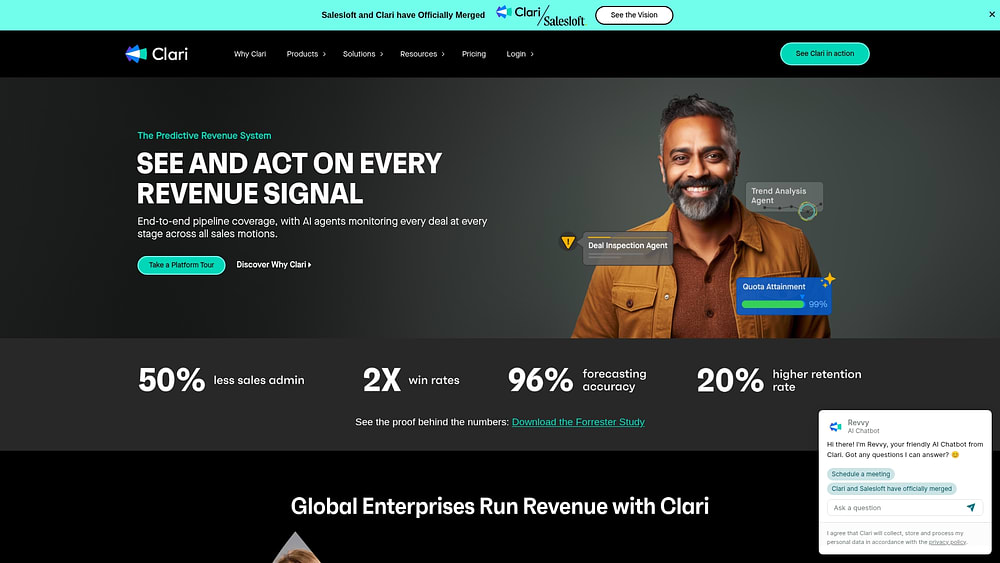
Clari gives revenue operations teams a command center to turn pipeline complexity into predictable growth. Recognized as a leader by Gartner and Forrester, the platform connects every touchpoint from first contact to close. Its merger with Salesloft provides a comprehensive revenue platform, spanning top-of-funnel engagement to bottom-line forecasting.
Use case:
Revenue operations teams use Clari to inspect pipeline health, track forecast changes, and identify execution issues across the entire sales organization.
Key features:
- Revenue forecasting: AI analyzes pipeline data, activity patterns, and historical trends to generate precise revenue predictions and flag at-risk deals.
- Sales engagement (Groove): Salesforce-native tools for outbound sequences, automated activity logging, and an integrated dialer with call recording.
- Conversation intelligence (Copilot): real-time transcription, live battlecards during calls, and automated capture of next steps synced to CRM.
Pricing:
- Custom pricing: all platform components are quote-based.
- Professional services: implementation and configuration support available.
- Training costs: user training and change management are typically included in enterprise packages.
Considerations:
- Salesforce-centric engagement: Groove is built for Salesforce, limiting use for other CRMs.
- AI oversight required: summaries save time but may require human verification.
- Data capture nuances: some events not linked to CRM records may require manual logging.
- No public pricing: budgeting requires a custom quote.
11. Bombora
Bombora delivers company-level intent data by monitoring content consumption across thousands of B2B websites. It identifies organizations actively researching specific topics, making it ideal for account-based marketing and sales teams that need to prioritize accounts with verified buying signals. Bombora functions as a neutral data layer, integrating seamlessly with existing CRM and sales engagement tools.
Use case:
Sales and marketing teams use Bombora’s intent data to focus on accounts showing demonstrated interest in their solutions.
Key features:
- Company Surge methodology: tracks account-level intent signals across 5,000+ B2B websites with 86% publisher exclusivity using BERT-based NLP.
- Native CRM integration: embeds intent scores into Salesforce, HubSpot, and Outreach to trigger automated tasks and prioritization workflows.
- Weekly automation triggers: creates high-priority tasks in sales engagement platforms when assigned accounts surge on selected topics.
Pricing:
- Custom pricing: quote-based with no published tiers.
- Freemium access: limited exposure through Outreach integration (10–25 topics for existing Outreach users).
- Average discounts: user-reported discounts around 14% with median ROI at 17 months.
Considerations:
- Account-level signals only: additional workflows or partner data may be needed to identify specific contacts for outreach.
- Update frequency: weekly updates may not support time-sensitive sales motions requiring real-time triggers.
How to choose AI sales automation your team will actually use
Choosing the right platform is less about comparing features and more about matching your sales process. Follow these steps to identify a solution that fits your team’s reality.
Consider this scenario: an organization invests in a new platform, spends weeks implementing it, and six months later, adoption remains low. The problem is rarely the technology. It usually starts with vendor demos rather than analyzing the team’s real workflows.
Ignore the feature bake-off. The real advantage comes from selecting a platform that resolves the bottlenecks slowing your team down. Begin by mapping your process, then find a tool that fits seamlessly. This ensures your CRM accelerates sales instead of adding another login to manage.
The right solution eliminates key bottlenecks without creating new obstacles.
Map the messy reality of your sales process
A playbook is useful, but it rarely captures what happens between the first call and a closed deal. Documenting the actual process is the only way to see where things break. Track deal progression, handoffs, and manual tasks that consume your reps’ time.
This exercise provides a clear diagnosis. Do you need to fix broken workflows before automating? AI simply makes inefficient processes faster. Before you shop, get honest about what is happening on the ground.
- Stage definition: identify the real phases of a deal and how long each stage takes.
- Activity requirements: determine what must happen at each stage to move deals forward.
- Stakeholder involvement: spot where handoffs to legal, finance, or account managers fail.
- Pain point identification: pinpoint manual tasks and information gaps that stall momentum.
Demand flexibility, not just a long feature list
A long feature list is irrelevant if you cannot adapt the platform to your workflow. Sales processes evolve constantly. Your CRM should adjust when you launch a new product or the market shifts without requiring IT for every update.
Rigid platforms that need developers for minor changes create bottlenecks. Can your team make adjustments independently, or do they wait for technical support? Successful teams choose platforms that give control back to users, allowing workflow changes without coding.
Verify it plays well with your current tech stack
Your AI platform does not operate in isolation. It must integrate with marketing automation, finance systems, and customer success tools. Poor integrations create data silos and force manual entry.
Do not take a vendor’s word. Ask how data flows between systems. Can it sync in real time? What happens if a connection fails? Organizations achieve better results by using monday CRM for its flexible integrations, ensuring it complements existing tools rather than adding complexity.
Look past the sticker price for the total cost
The listed price is only the start. True enterprise software costs include implementation, training, customization, and data migration fees that can triple the initial quote. Internal time to get the system running is also significant.
Before signing, outline all potential costs. Platforms designed for business users, not just IT teams, offer predictable total costs and faster returns. The goal is value quickly, not a multi-year IT project.
Try monday CRM
3 strategies for an AI rollout that actually works
Even the best software fails if rollout ignores the human element. Use these strategies to ensure adoption and deliver results quickly.
AI sales platforms are only as good as their implementation. Most teams fail because they rush the launch, losing momentum before it begins. These three strategies turn AI skeptics into advocates.
Fix your data before you do anything else
AI relies on clean data. Duplicates and incomplete fields sabotage automations before they run. Start with a data audit to locate duplicates, missing information, and inconsistencies. Define standards for data entry to ensure AI delivers value.
- Audit current data: find duplicates, incomplete fields, and inconsistent formatting.
- Establish standards: define required fields and clear data-entry expectations.
- Clean house: deduplicate contacts, standardize names, and archive old records.
- Document the process: create a simple guide to maintain data quality over time.
Launch with your champions to build momentum
A phased rollout is more effective than a company-wide launch. Early adopters need support, and skeptics often resist. Start with tech-savvy reps who have peer respect. Provide training, track wins, and let their success stories influence the team.
- Identify power users: select reps who embrace new technology.
- Provide VIP support: offer dedicated training and direct assistance.
- Measure early wins: track how they save time or close more deals.
- Share success: highlight results in team meetings and leadership updates.
Measure adoption weekly
What gets measured gets managed. And what gets ignored gets abandoned. Tracking specific adoption metrics lets you spot problems early and fix them before they stick.
Focus on metrics that show actual usage. If activity logging is low, reps might need a quick demo on mobile capture. If automation usage is lagging, showcase a workflow that gives them back an hour in their day.
| Metric | Target benchmark | Measurement frequency |
|---|---|---|
| Active users | >85% of licensed users logging in weekly | Weekly |
| Data quality | >90% of required fields completed | Weekly |
| Activity logging | >80% of meetings and calls recorded | Weekly |
| Automation usage | >70% of eligible workflows automated | Bi-weekly |
| Mobile adoption | >50% of users accessing via mobile | Monthly |
| Feature utilization | >60% using AI capabilities | Monthly |
Measuring real ROI from AI sales automation
Vague promises of efficiency will not satisfy the finance department. You need concrete metrics to demonstrate that the investment is delivering results.
Your CFO focuses on the bottom line, so proving value requires measurable indicators. Showing the impact of sales automation is not magic — it is math. The first step is tracking the metrics that actually drive performance.
Stop guessing and start measuring. The earliest signs of success include reclaimed admin hours, shorter sales cycles, and higher win rates. Revenue teams find success using monday CRM to monitor these key indicators:
- Time saved vs. time selling: turn reclaimed admin hours into revenue-generating activity.
- Win rate and deal size: see how AI enables your team to close more, and larger, deals.
- Sales cycle length: measure how much faster deals move from open to closed-won.
- Forecast accuracy: replace guesswork with data-backed predictions.
The real advantage is not just saving time; it is increasing overall team productivity. AI helps average performers operate like top reps, driving consistent growth. Most teams see tangible returns within six to twelve months as adoption builds momentum.
Real ROI becomes clear when the team spends less time wrestling with software and more time pursuing sales opportunities.
AI your team will actually use
Complexity reduces adoption. That is why the AI is designed to feel invisible yet powerful. Here is how monday CRM integrates intelligence into workflows naturally.
Many CRM AI features create more work than they solve. They are clunky, complicated, and hidden in interfaces that teams avoid. Powerful AI is useless if no one uses it.
Our AI works directly in the workflows your team already knows. No data science degree is required, and no external consultants are necessary. It delivers smart, simple capabilities that make selling easier.
AI becomes a partner in the sales process, not an extra tool to manage.
Build custom AI workflows, no code needed
AI Blocks are no-code tools that enable powerful automations in minutes. Teams can create workflows that reduce manual work without waiting for technical support.
- Extract info: automatically pull key details such as budget and timeline from emails and add them to deal records. No more copy-pasting.
- Categorize: instantly sort new leads by industry, priority, or custom fields. The right leads reach the right reps faster.
- Summarize: turn long email chains and meeting notes into concise highlights. Managers can get up to speed in seconds.
- Custom actions: build workflows for unique processes, such as flagging deals for legal review.
All features operate directly within the Emails & Activities workflow. This is AI that assists your team where they work, not in a separate tab.
Turn AI insights into real action
Insights are only valuable if teams can act on them. AI recommendations appear on the visual pipeline, where work is managed daily.
Each deal card displays an AI-powered risk score, allowing reps to quickly see what requires attention. Green indicates on track, yellow is a warning, and red signals a deal at risk. Zero guesswork, just clear next steps.
Connect sales to your entire business
Deals involve more than sales. Marketing, customer success, finance, and legal all contribute. Revenue teams succeed by ensuring data flows seamlessly between departments using monday CRM.
When marketing generates a lead, sales receives full context. When deals close, customer success has all the information needed for a smooth handover. No data silos, no repeated questions from customers.
| monday CRM | Traditional platforms | |
|---|---|---|
| Getting started | Go live in days or weeks | Months of technical setup |
| Team adoption | So intuitive, your team gets it in under a week | Requires weeks of formal training |
| Making changes | No-code tweaks you can make in minutes | File an IT ticket and wait |
| Using AI | Built-in and ready to go for everyone | Needs data scientists or expensive add-ons |
| The real cost | Clear pricing, no surprises | Hidden fees and endless customization costs |
The result is AI that accelerates sales without adding complexity. Teams gain the intelligence needed to close more deals in a platform they enjoy using.

“With monday CRM, we’re finally able to adapt the platform to our needs — not the other way around. It gives us the flexibility to work smarter, cut costs, save time, and scale with confidence.”
Samuel Lobao | Contract Administrator & Special Projects, Strategix
“Now we have a lot less data, but it’s quality data. That change allows us to use AI confidently, without second-guessing the outputs.”
Elizabeth Gerbel | CEO
“Without monday CRM, we’d be chasing updates and fixing errors. Now we’re focused on growing the program — not just keeping up with it."
Quentin Williams | Head of Dropship, Freedom Furniture
“There’s probably about a 70% increase in efficiency in regards to the admin tasks that were removed and automated, which is a huge win for us.“
Kyle Dorman | Department Manager - Operations, Ray White
"monday CRM helps us make sure the right people have immediate visibility into the information they need so we're not wasting time."
Luca Pope | Global Client Solutions Manager at Black Mountain
“In a couple of weeks, all of the team members were using monday CRM fully. The automations and the many integrations, make monday CRM the best CRM in the market right now.”
Nuno Godinho | CIO at Velv
“monday.com provides developmental flexibility, operational efficiency, and data transparency — all in one place. We became a company that moved from chasing data to leading with it.”
Hyunghan Lee | Team Lead, Sandbox Network
"monday.com brought every part of our business into one connected space. The harmony between work management and CRM has become our operating system — giving us the clarity and confidence to scale.”
Jennifer Chinburg | Executive Vice President of Corporate Development & Brand, Chinburg Properties
“We just weren’t getting value from our old CRM. With monday.com, it's a thousand times better. Our sales teams are more informed, more consistent, and far more connected."
James Arnold | Chief Operating Officer, CenversaReady to automate your revenue engine?
The most effective AI is the AI your team actually uses. Value comes from adoption, which turns features into measurable results. Success starts with selecting a platform designed for people, not presentations.
Before adopting AI, perform a quick check to maximize impact:
- Find the friction: identify manual tasks, data gaps, and bottlenecks that need automation.
- Define the win: set clear goals for time saved and revenue gained.
- Choose for usability, not just features: select platforms that enable teams to get started quickly. No-code flexibility is essential.
- Start with a pilot team: allow a small group of power users to demonstrate value and build momentum.
The winning playbook is simple: prioritize platforms that teams want to use. Revenue teams succeed with monday CRM by creating intelligent workflows without technical hurdles, ensuring fast adoption.
Try monday CRMFrequently asked questions
What is the difference between AI sales automation and a CRM?
The key distinction is that AI learns from your data to provide predictive insights. A basic CRM follows the rules you manually configure without learning from patterns.
How long does it take to implement sales automation?
Implementation time varies by platform; no-code systems can be operational in a few weeks, whereas complex legacy solutions often take several months and require dedicated technical resources.
What is the best CRM to switch to from Salesforce?
The ideal CRM offers seamless data migration and an intuitive interface. This reduces disruption and ensures teams adopt the new platform quickly.
What are the hidden costs of enterprise CRM?
Unexpected costs often include consulting for implementation, custom integrations, ongoing maintenance, and data migration services.
How do you increase CRM adoption?
Adoption improves when teams use a platform with a no-code interface that is easy to customize. Platforms that deliver immediate value naturally encourage regular use.
Can a CRM integrate with HubSpot?
Yes, CRMs can integrate using native connectors or APIs for bidirectional data sync. Always confirm that the integration supports your specific custom fields and workflows.
