



Sales teams are under increasing pressure to close deals faster, yet traditional CRMs often add more administrative work than they remove. Many platforms simply store data, track contacts, and log emails, leaving the critical work of moving deals forward to sales reps. Every follow-up, stage update, and lead assignment requires manual attention, slowing revenue growth and adding operational friction.
In 2026, a new generation of autonomous CRMs is transforming this landscape. Unlike legacy systems that require constant oversight, autonomous CRMs act on data in real time — assigning leads, scheduling outreach, and advancing deals automatically. These platforms reduce manual steps while maintaining control over critical decisions, enabling faster pipelines, more accurate forecasts, and measurable results in a single quarter.
This guide examines the platforms that deliver genuine autonomy, the features that drive revenue impact, and a practical framework for choosing the right system. Whether replacing a legacy CRM or implementing one for the first time, revenue teams can identify tools that not only manage data but actively contribute to closing deals.
Key takeaways
- Autonomous CRMs act on data, not just suggest actions: they advance deals, route leads, and update pipelines automatically, reducing manual work for sales teams.
- No-code automation is essential: platforms that allow teams to build and modify workflows without IT support accelerate adoption and reduce implementation time.
- AI-driven insights improve forecast accuracy and lead prioritization: predictive scoring, deal risk detection, and behavior-based routing help focus sales efforts on high-value opportunities.
- Unified communication tracking consolidates customer interactions: emails, calls, and meetings are automatically logged, providing full context for every deal.
- monday CRM enables fast, practical autonomy: its AI-powered actions, no-code automations, and quick setup demonstrate how mid-market teams can implement autonomous workflows without technical overhead.
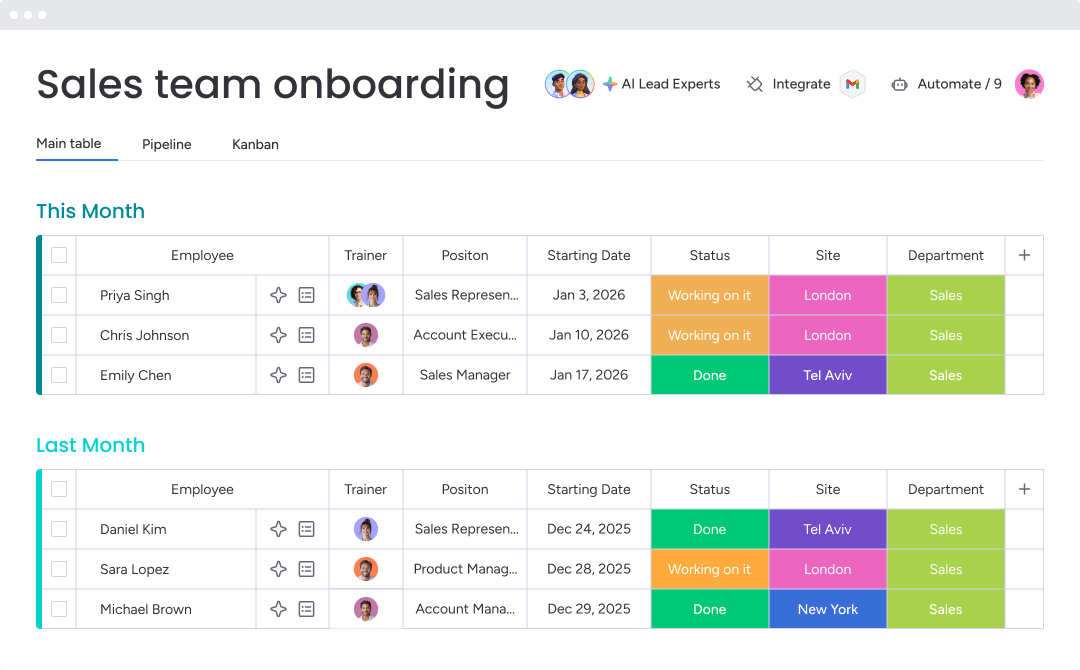
What makes a CRM truly autonomous in 2026?
Autonomy is transforming how revenue teams operate. Instead of managing software, teams can let the system manage the work.
Most CRMs increase workload. They flag a hot lead or suggest a pipeline move, then wait for human approval to take action. A truly autonomous CRM does not ask for permission — it drives revenue independently.
Old automation breaks when workflows change. Autonomous AI adapts automatically, eliminating the need to rebuild processes every time your workflow evolves.
Here’s what really matters:
- AI that acts, not just suggests: it does more than flag hot leads. It assigns leads, schedules outreach, and progresses deals without constant supervision.
- Workflows with smart oversight: you define rules for high-stakes decisions. The system handles routine tasks, giving you control where it counts while freeing you from manual approvals.
- Real results in one quarter: fast, seamless implementation should deliver measurable improvements in pipeline speed and forecast accuracy within twelve weeks.
AI that executes, not just assists
Assistive AI identifies opportunities. Autonomous AI books meetings on top reps’ calendars, acts on real-time buying signals, advances deals, and creates follow-up tasks as soon as prospects engage. This shows how AI supports sales development without slowing progress.
Teams using monday CRM delegate busywork to AI: categorizing leads, summarizing meetings into actionable items, and keeping data organized. The platform does not just provide insights — it executes the next step automatically.
Approval-based workflows that build trust
Giving AI full autonomy can feel risky, particularly for critical deals. True autonomy balances automation with human oversight.
Autonomous CRMs achieve this with approval-based workflows powered by virtual inside AI sales agents. You choose checkpoints for complex negotiations while letting the system handle smaller deals. Revenue teams using monday CRM set these guardrails effectively, fostering trust while increasing speed.
The 12-week path to value
Six-month CRM implementations belong to the past. Modern platforms deliver measurable results in one quarter. Delays signal that the system is slowing your team.
With no-code workflows, revenue teams can build and refine autonomous processes themselves. Quick adaptation improves responsiveness, profitability, and forecast accuracy in the first twelve weeks.
True autonomy does not replace your team. It removes friction that slows them down.
10 autonomous CRM platforms for revenue teams
Many CRMs claim autonomy, yet still require manual effort. Choosing the wrong platform can result in months of setup and team frustration. The best choice depends on budget, timeline, and team usage.
Some platforms suit enterprise companies with dedicated tech support, while others help fast-moving teams implement quickly. Key considerations include autonomous features, setup time, and starting costs.
| Platform | Target audience | Key autonomous features | Starting price | Implementation time |
|---|---|---|---|---|
| monday CRM | Mid-market revenue teams seeking fast implementation | AI-powered Emails & Activities (timeline summary, email composition), Autofill with AI (summarize, extract info, assign person/labels), no-code automations | $12/user/month | 4–8 weeks |
| Salesforce | Enterprise organizations with technical resources | Einstein AI, predictive scoring, workflow automation | $25/user/month | 3–6 months |
| HubSpot | Marketing-focused teams scaling into sales automation | Predictive lead scoring, automated sequences, deal automation | $45/user/month | 6–12 weeks |
| Zoho | Budget-conscious teams needing extensive features | Zia AI assistant, workflow automation, sales process automation | $14/user/month | 8–12 weeks |
| Pipedrive | Sales teams prioritizing visual pipeline management | Activity automation, AI-powered insights, deal progression | $14/user/month | 4–6 weeks |
| Freshworks | Teams balancing features with usability | Freddy AI, lead scoring, email automation | $15/user/month | 6–10 weeks |
| Microsoft Dynamics 365 | Microsoft ecosystem organizations | AI insights, predictive analytics, automated workflows | $65/user/month | 3–6 months |
| Creatio | Process-focused teams needing deep customization | No-code process automation, AI capabilities | $25/user/month | 8–16 weeks |
| ActiveCampaign | Marketing-first teams extending into sales | Journey automation, lead scoring, email sequences | $29/user/month | 6–8 weeks |
| Copper | Google Workspace users seeking simplicity | Gmail integration, automated data capture, relationship tracking | $25/user/month | 4–6 weeks |
Setup time and pricing reveal platform suitability. Longer launches indicate more complex projects. Fast implementation allows teams to start immediately without technical support.
1. monday CRM
Practical autonomy is at the center of monday CRM, keeping revenue teams productive without turning RevOps into full-time software managers. Teams centralize workflows, automate repetitive tasks, and leverage AI where it drives results.

Example:
Revenue teams can manage lead, deal, and post-sales workflows in one location, eliminating time-consuming manual updates.
Examples include:
- collecting leads from website forms or campaigns: then qualifying and assigning them.
- running a visual deal pipeline: with drag-and-drop stages.
- keeping all emails, meetings, calls, and notes organized: in the emails & activities timeline.
- handing deals to onboarding or account management: without starting from scratch.
Key features
- emails & activities with AI support: reps can compose messages and summarize timelines for faster follow-up.
- autofill with AI on CRM boards: auto-fill columns using summarize, extract information, detect sentiment, assign label, or assign person actions.
- extract info from files and images: structured data from documents like invoices or contracts is added directly to board columns. Supported formats include .pdf, .png, .jpg, .jpeg, .webp, .docx, .xlsx, and .pptx.
- mass email and tracking: send individual or mass emails with dynamic fields, templates, and HTML editor; track opens and clicks.
Advanced AI features
- summarize deal activity fast: generate concise recaps of emails, calls, meetings, and notes.
- route work to the right rep: assign tasks based on roles or skills automatically.
- standardize qualification: label leads according to activity notes or messages.
Automations
No-code automations allow follow-ups and stage progression without manual oversight, keeping deal data and communication history centralized.
Integrations
A one-stop integration approach ensures customer information stays centralized while connecting with existing tools.
Sales execution features
- centralized communication tracking: emails & activities timeline maintains context and smooth handoffs.
- auditable AI actions: admins can review AI run history and adjust instructions.
- dashboards for sales leaders: monitor pipeline and team performance with widgets like leaderboards and funnels.
Pricing
- basic: $12/user/month (billed annually) — core CRM with basic automation.
- standard: $17/user/month (billed annually) — advanced automation and integrations.
- pro: $28/user/month (billed annually) — AI blocks and digital workers included.
- ultimate (enterprise): contact sales — advanced governance, security, and dedicated support.
All plans include an 18% annual billing discount. Minimum three users required.
Why it stands out
- a CRM teams actually use: intuitive interface even for complex workflows.
- AI embedded in daily work: email writing, activity summaries, and autofill reduce busywork without new habits.
- one platform for the entire customer journey: lead management, deal execution, and post-sales tracking stay connected, avoiding context loss.
2. Salesforce
Salesforce operates AI on two layers. Einstein AI functions as the predictive engine that has powered the CRM for years. Agentforce represents a newer autonomous agent platform capable of independent planning and action.
The distinction is important. Einstein forecasts outcomes by scoring leads and flagging at-risk deals. Agentforce deploys digital workers that execute tasks without constant human guidance. They are powerful when combined but serve fundamentally different purposes.

Use case:
Large enterprise organizations with existing Salesforce implementations benefit from Einstein’s predictive analytics, automated workflows, and intelligent recommendations that scale across multiple divisions and geographies.
Key features:
-
- Predictive lead scoring: automatically prioritizes prospects based on conversion likelihood using historical data patterns.
- Opportunity insights: flag deals at risk of stalling and suggest next actions based on successful sales cycle patterns.
- Automated activity capture: logs emails, meetings, and customer interactions without manual data entry.
Pricing:
Sales Cloud (Base CRM Platform):
- Free: up to two users (does not include Einstein or Agentforce features).
- Starter: $25/user/month (annual billing).
- Pro: $100/user/month (annual billing).
- Enterprise: $175/user/month (annual billing).
- Unlimited: $350/user/month (annual billing).
AI & Automation Add-ons:
- Agentforce add-ons: starting at $125/user/month.
- Agentforce 1 Editions: starting at $550/user/month (industry-specific editions can start at $750/user/month or more).
- Additional Einstein AI features, Data 360, and MuleSoft RPA: separate, often quote-only add-ons.
Considerations:
- Implementation requires significant resources: certified administrators or consultants are typically necessary, with timelines ranging three to six months.
- Non-technical teams face a steep learning curve when building and maintaining autonomous workflows.
- Full autonomous agent functionality requires managing multiple licenses and add-ons, which can escalate costs quickly.
3. HubSpot
HubSpot unifies marketing automation and sales workflows within a single platform. Scaling companies that struggle with lead handoffs between marketing and sales teams benefit most, as the system reduces friction at critical transition points.

Use case:
Marketing-focused organizations seeking autonomous lead nurturing, predictive scoring, and seamless marketing-to-sales handoffs gain maximum value from this platform.
Key features:
- Breeze AI agents: specialized agents handle distinct functions. Customer Agent provides round-the-clock support, Prospecting Agent researches leads and crafts personalized outreach, while Content, Knowledge Base, and Data Agents manage their respective domains.
- Predictive lead scoring: machine learning evaluates demographic data alongside behavioral signals to surface prospects with the highest conversion potential.
- Marketing-to-sales automation: leads move through nurture sequences automatically, with qualified prospects routed to sales representatives upon meeting defined engagement thresholds.
Pricing:
Pricing depends on Hub selection (Marketing, Sales, etc.), contact volume, and seat count. Full platform pricing framework:
- Free: basic CRM with limited features.
- Starter: from $15/seat per month (annual billing).
- Professional: from $1,450/month with five seats included.
- Enterprise: from $4,700/month with seven seats included.
Note: Individual Hubs have different starting points (Marketing Hub Pro begins at $890/month for three seats). Professional and Enterprise tiers require one-time onboarding fees between $3,000–$7,000 depending on the Hub.
AI Credits: AI features operate on a credit system with monthly allowances and purchasable top-ups.
Considerations:
- Autonomous capabilities are available only on Professional and Enterprise plans, representing a larger investment for smaller organizations.
- Marketing automation is the platform’s core strength; sales tools are capable but less comprehensive than dedicated sales CRMs.
- Setup timelines for advanced automation workflows typically range six to twelve weeks.
4. Zoho
Zoho provides a comprehensive business suite, with Zia AI assistant powering autonomous CRM capabilities across forty-five plus integrated applications. Growing businesses seeking extensive functionality without enterprise pricing are the primary audience.

Use case:
Budget-conscious teams that need wide-ranging features benefit from Zoho’s suite, which includes marketing automation, customer support, and business intelligence alongside CRM.
Key features:
- Zia AI assistant: offers conversational AI, predictive analytics, and workflow automation with deal anomaly detection and optimal contact time predictions.
- Macro automation: executes multiple actions with single triggers, while blueprint workflows guide deals through complex sales processes with conditional logic.
- AI-powered email sentiment analysis: flags negative customer interactions, and predictive sales forecasting projects revenue outcomes with confidence intervals.
Pricing:
- CRM Standard: $14/user/month (billed annually).
- CRM Professional: $23/user/month (billed annually).
- CRM Enterprise: $40/user/month (billed annually).
- CRM Ultimate: $52/user/month (billed annually).
- Zoho One Essentials: starting at $37/user/month for the complete suite.
Higher-tier plans are required for autonomous AI features. Annual billing discounts apply across all plans.
Considerations:
- Extensive features introduce complexity, stretching implementation timelines to eight to twelve weeks, with teams often needing guidance to navigate multiple modules.
- Interface design is dated compared to newer CRMs, which may impact adoption for teams used to modern platforms.
5. Pipedrive
Pipedrive focuses on visual pipeline management enhanced by AI insights, targeting sales teams that value simplicity over feature volume. Activity-based selling and intuitive drag-and-drop deal progression make it ideal for small to mid-market organizations.

Use case:
Sales teams seeking visual pipelines with straightforward automation benefit from Pipedrive, avoiding enterprise-grade complexity.
Key features:
- AI Sales Assistant: provides deal insights, win probability calculations, and next-best-action recommendations within the pipeline view.
- Workflow automations: trigger tasks, launch email sequences, and advance deals through stages based on completed activities.
- AI-powered email writer and summarizer: generates personalized outreach and analyzes sentiment from customer communications.
Pricing:
- Lite: $14/month (annual billing) with AI reporting included.
- Growth: $39/month (annual billing) with automations and nurturing sequences.
- Premium: $59/month (annual billing) with lead scoring, enrichment, and advanced AI features.
- Ultimate: $79/month (annual billing) with security controls and enhanced data features.
Add-ons are available per company (not per user) starting at $6.67/month. Annual billing can save up to 42%.
Considerations:
- Multiple AI features remain in beta, limiting enterprise rollout for organizations with strict policies.
- Advanced capabilities often require higher-tier plans or paid add-ons, increasing total cost as usage scales.
6. Freshworks (Freshsales)
Freshworks powers AI-driven CRM automation through Freddy AI, blending predictive lead scoring with intelligent deal insights. Mid-market teams seeking autonomous features that are ready to use without enterprise complexity are the primary audience.

Use case:
Teams wanting autonomous CRM capabilities without lengthy setup timelines benefit most from Freshworks’ ready-to-use AI solutions.
Key features:
- Predictive lead scoring: Freddy AI examines engagement patterns and automatically scores leads 0–99, revealing the reasoning behind each ranking.
- Autonomous deal insights: machine learning monitors deal activity and predicts outcomes every thirty minutes, surfacing at-risk deals and likely wins.
- AI-powered email automation: smart sequences trigger based on customer actions, while AI writing assistance helps craft personalized outreach.
Pricing:
- Free: up to three users.
- Growth: $9/user/month (billed annually).
- Pro: $39/user/month (includes AI scoring and writing features).
- Enterprise: $59/user/month (adds AI forecasting insights).
A twenty-one-day free trial is available across paid plans.
Considerations:
- Deal insights require sufficient historical data to operate effectively, limiting usefulness for newer teams.
- Advanced AI capabilities such as forecasting insights are locked behind the Enterprise plan.
7. Microsoft Dynamics 365
Microsoft Dynamics 365 embeds AI-powered automation directly into sales workflows through deep integration with the Microsoft ecosystem. Enterprise teams already invested in Microsoft 365 represent the ideal audience, with predictive analytics and autonomous workflows activating across Outlook, Teams, and connected applications. Unified data flow and seamless user experiences appear without the typical integration challenges.
Use case:
Enterprises with a strong Microsoft infrastructure seeking autonomous CRM capabilities that operate natively with Microsoft 365 and Azure gain maximum value.
Key features:
- Predictive lead scoring: analyzes engagement and demographic data to automatically identify high-value prospects.
- Relationship analytics: maps customer connections and highlights key stakeholders without manual research.
- Automated workflows: trigger actions across Outlook, Teams, and other platforms based on activity.
Pricing:
- Sales Professional: $65/month per user (annual billing).
- Sales Enterprise: $105/month per user (annual billing).
- Customer Service Professional: $50/month per user (annual billing).
- Customer Service Enterprise: $105/month per user (annual billing).
- Customer Service Premium: $195/month per user (annual billing).
- Contact Center: $110/month per user (standalone service).
- Copilot for Service: $50/month per user (requires annual subscription).
- Additional costs: Copilot Credits and Azure Communication Services for voice features.
- Promotion: 40% discount on Contact Center and Customer Service Premium through June 30th, 2026.
Considerations:
- Implementation complexity: requires three to six months and technical expertise to configure autonomous features.
- Learning curve: non-technical users may need dedicated administrators and extended training periods.
8. Creatio
Creatio provides no-code CRM automation that adjusts workflows based on real data and outcomes. Mid-market and enterprise teams requiring deep process customization beyond standard CRM templates are the ideal audience. AI-powered automation integrates with visual workflow builders across sales, marketing, and service operations.

Use case:
Organizations with complex, unique sales processes that require sophisticated workflow automation and cross-functional management gain the most value from Creatio’s composable architecture.
Key features:
- AI Command Center: enables creation and management of autonomous agents and skills through no-code tools.
- Intelligent process automation: adapts workflows based on data patterns and business outcomes.
- Visual process designers: construct complex autonomous workflows spanning CRM, marketing, and operations.
Pricing:
- Growth: $25/month per user (includes ten AI Actions).
- Enterprise: $55/month per user (includes twenty AI Actions).
- Unlimited: $85/month per user (includes thirty AI Actions).
- CRM products: $15/month per user each (Sales, Marketing, Service).
- AI Action packages: $5,000 to $125,000+ annually for additional consumption.
- Trial: 14-day free trial with full features.
Considerations:
- Configuration effort: sophisticated autonomous workflows require significant design and process expertise.
- Implementation timeline: typically eight to sixteen weeks to design and test custom processes.
9. ActiveCampaign
ActiveCampaign bridges marketing automation and sales execution, excelling at autonomous email sequences and predictive engagement. Marketing-first teams seeking advanced automation without heavy CRM complexity represent the ideal audience. The Active Intelligence workspace uses conversational AI to build multi-step workflows from simple prompts.

Use case:
Marketing-driven organizations that need powerful email automation and basic CRM functionality to nurture leads and support sales handoff see the greatest benefit.
Key features:
- Active Intelligence workspace: AI agents construct automations, campaigns, and personalized content from conversational prompts.
- Predictive sending: analyzes individual contact engagement patterns to optimize email timing, delivering an average 17% lift in click-through rates.
- Cross-channel automation: spans email, SMS, WhatsApp, and transactional messaging with 1,000+ integrations.
Pricing:
- Starter: contact-based pricing with 14-day free trial.
- Plus: mid-tier plan with enhanced automation features.
- Pro: advanced predictive features and AI capabilities.
- Enterprise: full feature access with custom pricing.
- Add-ons: AI Activities and Enhanced CRM available.
- Discounts: annual billing offers available.
Considerations:
- CRM functionality: less developed than dedicated sales platforms, limiting pipeline management.
- Predictive Content: restricted to Classic Designer and English, with weekly recalculation limits.
10. Copper
Copper serves teams that live in Gmail, providing native automation that reduces data entry for Google Workspace users. Seamless integration and relationship tracking make it a strong choice for service-based organizations. Its Chrome extension, with over 40,000 users, operates within Gmail, Calendar, and LinkedIn.

Use case:
Google Workspace teams that need CRM functionality without leaving Gmail and want automated data capture with minimal setup benefit most from Copper.
Key features:
- AI pipeline flags and alerts: surface high-value opportunities and bottlenecks automatically.
- Chrome extension: captures and enriches contact data across Gmail and Google Calendar, with LinkedIn enrichment in beta.
- Copper GPT: provides conversational, read-only access to CRM insights through natural language queries.
Pricing:
- Starter: $9/month (annual) or $12/month (monthly).
- Basic: $23/month (annual) or $29/month (monthly).
- Professional: $59/month (annual) or $69/month (monthly).
- Business: $99/month (annual) or $134/month (monthly).
- Discounts: annual billing offers up to 26% savings.
- Trial: 14-day free trial available.
Considerations:
- Read-only AI: Copper GPT limits end-to-end automation compared with action-capable AI assistants.
- Advanced automations: multi-email sequences and complex workflows require the Business plan.
7 essential features that define autonomous CRM success
Not all autonomous CRM features deliver the same value. Some introduce unnecessary complexity, while others genuinely accelerate revenue growth. These seven capabilities distinguish platforms that drive results from those that simply digitize busywork.
For teams seeking a CRM that goes beyond storing contacts, these features should take priority. They define the difference between tools that support daily work and platforms that actively help teams win.
Pipeline intelligence without manual updates
Your pipeline should not require constant oversight. A prospect asking about implementation by email should automatically advance to negotiation. This is not just convenient — it provides a competitive edge, keeping forecasts accurate and reps focused on selling.
An autonomous CRM detects buying signals in emails, monitors website activity, and identifies stalled deals. It advances opportunities, flags risks, or triggers re-engagement workflows without waiting for manual updates. This ensures that high-potential deals do not slip through unnoticed.
No-code automation anyone can build
Powerful automation is useless if sales managers must submit IT requests to implement it. True no-code enables teams to create workflows using simple, drag-and-drop logic, testing and launching automations in minutes rather than weeks.
This approach empowers the people who know the sales process best. Teams using monday CRM can design follow-up sequences or territory-specific routing rules without writing code, scaling outbound efforts efficiently.
AI lead scoring that actually works
Forget lead scores based on outdated job titles. Intelligent CRM scores leads by analyzing real-time behavior, identifying prospects ready for conversation, and distinguishing genuine interest from casual browsing.
The system learns which engagement patterns correlate with closed deals and applies this logic to new prospects. High-intent leads who visit pricing pages are routed immediately to a rep, while cooler leads enter nurture sequences. Team efforts focus on what matters most.
Unified communication tracking
Copy-pasting emails into a CRM wastes time and energy. An autonomous CRM eliminates this work, automatically logging calls, emails, and meetings to create a complete customer timeline.
With all interactions in one place, teams gain full context for each deal. Teams using monday CRM for this capability make faster, more informed decisions because every piece of relevant information is already organized and accessible.
Forecast accuracy you can trust
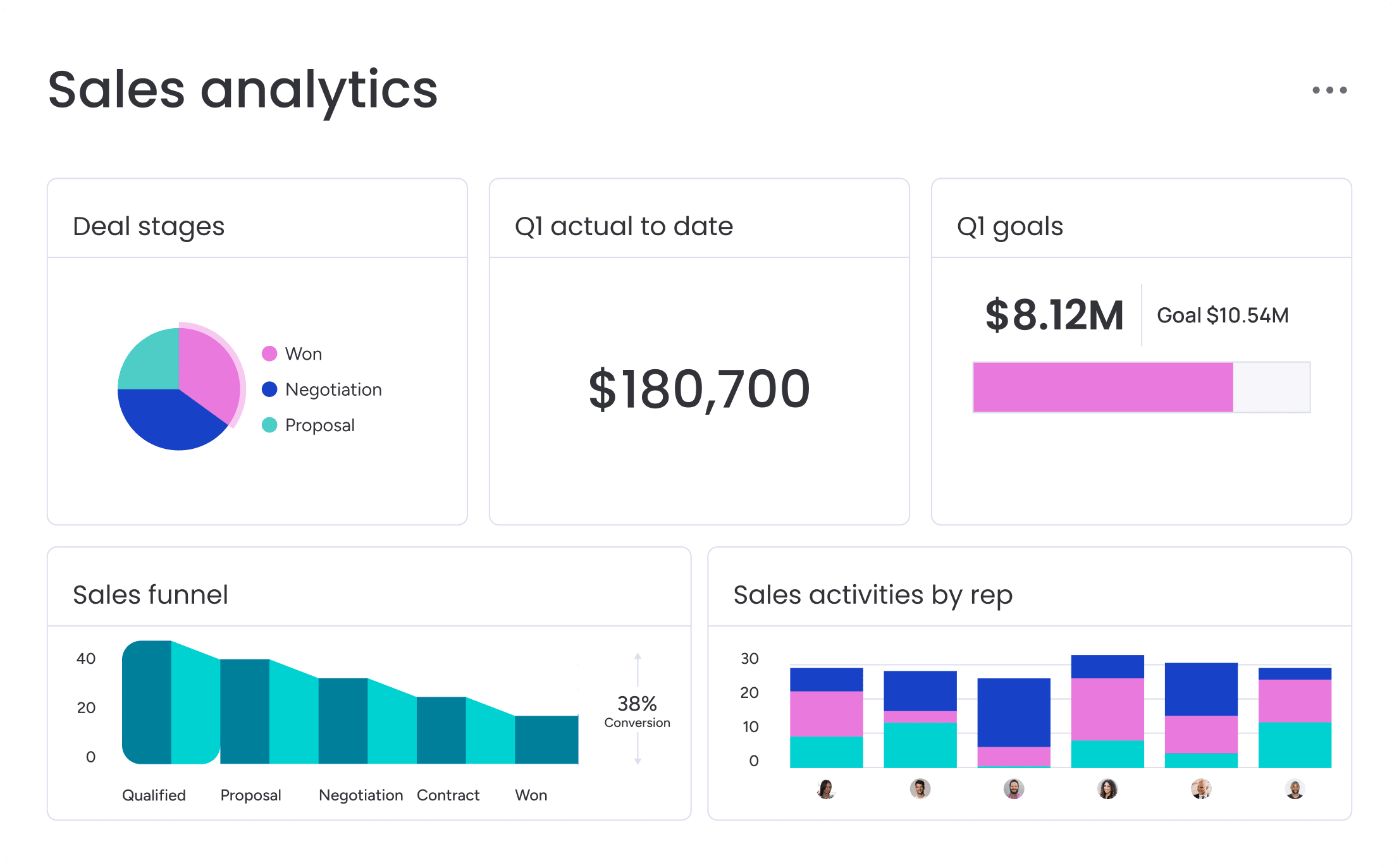
Sales forecasting should not feel like guesswork. Rather than relying on rep intuition, an autonomous CRM evaluates pipeline velocity, historical win rates, and deal engagement to produce forecasts you can defend.
This approach does not generate a single “magic number.” Instead, it provides confidence ranges showing best- and worst-case outcomes. Teams stop guessing and start making board-level commitments backed by data.
Seamless integration architecture
A CRM that cannot communicate with other systems is not autonomous; it is another silo. Effective decision-making requires a complete picture — pre-built, bidirectional connections to finance, support, and marketing platforms that work immediately.
When a deal closes, the system can automatically create an invoice in accounting and trigger a project in onboarding. Teams using monday CRM benefit from end-to-end workflows connecting the entire revenue cycle.
Transparent governance controls
Trusting AI to handle parts of your sales process can feel risky. Smart guardrails provide the solution. Governance controls let teams set rules of engagement, enabling confidence in automation without micromanagement.
Approval thresholds can be set for high-value deals, and audit trails are accessible for any automated action. Teams gain speed and efficiency while maintaining necessary oversight.
Prioritizing these seven features ensures your CRM scales with ambition rather than adding administrative burden.
Try monday CRM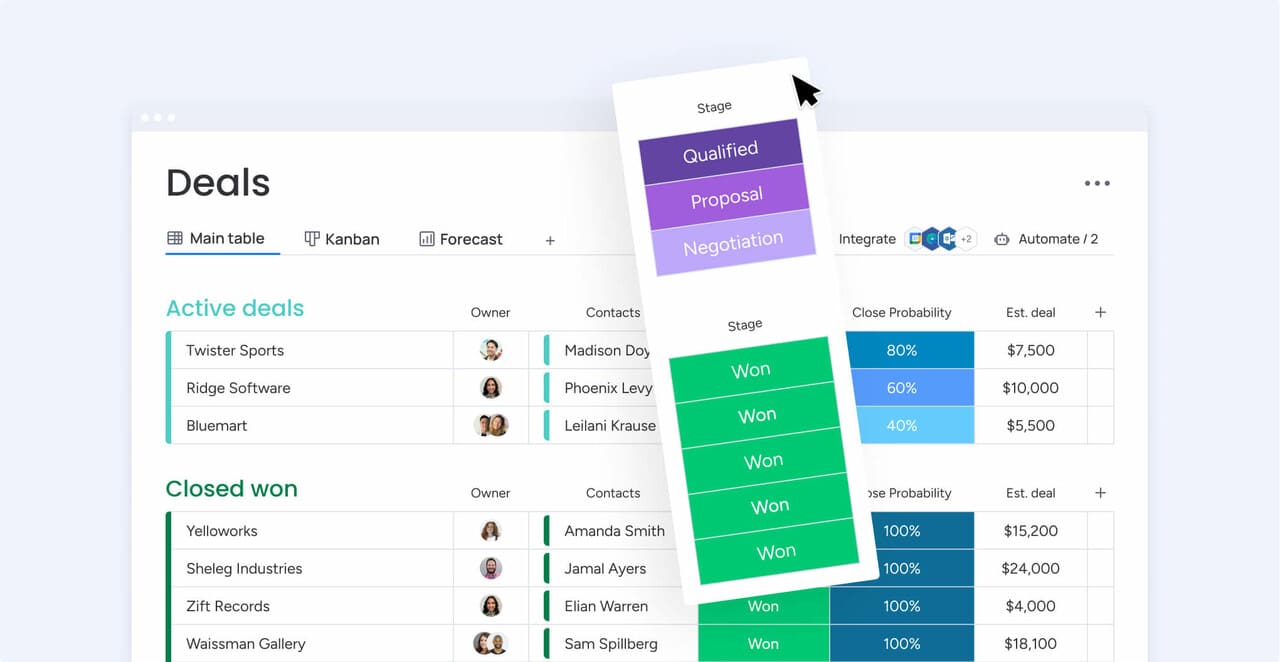
How to choose the right autonomous CRM
Selecting a new CRM can feel overwhelming. The wrong choice buries teams in busywork, while the right one becomes a strategic advantage. Follow these steps to identify a platform that genuinely improves sales performance.
Start with your data reality
An autonomous CRM is only as good as the data it runs on. Incomplete records and tangled integrations limit performance. Assess your current state before evaluating new platforms.
- Integration requirements: list every system that must connect, including email, marketing, and finance.
- Data reliability: predictive features need at least a year of accurate deal data.
- Governance rules: confirm that autonomous features comply with privacy policies and internal guidelines.
Decide what to automate and what not to
Full autopilot is not always ideal. High-performing teams distinguish between tasks suited for automation and those that require human judgment. Over-automating can create more problems than it solves.
- High-stakes decisions: human approval is typically needed for contract negotiations and pricing adjustments.
- Task complexity: simple, rule-based workflows automate easily, while multi-condition processes may need oversight.
- Team readiness: consider whether the team is prepared to trust automation or requires a phased rollout.
Uncover hidden costs
Sticker prices rarely reflect total CRM cost. Setup, migration, training, and ongoing management can double or triple the budget if overlooked.
- Integration fees: check whether pre-built connections are sufficient or require development resources.
- Training time: complex interfaces increase ramp-up periods and reduce selling time.
- Admin overhead: determine if dedicated staff are required or if the team can manage the platform independently.
Verify platform compatibility
A polished demo is not the same as real-world performance. Autonomous workflows fail when systems are not genuinely connected. Test integrations using actual data.
- Cross-platform triggers: confirm actions in one system initiate workflows in the CRM.
- Sync speed: evaluate whether updates occur in real time or experience delays.
- Error handling: ensure the platform detects errors and prevents workflows from running with incomplete data.
Following these steps before committing ensures your CRM delivers measurable value from day one.
5 ways to maximize autonomous CRM ROI
Activating an autonomous CRM is one thing. Driving real revenue with it is another. True ROI is not just about saving time; it is about making your business outcomes more predictable.
Here are five approaches to ensure your investment pays off, moving from impressive features to measurable impact.
1. Target quick wins first
Not all automation delivers equal value. Gaining team buy-in requires quick, visible wins. Focus on repetitive tasks that consume the most time or directly slow revenue flow. Which tasks are the biggest offenders?
- Automatic lead routing: eliminate the daily shuffle of assigning prospects. Route leads instantly based on territory or expertise so your reps engage faster and the team stops playing traffic cop.
- Automated follow-ups: deals stall when team members get busy. Configure automatic task creation when a prospect takes a key action, like viewing a proposal, ensuring every opportunity is addressed.
- Real-time pipeline updates: let the system advance deals based on customer behavior. Reps save administrative time, and forecasts become more accurate and actionable.
2. Set smart guardrails to maintain momentum
Full autonomy can feel chaotic, but excessive approvals defeat the purpose of automation. The goal is to let the system handle routine decisions while flagging high-stakes moments for human review. How do you balance autonomy and oversight?
- Base approvals on impact: let small deals progress automatically, but require manager sign-off for transactions exceeding a specific threshold.
- Use time-based escalations: avoid bottlenecks. If a manager does not respond within 24 hours, the system can escalate or proceed automatically.
- Loosen the reins over time: as you validate the system’s decision quality, remove approval steps gradually and increase team velocity.
Teams using monday CRM apply these rules at a granular level, adjusting controls as confidence grows while maintaining oversight without slowing progress.
3. Monitor actual usage
A CRM that your team ignores is just an expensive database. If team members rely on spreadsheets, AI features deliver no value. Tracking adoption is essential to protect ROI.
- Login frequency: monitor whether usage is increasing or declining. A drop signals a potential adoption issue.
- Feature utilization: check if reps are using automated follow-up sequences or still performing tasks manually. This insight identifies where training or refinement is needed.
- Data quality: automation relies on clean data. Incomplete deal records or stale pipeline stages prevent the system from performing effectively.
4. Start small, then expand
Rolling out a new system to everyone simultaneously invites change management challenges. A phased rollout allows learning, refinement, and internal champions to emerge before organization-wide deployment.
- Pilot with an open team: choose a group comfortable with new technology and led by strong leadership. Their feedback informs improvements.
- Leverage success stories: early wins become examples that encourage other teams to adopt new workflows.
Teams see better results with monday CRM because workflows can be tailored for each team without creating management headaches. You can configure automated processes differently for inside sales and enterprise reps while maintaining a single source of truth.
5. Track the money, not just the minutes
Saving a few hours per week is valuable. Showing direct revenue impact is transformative. The ultimate measure of autonomous CRM success is its contribution to the bottom line.
- Deal velocity: monitor whether deals close faster. Reducing even a few days from the sales cycle can significantly impact annual revenue.
- Win rates: automated lead scoring should improve conversion rates. Compare results between autonomously routed leads and manually handled ones.
- Forecast accuracy: evaluate whether the gap between projected and actual outcomes narrows. Accurate forecasts support confident planning and reduce guesswork.
When you demonstrate exactly how CRM features drive revenue, the system shifts from being a cost center to a growth engine.

Why monday CRM powers autonomous revenue teams
Mid-market teams often face an unfair choice: enterprise-level CRM capabilities or simplicity they can manage. monday CRM delivers advanced features that teams can adopt and adapt without IT dependency.
Flexibility without the fuss
Large CRM systems force a trade-off: powerful features or usability. Getting work done often requires IT or consultants, creating delays. monday CRM’s no-code builder allows teams to create and adjust workflows quickly. If you can write a sentence, you can build an automation. Deploy workflows instantly and solve operational challenges efficiently.
AI that actually works for you
AI Blocks handle repetitive tasks such as categorizing leads or summarizing meeting notes. Digital Workers operate as autonomous teammates, managing processes like pipeline monitoring and forecast checks. Both adapt over time, learning what works to optimize workflows automatically.
Go live in weeks, not quarters
Traditional CRM implementations can take months, delaying adoption and reducing ROI. Platforms that enable rapid deployment allow teams to go live in weeks. Pre-built templates for common processes, such as lead routing and pipeline management, are ready to use while remaining fully customizable. Teams can start with core features and layer advanced automation as needed. This approach combines enterprise-level sophistication with start-up agility.

“With monday CRM, we’re finally able to adapt the platform to our needs — not the other way around. It gives us the flexibility to work smarter, cut costs, save time, and scale with confidence.”
Samuel Lobao | Contract Administrator & Special Projects, Strategix
“Now we have a lot less data, but it’s quality data. That change allows us to use AI confidently, without second-guessing the outputs.”
Elizabeth Gerbel | CEO
“Without monday CRM, we’d be chasing updates and fixing errors. Now we’re focused on growing the program — not just keeping up with it."
Quentin Williams | Head of Dropship, Freedom Furniture
“There’s probably about a 70% increase in efficiency in regards to the admin tasks that were removed and automated, which is a huge win for us.“
Kyle Dorman | Department Manager - Operations, Ray White
"monday CRM helps us make sure the right people have immediate visibility into the information they need so we're not wasting time."
Luca Pope | Global Client Solutions Manager at Black Mountain
“In a couple of weeks, all of the team members were using monday CRM fully. The automations and the many integrations, make monday CRM the best CRM in the market right now.”
Nuno Godinho | CIO at VelvBuilding a self-driving revenue engine
The transition to autonomous CRM does not replace your sales team; it removes friction that slows them down. By automating repetitive tasks and allowing AI to handle routine decisions, your team can focus on building relationships and closing deals.
Selecting a platform that balances usability with power ensures your team spends less time managing software and more time accelerating growth. The right system delivers speed, accuracy, and confidence to forecast outcomes without guesswork.
Begin by auditing current manual processes to identify areas where autonomy has the greatest impact. Once these bottlenecks are identified, you can deploy a solution that transforms operations into a competitive advantage.
Try monday CRMFrequently asked questions
What's the difference between autonomous and automated CRM?
The difference between autonomous and automated CRM is thinking versus doing. Automated CRM follows preset rules, while autonomous CRM analyzes data to make intelligent decisions and adapt over time.
How much time can autonomous CRM really save sales teams?
Autonomous CRM can save each sales rep two to three hours daily. It handles manual work such as data entry and task creation, allowing the team to focus on selling.
Do autonomous CRM platforms work for small businesses?
Yes. These platforms are designed with no-code interfaces and rapid setup, delivering results without corporate red tape or a dedicated IT team.
What level of technical expertise is required to manage autonomous CRM?
No technical expertise is required. Business users who understand the sales process can run the system effectively.
How do autonomous CRMs handle data privacy and governance?
Autonomous CRMs maintain data privacy with built-in governance controls and complete audit trails. Organizations set the rules and retain full visibility of all system activities.
Can autonomous CRM integrate with Gmail and Microsoft 365?
Yes. Native integrations automatically capture communications to keep the CRM updated without manual work.
How accurate are autonomous CRM forecasts compared to manual forecasting?
Autonomous CRM forecasts are significantly more accurate than manual forecasts. By removing human bias and analyzing full pipeline data, they typically fall within three to four percent of actual outcomes.
What happens if the autonomous CRM makes a wrong decision?
If an autonomous CRM makes an incorrect decision, it can be overridden instantly. All actions are logged, allowing teams to adjust the logic while the system continues learning.

 Get started