



Your sales rep walks into a renewal call feeling good about the account. The pipeline looks healthy. Then the customer brings up unresolved support tickets and a recent expansion request that never got a response. The rep scrambles, and the conversation goes off track.
Fragmented customer data creates these moments. Sales tracks deals, support tracks tickets, and account teams track renewals, but no one sees the full context at once. A 360 customer view brings key customer signals into one profile that stays current across teams.
This guide covers what a 360 customer view includes, why it matters for revenue teams, and how to build it with a flexible, no-code approach in monday CRM. You’ll also learn which data sources matter most and how to roll out a unified view step by step.
Key takeaways
- A 360 customer view brings sales activity, support history, and engagement signals into one shared customer profile.
- Unified customer context supports more accurate forecasting and clearer next actions.
- No-code integrations connect key systems faster, without heavy technical work.
- Customer behavior and support trends surface churn risk and expansion opportunities earlier.
What is a 360 customer view?
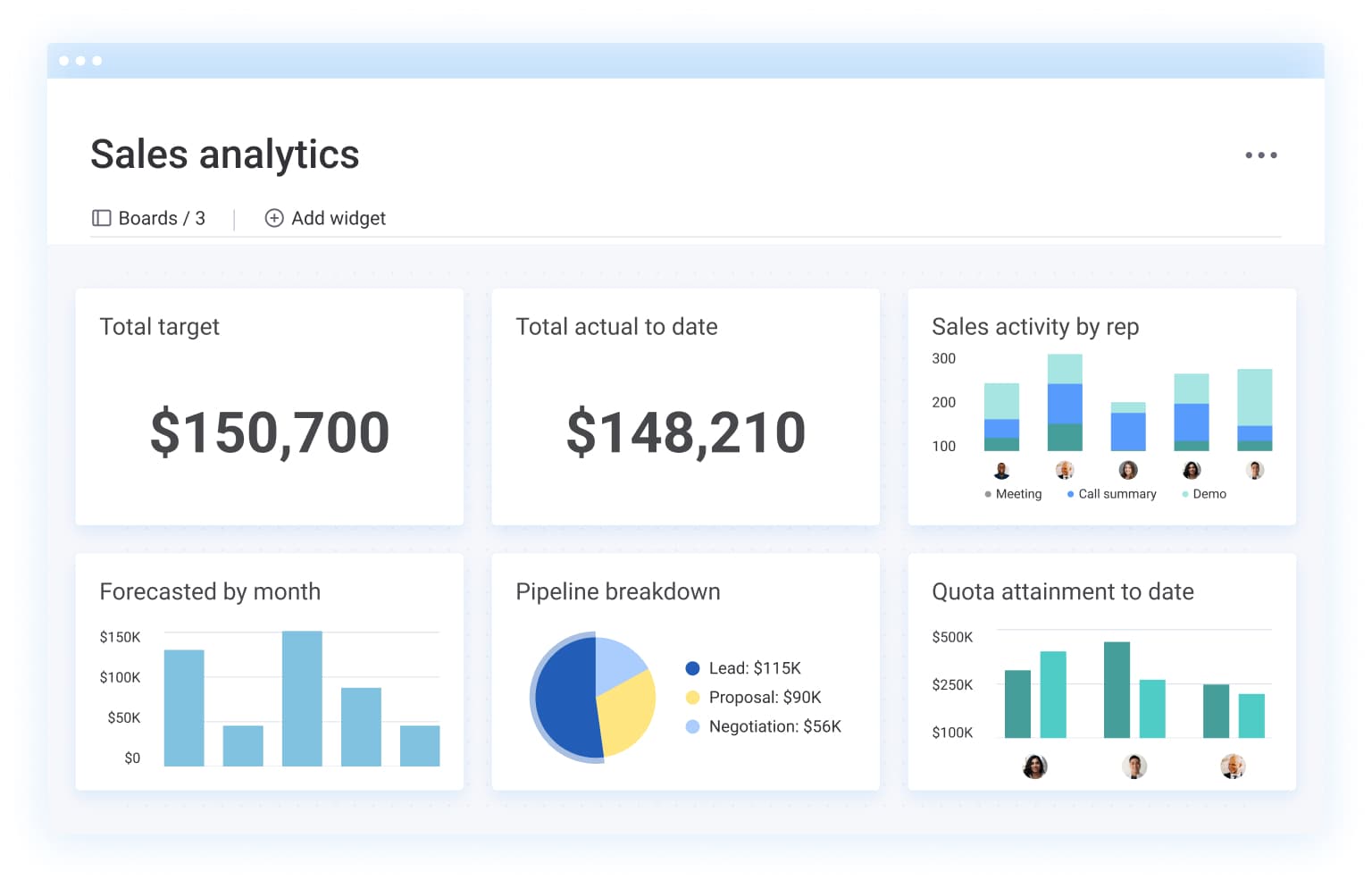
A 360 customer view is a unified customer profile that brings together key interactions, data points, and touchpoints in one place. Sales, support, and account teams can see the same up-to-date information without switching tools or relying on manual updates.
This approach helps teams walk into every conversation with context. Support history highlights open issues. Email engagement shows what the customer cares about right now. Past purchases and renewal dates clarify timing and priorities. Notes and meeting outcomes give the team a shared record of what happened and what comes next.
A 360 customer view also supports better handoffs. When one team updates the customer record, other teams can act on the change right away. That keeps outreach aligned and makes customer conversations feel consistent.
Complete customer data in one unified profile
A complete customer profile goes beyond basic contact details. It captures the information revenue teams use to qualify, close, retain, and grow accounts.
Key data types to include:
- Contact and account information: Contacts, roles, stakeholders, account details, and account ownership.
- Communication history: Emails, meetings, call notes, follow-ups, and a clear timeline of activity.
- Engagement signals: Email opens, link clicks, form submissions, and other tracked interactions.
- Deal data: Pipeline stage, deal value, close dates, and next steps.
- Support and service history: Ticket volume, status, resolution notes, and customer feedback when available.
- Post-sales tracking: Onboarding status, renewals, account plans, and payment or collection tracking when relevant.
From fragmented records to unified customer intelligence
Many teams store customer information across multiple systems. Sales activity lives in a CRM. Support updates live in a ticketing platform. Account details sit in documents or internal tools. That separation makes it harder to get a full customer view quickly.
A unified system connects those data points so customer profiles stay current as teams work. Revenue leaders gain clearer visibility into pipeline, account health, and follow-through across the customer journey. Frontline teams spend less time chasing context and more time moving deals forward.
Why revenue teams need a unified customer view
Disconnected customer data creates blind spots across sales, onboarding, renewals, and account growth. These gaps slow deals and make revenue harder to predict over time.
A unified customer view supports three outcomes that matter most to CROs and sales leaders:
- More predictable forecasting: Tie pipeline status to customer signals like engagement, activity, and open issues.
- Faster execution: Give reps immediate context so they focus on the right conversations and actions.
- Stronger retention and expansion: Surface risks and opportunities earlier through a single customer timeline.
Faster sales cycles with instant context
A unified customer view helps reps start every interaction with relevant details already in front of them. Reps can run more productive calls when they see recent engagement, past conversations, deal history, and open customer issues in one place.
That preparation shortens the sales cycle in practical ways:
- Reduce time spent gathering context before meetings.
- Cut repeated questions during calls.
- Speed up internal coordination with account managers, legal, and finance.
- Keep next steps clear across the team.
Cross-team alignment without data silos
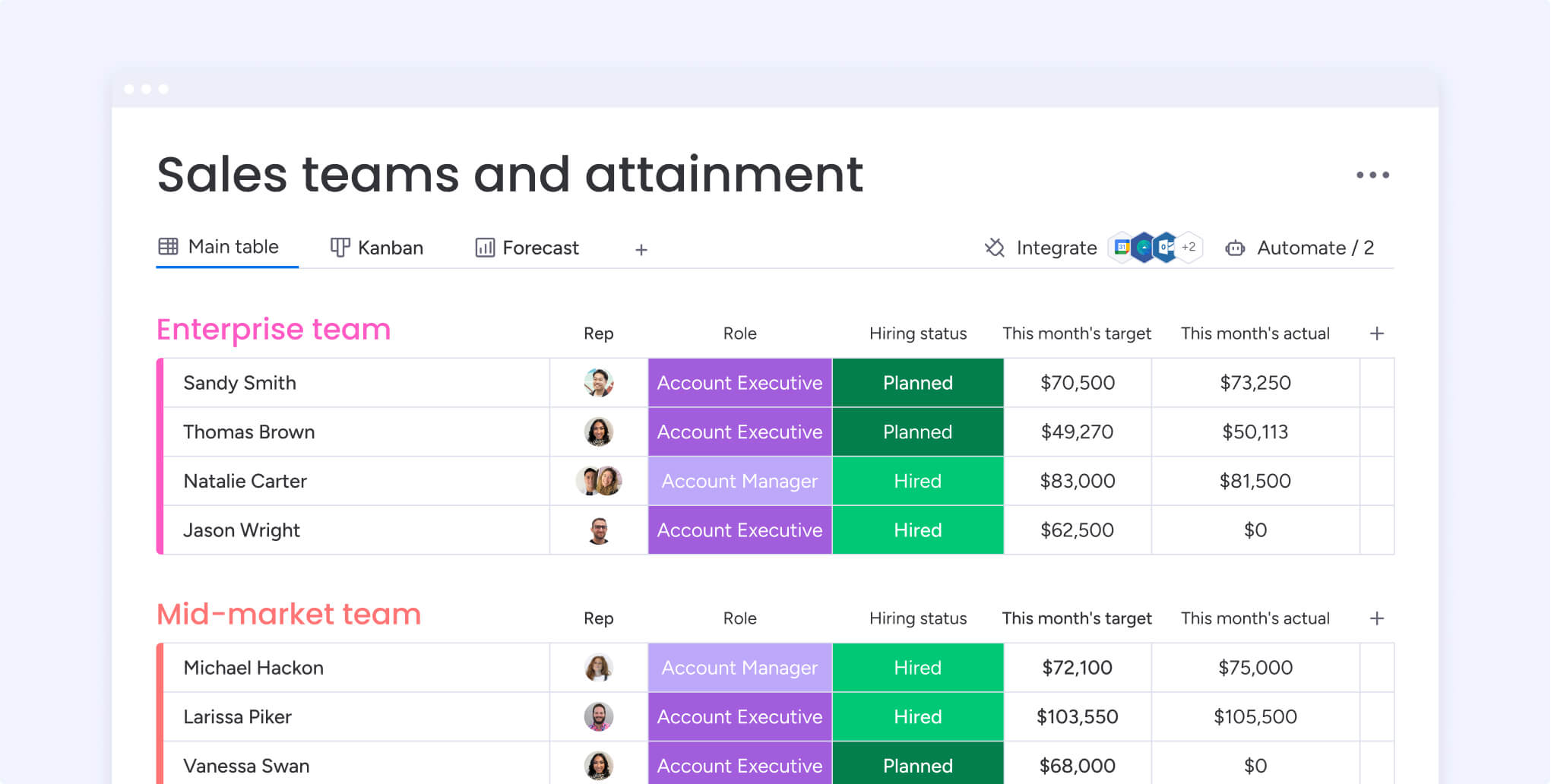
Shared customer context improves coordination across sales, customer success, support, finance, and legal. Teams can plan handoffs with fewer manual updates and fewer follow-up requests for basic information.
Unified customer workspaces support smoother workflows:
- Sales teams pass complete deal context to onboarding and account teams.
- Support teams flag issues that could affect renewals.
- Finance teams track payment status and expected collection.
- Legal teams review contract status with clear visibility into deal stage and timing.
Proactive customer retention signals
Connected customer data reveals early warning signs of churn risk and expansion opportunities that remain invisible in fragmented systems. Behavioral signals become immediately visible when all customer data flows into a unified view:
- Declining engagement: Reduced email opens, fewer platform logins, decreased feature usage
- Support patterns: Increased ticket volume, unresolved issues, escalation frequency
- Stakeholder changes: Key champion leaves, new decision-maker arrives, organizational restructuring
- Contract indicators: Approaching renewal dates, payment delays, downgrades requested
Early detection allows teams to address issues before they affect renewals or expansion conversations. Similarly, positive signals like increased usage, growing team adoption, or engagement with advanced features create opportunities to expand accounts at the optimal moment.
Try monday CRMCore components of a complete customer profile
A complete customer profile gives revenue teams the context they need to move deals forward, manage accounts, and plan next steps with confidence. Each component adds value on its own, but the real benefit comes from viewing them together in one place.
Contact and account information
This layer provides the foundation for every customer interaction. It includes contacts, roles, account ownership, company details, and key stakeholders involved in buying or renewal decisions. Clear ownership and visibility help teams coordinate outreach and avoid missed follow-ups.
Communication history and engagement data
A shared activity timeline keeps emails, meetings, notes, and follow-ups visible across teams. Engagement signals such as email opens and link clicks add context that helps reps time outreach and tailor conversations based on current interest.
Sales pipeline and deal progression
Pipeline data shows where each deal stands and what needs to happen next. Deal value, stage, close dates, and logged activities help managers assess deal health and support reps with targeted guidance.
Support interactions and account signals
Support history highlights issues that can affect renewals or expansions. Ticket status, resolution notes, and recurring themes give sales and account teams the insight they need to address concerns early.
Post-sales activity and financial tracking
Post-sales data such as onboarding progress, renewals, and collection tracking supports long-term account management. Visibility into these details helps teams prioritize the right accounts and plan outreach around key milestones.
5 challenges to building a unified customer view
Teams pursuing a 360 customer view often run into the same obstacles. Identifying these challenges early helps revenue leaders focus on practical solutions.
Challenge 1: Data locked in separate systems
Sales, support, marketing, and finance often work in different tools. That separation limits visibility and slows decision-making when teams need shared context.
Challenge 2: Duplicate and inconsistent records
Customers appear multiple times across systems with different details attached. Inconsistent records create confusion and lead to missed or repeated outreach.
Challenge 3: Manual data updates
Manual logging competes with selling and account work. Important activity goes unrecorded, and customer profiles fall out of date.
Challenge 4: Limited integration flexibility
Some systems lack modern integration options. Connecting them requires time, budget, or technical resources that teams don’t always have.
Challenge 5: Delayed data updates
When updates don’t sync quickly, teams act on outdated information. That disconnect affects forecasting, customer conversations, and handoffs.
How to build your 360 customer view
A phased approach helps teams create a unified customer view without disrupting day-to-day work. Each step builds on the last and delivers value along the way.
- Audit your customer data sources: List every system that stores customer information, including CRM, email, support tools, billing systems, and internal documents. Note what data each system holds and how often it updates.
- Define a shared customer data model: Agree on core fields, naming conventions, and identifiers used across teams. A shared structure reduces confusion and supports consistent reporting.
- Choose integration-ready tools: Look for platforms that support no-code integrations, real-time updates, and flexible data mapping.
- Start with high-impact workflows: Focus first on workflows that affect revenue most, such as lead handoffs, renewal visibility, or support signals for sales. Early wins build adoption and momentum.
- Resolve identities across systems: Set clear rules for matching records across tools using email, company name, or unique identifiers. Define how conflicts get resolved when data doesn’t match.
- Enable ongoing data sync: Automate updates so changes flow between systems without manual effort. Regular reviews help teams maintain data quality as processes evolve.
AI enhancements that transform customer visibility
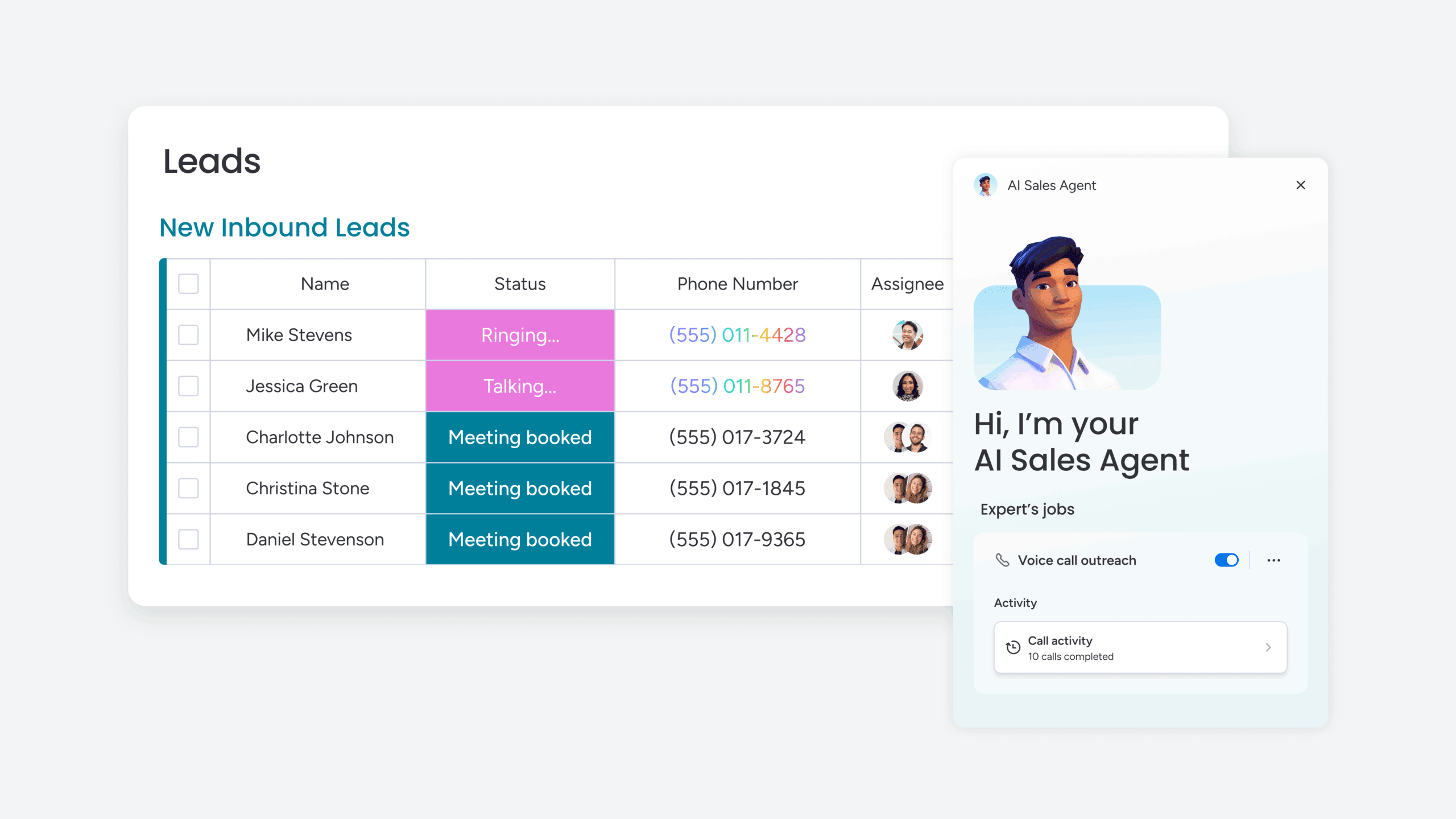
AI supports a stronger 360 customer view by keeping data current, highlighting meaningful patterns, and reducing manual work. It helps revenue teams work faster and spot signals that are difficult to track consistently by hand.
Automatic data enrichment from connected sources
AI fills gaps in customer profiles using information from connected systems and supported data sources. As new activity occurs, profiles update continuously, which reduces the need for manual research and data entry.
When information becomes outdated or incomplete, AI identifies the missing fields and pulls in relevant updates. In monday CRM, this includes auto-enrichment through integrated data sources and intelligent extraction of details from emails and documents, keeping customer records accurate as work happens.
Predictive insights for deal outcomes
AI reviews historical customer and deal data to highlight patterns tied to deal progress and risk. These insights help teams understand which opportunities need attention and which are moving in the right direction.
Instead of spreading effort evenly across the pipeline, sales teams can prioritize deals with stronger signals and address potential issues earlier. This focus supports better forecasting and more efficient use of time across the team.
Sentiment signals across customer interactions
AI analyzes written communication to detect changes in customer sentiment. It reviews tone and language across emails, support tickets, and meeting notes to surface shifts in satisfaction or concern.
These insights help teams respond sooner when conversations show frustration or disengagement. Positive sentiment trends also signal the right moments for follow-ups around expansion, renewals, or referrals.
Digital workers that keep profiles up to date
AI-powered digital workers support ongoing profile maintenance without adding administrative overhead. They monitor activity and update records as new information becomes available, while flagging changes that need human review.
Common tasks handled by digital workers include:
- Updating contact details when roles or ownership change
- Logging meeting outcomes and key interactions
- Categorizing support activity and updating account signals
- Tracking changes in key stakeholders
In monday CRM, these capabilities help customer profiles stay accurate and useful without pulling time away from selling, account management, or customer support.
Measuring the revenue impact of unified data
Tracking the right metrics helps revenue leaders connect unified customer views to business outcomes. These indicators show progress and highlight areas for improvement.
Key metrics to monitor include:
- Data completeness across customer records
- Sales cycle length and stage progression
- Forecast accuracy over time
- Retention and renewal rates
- Expansion revenue from existing accounts
- Time spent locating customer information
These metrics help teams evaluate performance and guide ongoing optimization.
Build your unified customer view with monday CRM
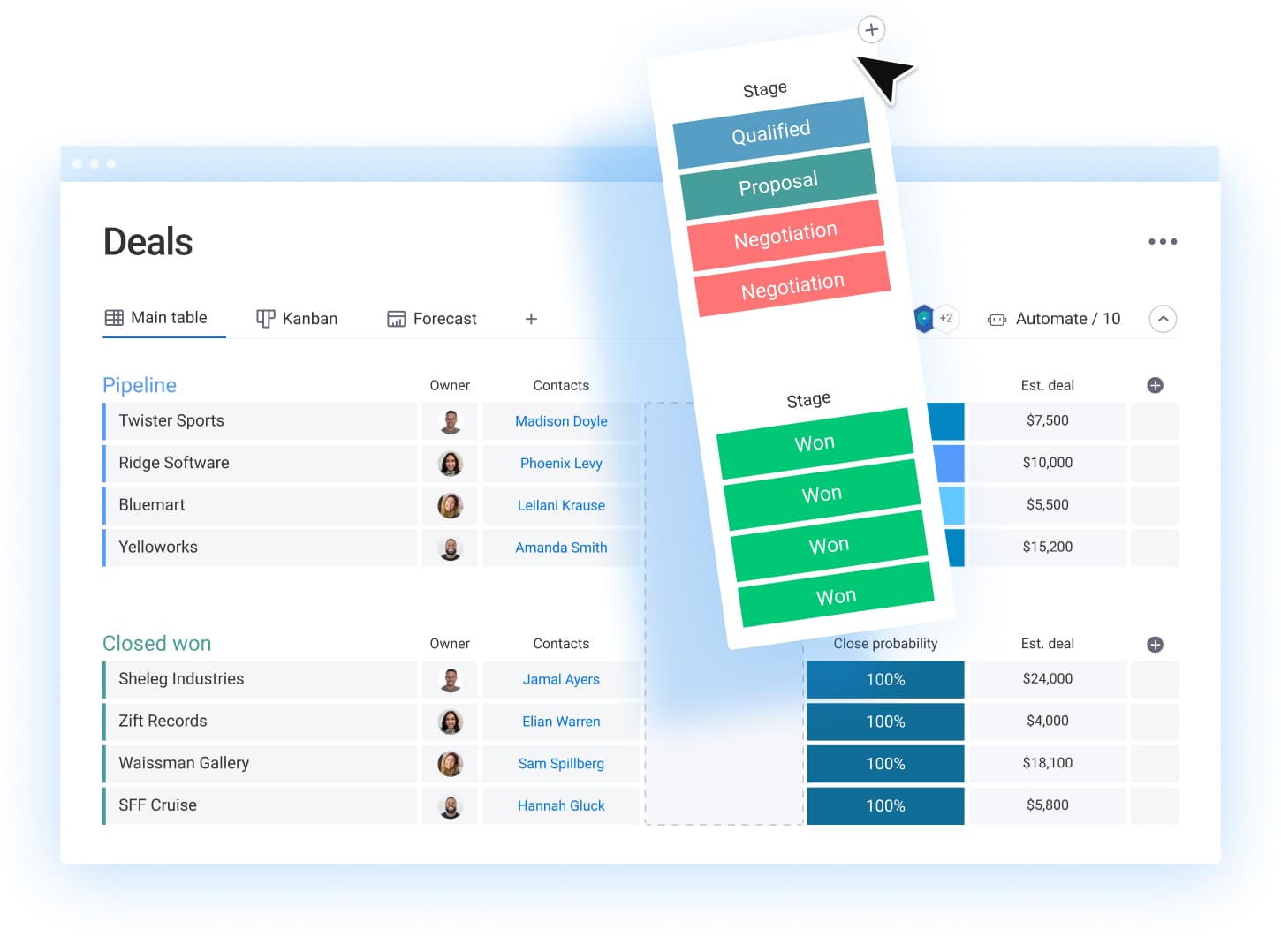
A 360 customer view only works when teams can actually access, trust, and act on the data behind it. That’s where many CRMs fall short.
The monday CRM platform helps revenue teams turn fragmented customer data into a shared, reliable view of every account. It connects sales, account management, and post-sales activity in one platform so teams can move faster, forecast with more confidence, and stay aligned across the customer journey.
Bring customer context together across teams
Disconnected tools make it hard to see what’s happening with an account right now. Sales may see an active deal while support manages open issues and finance tracks payments elsewhere.
monday CRM centralizes customer activity in one shared workspace. Deals, contacts, emails, meetings, notes, onboarding status, renewals, and collection tracking live side by side. Pre-built integrations pull data from email, forms, and other business tools so teams can review the full customer picture without switching systems or chasing updates.
Match the CRM to your real sales process
Rigid CRM structures force teams to work around the system instead of with it. That leads to inconsistent data, skipped updates, and low adoption.
monday CRM adapts to how revenue teams actually sell. Teams can customize pipelines, deal stages, fields, and automations to reflect their sales cycle, account structure, and handoff points. As priorities shift, workflows adjust quickly without technical overhead or long change requests.
Reduce manual updates that create data gaps

Manual data entry slows reps down and leaves customer records incomplete. When activity goes unlogged, the 360 view breaks down.
monday CRM uses automations and AI to capture and maintain customer data as work happens. Automations log activity, trigger follow-ups, and update statuses automatically. AI tools summarize timelines and extract key details from emails and documents, helping teams keep records current without adding administrative work.
Give leaders visibility they can act on
Revenue leaders need to understand pipeline health, forecast risk, and team performance without waiting on reports or reconciling spreadsheets.
monday CRM dashboards surface real-time views of pipeline status, forecasts, activity levels, and account progress. Leaders can drill into deals or accounts to see what’s driving changes and where support is needed. Role-based permissions keep sensitive information visible only to the right teams while maintaining a shared source of truth.
Transform your revenue operations with complete customer visibility
A 360 customer view helps revenue teams work with shared context instead of scattered information. When customer data lives in one place, teams can plan next steps with confidence, forecast more accurately, and respond to issues before they slow deals or affect renewals.
Building that visibility doesn’t require a full overhaul. Start with one high-impact workflow, connect the systems that matter most, and create a shared view your teams actually use. As adoption grows, expand the model to support more stages of the customer journey.
With a unified customer view in place, revenue teams spend less time tracking down information and more time acting on it. The result is clearer priorities, stronger collaboration, and customer relationships that move forward with purpose.
FAQs
What does a 360 customer view look like in practice?
A practical 360 customer view includes a single customer record with a clear activity timeline, connected deals, contact and account information, engagement signals, and any open onboarding, renewal, or support items. Teams can review what happened, what is active, and what needs attention without switching systems.
What data should revenue leaders prioritize first when building a 360 customer view?
Start with the data that affects deal health and retention decisions: pipeline stage and next steps, customer communications, engagement signals, open issues, renewal dates, and key stakeholders. Add additional sources after teams use the unified view consistently.
Who should own a 360 customer view initiative?
Revenue operations often owns the rollout and data model, with input from sales leadership, customer success, and support. IT can support access, permissions, and integrations when needed, especially for older systems or security requirements.
How can teams keep a 360 customer view accurate over time?
Use automations and integrations to capture activity consistently and reduce manual updates. Define ownership for key fields, set clear rules for required data, and review pipeline and account records regularly through dashboards and activity reports.
What security controls matter when customer data becomes shared across teams?
Role-based permissions help teams see the information they need without exposing sensitive details broadly. For customer-facing workflows that include contracts, payment status, or security requests, set permissions at the board, item, and column level based on team roles and responsibilities.

 Get started