


You start the day with a plan, but by noon, your to-do list has grown instead of shrunk. Meetings creep in, emails pile up, and your most important work keeps sliding to “tomorrow.” If that sounds familiar, you’re not bad at your job. You just haven’t found the right time management techniques yet.
This guide covers 10 proven time management techniques, from prioritization frameworks like the Eisenhower Matrix to execution methods like time blocking and the Pomodoro Technique. You’ll learn how each one works, who it’s best suited for, and how to choose the method that fits your work style. Whether you’re a chronic procrastinator or a manager juggling competing priorities, there’s a technique here that can help you reclaim your day.
Get startedKey takeaways
- Prioritization is the foundation: Almost every effective technique starts with identifying your priorities, whether that’s through the Eisenhower Matrix, the 80/20 rule, or Eat the Frog.
- Match the technique to your challenge: A procrastinator needs a different approach than someone drowning in meetings. The best method is the one that addresses your specific bottleneck.
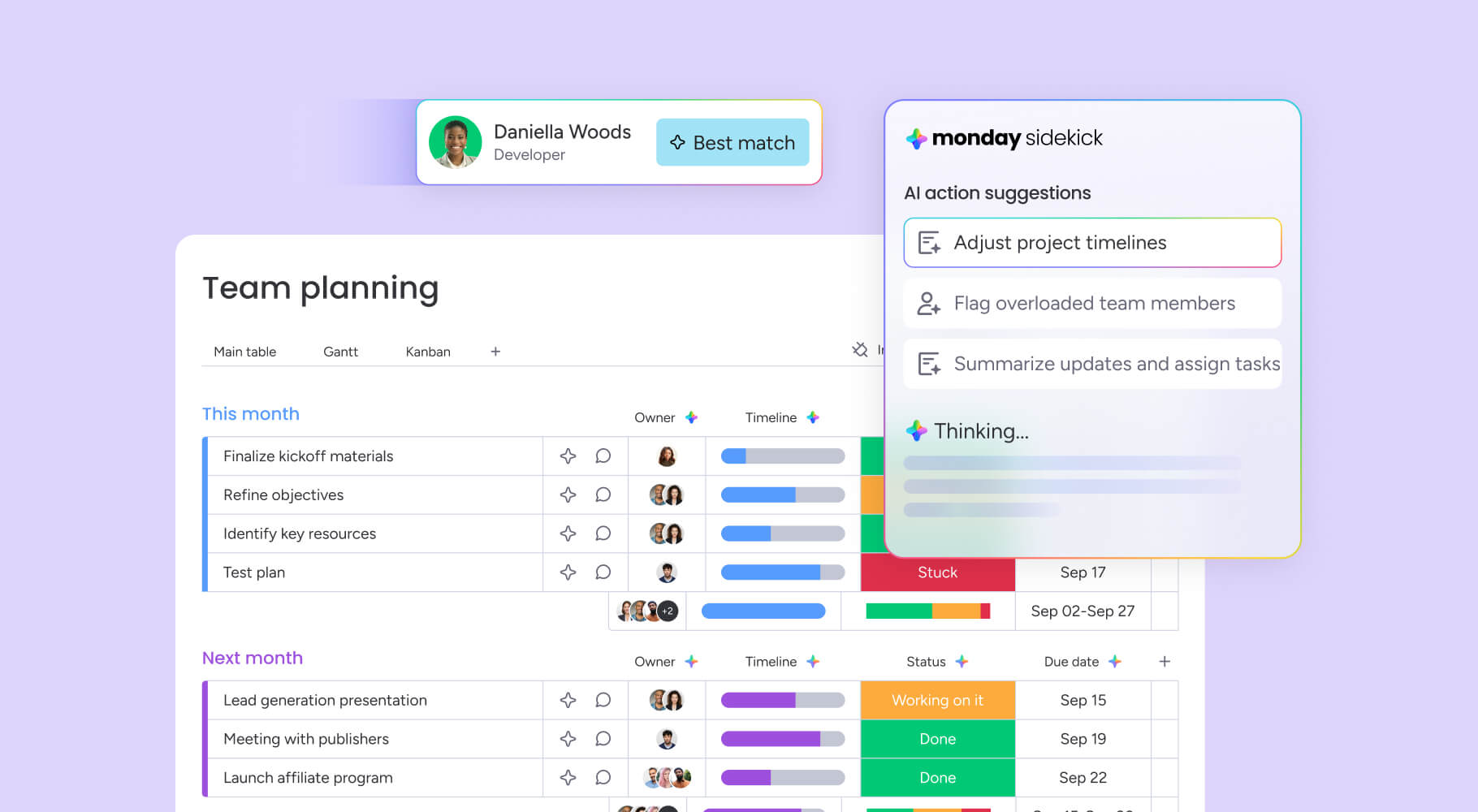
- AI-powered platforms make implementation easier: monday.com’s AI Work Platform turn techniques into repeatable workflows with automations, time tracking, and visual project views.
- Consistency beats perfection: The most productive professionals don’t follow their system perfectly every day. They follow it consistently enough that it becomes a habit.
What are time management techniques?
Time management techniques are structured approaches to planning, prioritizing, and completing work. They give you a repeatable system for deciding what to do, when to do it, and how to avoid the distractions that derail your productivity. Unlike vague advice like “just be more organized,” these techniques provide specific steps you can follow every day.
Why do they matter? Because time management goes beyond simple productivity. It’s actually a combination of 5 core skills: planning, prioritization, goal-setting, delegation, and self-awareness. You might be excellent at planning your week but terrible at saying no to low-priority requests. A good time management technique fills those gaps by building structure around your weakest points. And according to research from Gallup on workplace engagement, employees who feel in control of their time are significantly more engaged and less likely to burn out.
The right technique depends on your biggest productivity challenge. If you procrastinate, you need a method that forces you to start. If you’re overwhelmed, you need a framework for filtering what’s important. The 10 techniques below cover both ends of that spectrum and everything in between.
10 time management techniques that work
The techniques below are organized from prioritization-focused methods (helping you decide what to work on) to execution-focused methods (helping you do the work more efficiently). 5 widely used techniques include the Eisenhower Matrix, Pomodoro Technique, time blocking, Eat the Frog, and Getting Things Done (GTD), but this guide covers 10 total so you can find the best fit for your workflow.
1. Eisenhower Matrix
The Eisenhower Matrix is a prioritization framework that sorts every item on your plate into 4 quadrants based on 2 questions: Is it urgent? Is it important? The combination of those answers tells you exactly what to do with each item.
Here’s how the 4 quadrants break down:
| Urgent | Not urgent | |
|---|---|---|
| Important | Q1: Do it now | Q2: Schedule it |
| Not important | Q3: Delegate it | Q4: Eliminate it |
Most professionals spend too much time in Q3 (urgent but not important), responding to messages, attending unnecessary meetings, and handling requests that someone else could manage. The matrix forces you to recognize that urgency and importance aren’t the same thing.
How to use it:
- Write down every project and responsibility on your plate for the week.
- Assign each item to 1 of the 4 quadrants based on its urgency and importance.
- Block time for Q1 items immediately and schedule Q2 items for later in the week.
- Delegate Q3 items to a teammate or automate them, and remove Q4 items entirely.
Best for: Professionals juggling competing priorities who need a framework for deciding what actually deserves their attention. It’s especially useful for managers who handle both strategic work and day-to-day requests.
The Eisenhower Matrix pairs well with longer-term planning methods like the 12 Week Year for aligning daily priorities with quarterly goals. On monday.com, Kanban and priority views let you visualize all 4 quadrants on a single board, making it simple to drag items between categories as priorities shift.
Learn more: AI daily briefer agent
2. Pomodoro Technique
The Pomodoro Technique is a time-based method that breaks your workday into focused intervals, typically 25 minutes of work followed by a 5-minute break. After 4 intervals (called “Pomodoros”), you take a longer 15 to 30-minute break. The timer creates a sense of urgency without the stress of an open-ended work block.
It works because it removes the biggest barrier to productivity: starting. When you know you only have to focus for 25 minutes, the psychological resistance to a difficult project drops significantly. And the built-in breaks prevent the mental fatigue that comes from trying to power through hours of deep work without rest.
How to use it:
- Choose 1 item to work on.
- Set a timer for 25 minutes and work on that item without switching to anything else.
- When the timer rings, take a 5-minute break (stand up, stretch, refill your coffee).
- After 4 pomodoros, take a longer break of 15 to 30 minutes.
Once the standard 25/5 split feels natural, you can experiment with variations. Many professionals who do deep creative or analytical work prefer 50-minute work blocks with 10-minute breaks. The key is keeping the structure consistent.
Best for: Anyone who struggles with focus or procrastination. It’s particularly effective for writing, coding, research, and other concentration-heavy work where distractions are costly. On monday.com, the time tracking column can monitor how many Pomodoros a project takes, giving you data on where your hours go.
3. Eat the Frog

The Eat the Frog method is built on a simple idea: identify the most important (and usually most dreaded) item on your list, and do it first. The “frog” is the project you’re most likely to procrastinate on, the one that would make the biggest impact if you finished it.
The logic is straightforward. Your energy and willpower are highest in the morning. If you spend that peak capacity on email and admin work, you’ll have nothing left when it’s time to tackle the hard stuff. By flipping that order, you guarantee that your most valuable work gets your best effort.
How to use it:
- At the end of each workday, identify your “frog” for tomorrow: the 1 item that’s most important and most likely to be postponed.
- When you start work the next morning, begin with the frog immediately. No email, no Slack, no “quick” check-ins first.
- Work on the frog until it’s done (or until you’ve made meaningful progress on a larger project).
- Then move on to everything else, knowing the hardest part of your day is already behind you.
Best for: Procrastinators and professionals who lose energy as the day goes on. It’s also a natural complement to the Eisenhower Matrix. Your frog is usually a Q1 item (important and urgent) that you’ve been avoiding. On monday.com, automations can surface the highest-priority item on your board every morning, so your frog is waiting for you when you log in.
4. Time blocking
Time blocking is a calendar-based method where you assign specific blocks of time to specific types of work. Instead of working from a to-do list and hoping you’ll get to everything, you schedule each item into your calendar the same way you’d schedule a meeting. If it’s not on the calendar, it doesn’t get done.
Research on deep work, popularized by Cal Newport, suggests that the average professional can sustain 3 to 4 hours of truly focused work per day. Time blocking helps you protect those hours by making them non-negotiable calendar events instead of vague intentions. This approach is especially effective when managing time across projects that compete for the same resources.
How to use it:
- List every project and responsibility you need to complete this week.
- Estimate how long each item will take (and add a 20% buffer for interruptions).
- Block specific time slots on your calendar for each item, grouping similar work together where possible.
- Treat those blocks like meetings: decline interruptions, close email, and focus on the scheduled work.
Best for: Professionals who are easily distracted, especially remote workers who don’t have the built-in structure of an office. It’s also effective for anyone who consistently underestimates how long projects take, because the calendar forces you to confront reality. On monday.com’s AI Work Platform, Calendar view and integrations with Google Calendar and Outlook let you sync your time blocks across every platform, so there’s no gap between your project board and your schedule.
Get started5. Task batching
Task batching groups similar activities together so you can handle them in a single focused session instead of scattering them throughout the day. Rather than checking email every 15 minutes, you batch all email into 2 scheduled windows. Rather than taking calls as they come in, you schedule a “meetings block” in the afternoon.
The reason batching works is context switching. Every time you jump between different types of work, your brain needs time to refocus. Studies suggest that recovering from a single interruption can take more than 20 minutes. Batching eliminates those transitions by keeping your brain in the same mode for longer stretches.
How to use it:
- Review your typical week and identify recurring activities: email, meetings, admin work, creative work, reporting.
- Group similar activities into dedicated time blocks (for example, all email from 9:00 to 9:30 AM and 3:00 to 3:30 PM).
- Protect your creative or strategic blocks by batching all reactive work (messages, approvals, quick questions) into separate windows.
Best for: Professionals who handle many small recurring responsibilities and feel like they never have uninterrupted time for deep work. It’s also an excellent companion to time blocking. Batch your similar activities, then block those batches into your calendar. On the AI Work Platform, automations can batch notifications and status updates, so you’re not interrupted every time a teammate moves an item forward.
6. 80/20 rule (Pareto Principle)
The 80/20 rule, also called the Pareto Principle, states that roughly 20% of your efforts produce 80% of your results. In a work context, that means a small number of projects, clients, or activities drive the vast majority of your output, revenue, or career growth. The rest is filler.
The technique isn’t about doing less work. It’s about doing more of the right work. When you identify which activities belong in that critical 20%, you can deliberately shift your time and energy toward them and reduce (or delegate) the rest.
How to apply Pareto analysis to your workweek:
- List every project and recurring responsibility you handled last month.
- Next to each item, note the outcome it produced (revenue generated, projects shipped, goals advanced).
- Identify the 20% of items that generated the most impact. These deserve more of your time going forward.
For example, a marketing manager might realize that 3 of their 15 weekly activities (customer research, campaign strategy sessions, and performance reviews) drive nearly all of their team’s pipeline growth. The remaining 12 activities (internal status meetings, formatting documents, chasing approvals) are necessary but shouldn’t consume the bulk of the week.
Best for: Managers and team leads who need to optimize how their team spends time. It’s also valuable for individual contributors who feel busy but aren’t seeing proportional results. On the AI Work Platform, dashboards display which projects drive the most impact by visualizing progress, resource allocation, and outcomes in real time.
7. Getting Things Done (GTD)
Getting Things Done, created by David Allen, is a comprehensive workflow system designed to get every commitment, idea, and responsibility out of your head and into a trusted external system. Unlike simpler techniques that focus on prioritization or focus, GTD is a full operating system for managing everything on your plate.
The method follows 5 steps:
- Capture: Write down every item, idea, and commitment as it comes in. Don’t evaluate, just collect.
- Clarify: For each captured item, decide: Is it actionable? If yes, what’s the next physical action? If no, trash it, file it for reference, or add it to a “someday/maybe” list.
- Organize: Sort actionable items by context (where you’ll do them), project (what they belong to), and deadline (when they’re due).
- Reflect: Review your full system weekly. Update projects, clear out completed items, and recalibrate priorities.
- Engage: Choose what to work on based on your current context, available time, energy level, and priorities.
GTD’s strength is that it scales. A freelancer can use it with a notebook, and a department head can use it to manage hundreds of moving pieces across multiple teams. It’s particularly effective for professionals who are managing multiple projects simultaneously and need a system that catches everything without letting items slip through the cracks.
Best for: Professionals managing high volumes of projects and inputs who need a system that catches everything without letting items slip through the cracks. On monday.com, boards function as a GTD inbox and project tracker. Items flow from capture to completion across customizable statuses, with automations handling the sorting and notifications that GTD requires.
8. Personal Kanban
Personal Kanban is a visual method that uses a board with 3 columns (To Do, Doing, and Done) to track everything you’re working on. The key principle is limiting your work in progress (WIP): you only allow a set number of items in the “Doing” column at any time, typically 2 to 3.
The visual nature of the board makes it immediately obvious when you’re overloaded. If your “Doing” column is full and someone asks you to take on something new, the board shows you (and them) that something else has to move out first. It’s a built-in way to manage expectations and prevent the overcommitment that kills productivity.
How to set it up:
- Create a board with 3 columns: To Do, Doing, and Done.
- Add every current project and responsibility to the “To Do” column.
- Move items to “Doing” as you start them, but never exceed your WIP limit (start with 3).
- Move items to “Done” as you complete them, then pull the next priority from “To Do.”
Best for: Visual thinkers and small teams who want an intuitive way to see what’s happening at a glance. On the AI Work Platform, the Kanban view is a direct implementation of this technique. You can set WIP limits, drag items between columns, and color-code by priority or project type.
9. Parkinson’s Law
Parkinson’s Law states that “work expands to fill the time available for its completion.” If you give yourself a week to write a report, it’ll take a week. If you give yourself 2 days, you’ll find a way to finish it in 2 days. The technique involves deliberately setting tighter deadlines to prevent time waste.
This doesn’t mean rushing through important work. It means recognizing that many projects don’t need as much time as you instinctively allocate. The extra time usually goes to overthinking, unnecessary revisions, and scope creep rather than higher quality.
How to apply it:
- For your next project, estimate how long it would normally take, then cut that estimate by 25 to 30%.
- Set the shorter deadline on your calendar (or project board) and treat it as firm.
- After a few rounds, review: did the shorter deadlines reduce quality, or just eliminate wasted time? In most cases, it’s the latter.
Best for: Perfectionists and teams that struggle with scope creep. If projects in your organization consistently take longer than they should without a corresponding increase in quality, Parkinson’s Law is worth trying. On monday.com’s AI Work Platform, deadline columns and automations can trigger alerts as deadlines approach, keeping the pressure productive rather than stressful.
10. The 3-3-3 method
The 3-3-3 method structures your day into 3 categories: spend 3 hours on your most important project, complete 3 shorter tasks (30 to 60 minutes each), and handle 3 maintenance activities (email, admin, scheduling). That’s your entire day, planned in advance with built-in balance between deep work and operational responsibilities.
What makes the 3-3-3 method effective is its simplicity. You don’t need to learn a complex system, set up elaborate boards, or overhaul your entire workflow. You just divide your day into 3 buckets and fill each one. It’s an especially good starting point if you’ve tried more complex techniques and abandoned them.
How to use it:
- Each morning (or the night before), identify your “3-3-3” for the day.
- Block 3 hours for your top-priority project, ideally during your peak energy window.
- List 3 medium-priority items you can complete in under an hour each.
- Reserve 3 maintenance slots for routine activities like responding to messages, updating statuses, and filing reports.
Best for: Professionals who want a simple daily framework without the overhead of complex systems like GTD. It’s also a great entry point for teams that are new to structured time management. On monday.com, Workload view helps managers balance the 3-3-3 structure across a team, ensuring no one’s deep-work time is being consumed by maintenance activities.
Learn more: Productivity tips
How to choose the right time management technique
With 10 techniques to choose from, the best approach is to start with your biggest productivity challenge and work backward. Are you procrastinating on important work? Try Eat the Frog. Can’t focus for more than 15 minutes? Try the Pomodoro Technique. Drowning in competing priorities with no idea what matters most? Start with the Eisenhower Matrix.
Here’s a quick-reference guide:
| Your biggest challenge | Start with this technique |
|---|---|
| Procrastination on important work | Eat the Frog |
| Can't focus or stay on a single item | Pomodoro Technique |
| Overwhelmed by competing priorities | Eisenhower Matrix |
| Need a visual system for tracking work | Personal Kanban |
| Managing high volumes of projects and inputs | Getting Things Done (GTD) |
| Spending too much time on low-impact work | 80/20 Rule (Pareto Principle) |
| Constant context switching | Task batching |
| Need daily structure without a complex system | 3-3-3 Method |
| Projects consistently run over time | Parkinson's Law |
| Easily distracted, especially working remotely | Time blocking |
You can also think about it through the lens of the 5 P’s of time management: Prioritize (decide what matters), Plan (schedule your work), Prepare (set up your environment and resources), Perform (execute with focus), and Perfect (review and refine your system). Every technique above addresses at least 2 of these P’s, and most address 3 or more. Many of these techniques also align with proven project management methods that scale beyond individual productivity.
Don’t try to adopt 3 techniques at once. Pick the 1 that addresses your most pressing problem, practice it for 2 to 3 weeks, and evaluate. If it helps, keep it. If not, try the next best match from the table above. The goal isn’t to find the “perfect” system. It’s to find 1 that you’ll stick with. And don’t forget that trying to juggle multiple systems at once is just another form of multitasking, which defeats the purpose entirely.
Learn more: AI Chief of Staff agent
How monday.com's AI Work Platform supports time management
A platform like monday.com’s AI Work Platform lets you turn any technique into a repeatable, automated process without relying on willpower or sticky notes.
Here’s how specific platform features map to the techniques covered in this article:
- Automations: Automate repetitive workflows, notifications, and status changes so you spend less time on manual busywork. Set up rules like “when a deadline is 2 days away, notify the assignee” or “when status changes to Done, move the item to the archive.” This directly supports time blocking and task batching by eliminating the small manual steps that fragment your focus.
- Views (Kanban, Gantt, Calendar, Workload): Switch between visual layouts depending on which technique you’re using. Kanban view mirrors Personal Kanban boards with drag-and-drop columns and WIP limits. Calendar view supports time blocking by displaying your work alongside your schedule. Workload view helps managers balance the 3-3-3 method across a team.
- Time tracking: A built-in time tracking column monitors how long projects actually take versus how long you estimated. This supports Pomodoro tracking (log each 25-minute interval), Parkinson’s Law experiments (did the tighter deadline reduce quality or just eliminate waste?), and 80/20 analysis (which activities consume the most time relative to their impact?).
- Dashboards: Real-time insights on project progress, team workload, and deadline status, all in 1 place. Dashboards support 80/20 analysis by surfacing which projects drive the most results, and they help managers spot bottlenecks before they become crises.
- monday sidekick: An AI assistant that can plan work, analyze data, and surface priorities. It helps implement Eat the Frog by identifying the highest-priority item on your board each morning, and it can recommend schedule adjustments based on workload and deadlines.
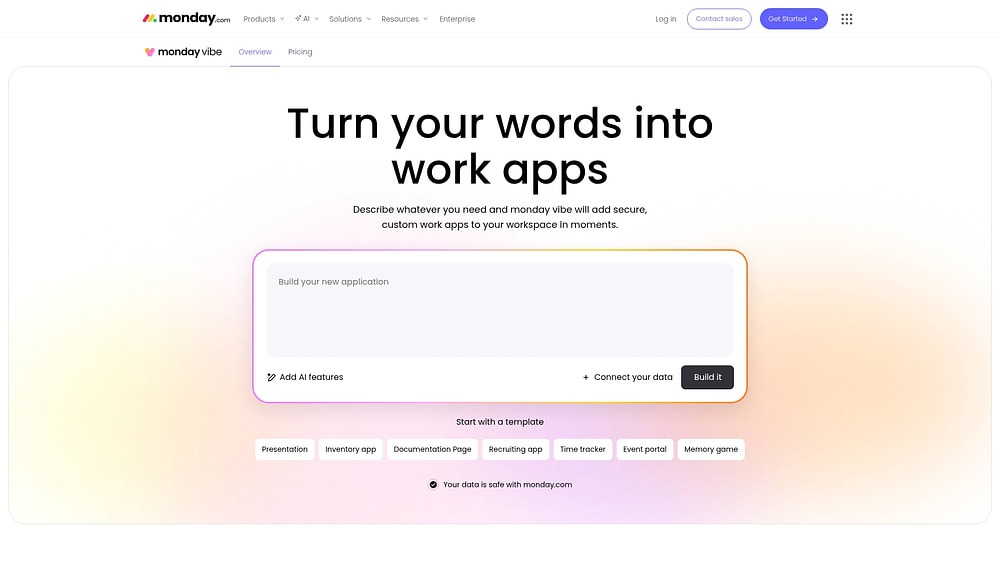
- monday vibe: Build custom business software (like a time tracking app, an OKR dashboard, or a scheduling interface) using natural language. If the built-in features don’t match your exact workflow, vibe lets you create exactly what you need without writing code.
- monday agents: AI agents like Process Automator and Project Analyzer handle administrative work autonomously. They can update statuses, generate reports, and route items to the right person without manual intervention, freeing up your time for the work that actually requires human judgment.
- Integrations: Over 200 integrations with platforms like Slack, Microsoft Teams, Google Calendar, and Outlook keep your work synchronized. Time blocking becomes seamless when your project board and your calendar are always in sync, and task batching is easier when notifications from every platform are funneled into 1 place.
The common thread across all of these features is the same principle behind every technique in this article: structure reduces friction. When your system handles the logistics, you can focus on the work itself.
Get startedTake control of your time starting today
Productivity isn’t about working more hours. It’s about choosing the right system and sticking with it long enough for it to become second nature. The 10 time management techniques in this article give you a range of options, from simple daily frameworks like the 3-3-3 method to comprehensive workflow systems like GTD. The best one is the one you’ll actually use.
Start small: pick 1 technique that addresses your biggest productivity bottleneck and commit to it for 2 weeks. Track what changes. If you’re completing more meaningful work with less stress, you’ve found your system. If not, try the next match from the decision guide above.
And when you’re ready to turn your chosen technique into a repeatable workflow, monday.com’s AI Work Platform gives you the automations, visual project views, and AI-powered features to make it stick. Whether you’re building a Kanban board, setting up Pomodoro time tracking, or automating your Eat the Frog routine, the platform handles the structure so you can focus on the work that matters.
Get startedFAQs
What are the 5 time management techniques?
5 widely used techniques are the Eisenhower Matrix, Pomodoro Technique, time blocking, Eat the Frog, and Getting Things Done (GTD), though this article covers 10 methods to give you more options.
What are the 5 P's of time management?
The 5 P's are Prioritize, Plan, Prepare, Perform, and Perfect. It's a framework for approaching any productivity system.
What are the 5 time management skills?
The 5 core time management skills are planning, prioritization, goal-setting, delegation, and self-awareness.
What is the 3-3-3 rule for time management?
The 3-3-3 rule structures your day into 3 hours of deep work on your most important project, 3 shorter tasks, and 3 maintenance activities like email and scheduling.
What is the best time management technique for beginners?
The Pomodoro Technique is often the easiest starting point because it requires only a timer and a to-do list, with no complex setup or system overhaul.
How do time management platforms help with productivity?
Platforms like monday.com's AI Work Platform combine automations, time tracking, and visual project views so you can implement techniques like time blocking and Personal Kanban without manual effort.
 Get started