


All-hands meetings don’t always have the best reputation. They can feel like mandatory time sinks where leadership talks at you for an hour to give updates that could’ve been an email while your workload piles skyhigh. But they can also be one of the most powerful tools a company has to keep everyone aligned, and engaged.
If you’re now responsible for planning these meetings, the last thing you want is to create a company-wide snooze fest. This guide covers everything you need to conduct an all-hands meeting the right way.
Get startedKey takeaways
- An all-hands meeting is a regular, company-wide gathering where leadership and every employee align on goals, share updates, and open a two-way dialogue.
- The best all-hands meetings balance company updates, a high-level performance review, wins and recognition, a look ahead, and honest Q&A.
- Consistency beats intensity: a predictable cadence signals connection, while sporadic meetings signal a problem.
- Remote and hybrid inclusion is a design choice, from fair scheduling to live polls, recordings, and pre-submitted questions.
- monday AI Workspace helps teams prep agendas, share live performance data, and capture action items so alignment turns into follow-through.
What is an all-hands meeting?
An all-hands meeting is a recurring, company-wide gathering where leadership shares updates, celebrates wins, and opens dialogue with every employee. Also called a town hall or all-staff meeting, it’s a chance for everyone to hear the same message at the same time, and a space to respond directly to the message they hear.
Leadership typically hosts the meeting and everyone attends, from new hires to senior staff. Unlike a departmental standup that syncs one team on daily tasks, an all-hands aligns the entire organization on direction and strategy. With effective communication, people leave knowing where the company is headed and how their work contributes.
Why do all-hands meetings matter?
Here’s what a strong all-hands delivers when you run it consistently:
- Alignment across teams: as headcount grows and time zones multiply, one shared meeting keeps priorities and progress visible to everyone at once.
- Leadership trust and transparency: when executives share context and answer real questions, they replace distance with access and build credibility.
- Culture and belonging: seeing the whole company in one place reminds people they’re part of something bigger than their own task list.
- Recognition: celebrating wins in front of the company motivates the people being recognized and sets a clear bar for everyone watching.
None of these outcomes happen automatically. They come from a meeting that’s planned around dialogue and follow-through, not a slide deck read aloud to a silent audience.
What to include in an all-hands meeting agenda
A great all-hands meeting agenda balances information with connection. The structure below works whether you meet monthly or quarterly, and you can adjust the time split to fit your team.
- Company updates and vision: Ground the room in the mission, then share what’s changed since the last meeting so everyone reconnects with the direction before diving into details.
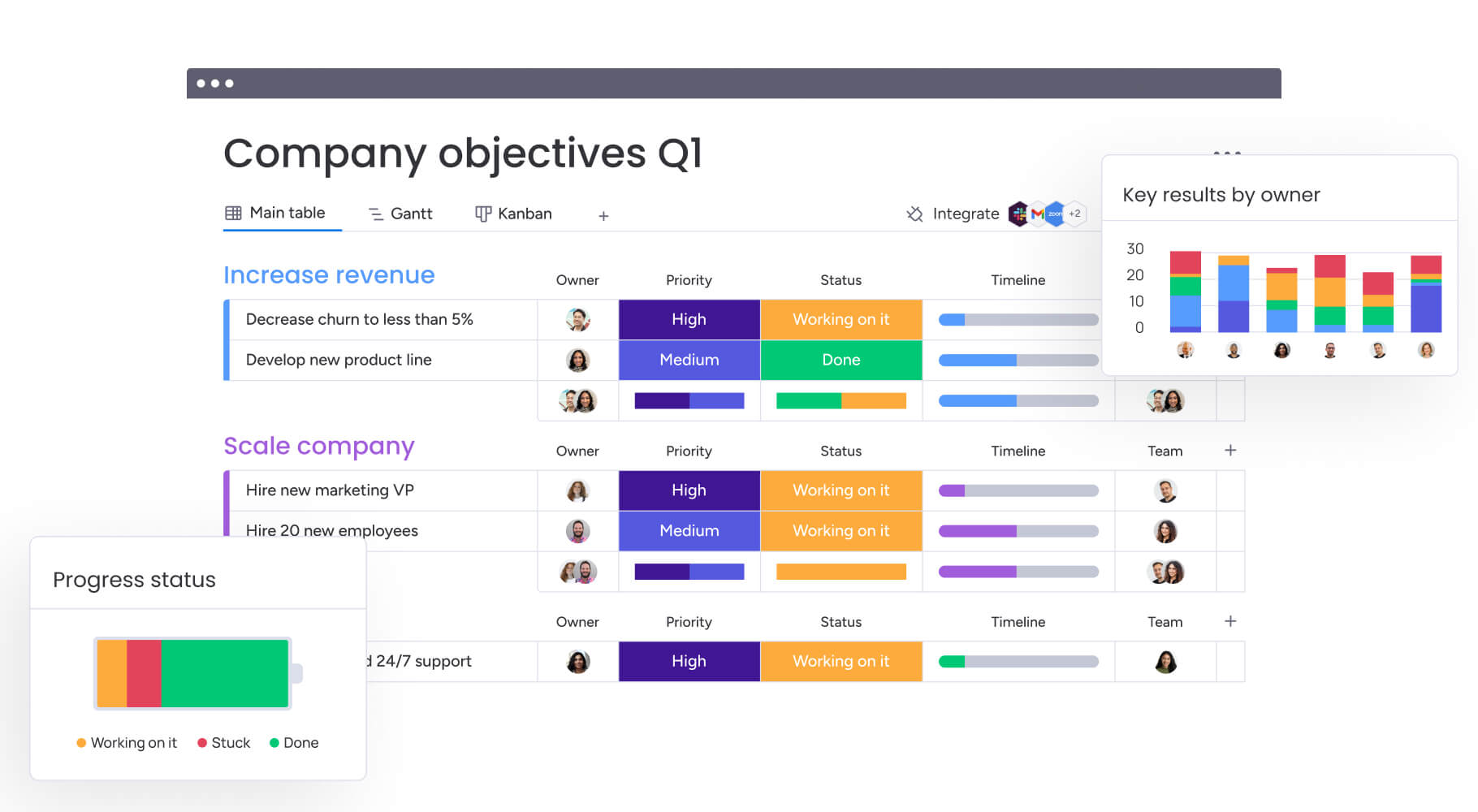
- High-level performance review: Reinforce the company’s goals and objectives. With everyone gathered together, leaders can share performance reviews and any new developments that are moving the company closer to, or further away from the goal. Live dashboards make this easier, and monday AI Workspace Dashboards let leaders share high-level performance metrics on screen in real time instead of static slides.
- Wins and recognition: Use the meeting to appreciate great performances by individual team members, successes of entire teams and the organization as a whole. Invite managers to share kudos from customers or offer their own shout-outs to colleagues for support. This is a high point of the meeting that always leaves everyone feeling positive about working for a company that recognizes hard work and proud of their contributions to the company’s wins.
- Looking ahead and open Q&A: Preview upcoming priorities so people know what to expect, then reserve the final stretch for questions.
Here’s a simple meeting agenda template you can adapt to your needs:
| Agenda item | Time | Owner | Purpose |
|---|---|---|---|
| Welcome and mission recap | 5 min | CEO or host | Reconnect the room to the company vision |
| Company updates | 10 min | Leadership | Share what's changed since the last meeting |
| High-level performance review | 10 min | Department heads | Cover the major metrics and the story behind them |
| Wins and recognition | 10 min | Managers | Celebrate individual, team, and company successes |
| Team or employee spotlight | 5 min | Rotating team | Show what another part of the business is working on |
| Looking ahead | 5 min | Leadership | Preview upcoming priorities and goals |
| Open Q&A | 15 min | Ho |
How to run an engaging all-hands meeting: 7 best practices
The best practices below turn your agenda into a meeting people look forward to, and most of them cost nothing but a little planning.
- Make them a regular thing. Holding regular meetings sends a message that you want to keep everyone connected and in the loop. Set a monthly schedule and send out an agenda that will tell people what to expect and give them a chance to think of questions they may want to ask.
- Include everyone regardless of location. Plan your meeting at a time that most of your team can make regardless of their time zone, and use team management tools for sharing. Test your screen sharing platform, dial-in numbers and sound system before the meeting begins and have support nearby in case connections are shaky.
- Rotate the MC and guest speakers. Keep things fresh by having a new person host each month. That person should be in charge of compiling slides, videos, and handouts; following the agenda, introducing the guest speakers, watching the time, and managing the flow of Q&A. Having guest hosts from different teams will also grab the attention of their respective teammates, which helps attendance and keeps people engaged.
- Build and stick to a clear agenda. Send out an agenda at least one week before each meeting, and stick to that agenda. Going off topic, allowing the Q&A session or any presentations to run too long will surely lose your audience. Your host needs to keep people within their time limits and move the meeting from one topic to the next.
- Welcome questions, even tough ones. Invite people to ask questions, and don’t shy away from questions about tough subjects. If someone wants to know why the company ended a popular employee program, or if rumors of a merger are true, answer them honestly, even if the information is difficult or unpopular. If they have a comment or negative opinion, don’t just throw back boilerplate answers like the old standard “I’ll take that under consideration.” Have a real dialogue that acknowledges the value of their input and shows respect.
- Celebrate wins and recognize people. Include some good clean fun or interesting activities to keep your all-hands inclusive. Use your imagination: invite a speaker who can put a funny spin on business, create a theme for each meeting and offer prizes for answers to trivia questions, or bring in a yoga teacher for a quick stress management session. It’s a great way to keep the meetings fresh and show your team that their experience is important to you.
- Follow up with a recap and action items. Send a short recap with the key updates, decisions, and any questions you promised to answer, so people who missed the live session stay in the loop and commitments don’t get lost. Capturing action items also closes the gap between what leadership said and what actually gets done. An AI notetaker can transcribe the session and turn the discussion into a summary and action items automatically, which saves the host from scrambling to write it all down.
How to keep remote and hybrid teams engaged
Remote and hybrid meeting attendees are the easiest people to accidentally leave out, and they notice when it happens. A virtual meeting works when inclusion is built into the plan rather than bolted on at the end. Treat the remote experience as the default, and in-person attendees benefit too.
- Run a tech check first: confirm audio, video, and screen sharing well before the meeting so a shaky connection doesn’t derail the opening.
- Appoint a remote champion: assign one person to watch the chat, suggest remote questions, and make sure virtual voices reach the room.
- Use live polls and chat: quick polls and an active chat give remote attendees a low-pressure way to participate in real time.
- Record for async viewing: share the recording afterward so people in other time zones or on deskless shifts can catch up on their own schedule.
Collecting questions ahead of time also helps quieter or remote employees contribute without competing for airtime. You can gather them with a simple form, and WorkForms lets you collect questions from remote staff in advance and route them straight to the host.

All-hands meeting frequency by company size
Most companies should hold an all-hands meeting monthly, though the right cadence depends on your size and how fast things are changing. Smaller teams can meet more often because coordination is cheap, while larger organizations tend to move to a monthly or quarterly rhythm to protect everyone’s calendar. Whatever you choose, keep it predictable so people can plan around it.
Length matters just as much as frequency. Aim for 30 to 60 minutes: long enough to cover updates and real Q&A, short enough to hold attention. Use the table below as a starting point and adjust to your team.
| Company size | Suggested cadence | Typical length |
|---|---|---|
| Startup (under 50) | Weekly or biweekly | 30 min |
| Growing (50 to 250) | Biweekly or monthly | 45 min |
| Midsize (250 to 1,000) | Monthly | 45 to 60 min |
| Enterprise (1,000+) | Monthly or quarterly | 60 min |
If you’re not sure where to start, pick a cadence you can sustain for at least two quarters. Consistency builds the habit, and it’s easier to add meetings later than to walk back a rhythm people came to rely on.
How monday AI Workspace supports better all-hands meetings
Running a great all-hands takes prep before the meeting, focus during it, and follow-through after. The monday AI Workspace brings those three phases into one connected workspace, so the meeting turns into tracked work instead of notes that get lost. Here’s how its capabilities map to each stage.
- monday AI Notetaker: it joins the meeting, transcribes the discussion, summarizes it, and generates action items directly in monday.com, so the recap writes itself.
- monday agents: a Meeting Summarizer agent produces recaps, a Status reporter agent pulls together pre-meeting performance updates, and a Risk analyzer agent flags blockers before you present.
- Dashboards: real-time, executive-ready dashboards let you share company metrics live on screen instead of pasting numbers into static slides.
- monday vibe: describe what you need in plain language and build a custom OKR-monitoring app, an employee-recognition tracker, or a Q&A intake tool in minutes.
- WorkForms: collect employee questions before the meeting and gather feedback afterward, with every response landing as structured data.
- monday MCP: query your meeting transcripts in natural language to surface action items, recurring themes, and feedback across every all-hands you’ve held.
- Automations: set recurring reminders and distribute the agenda automatically so no one misses the meeting or shows up unprepared.
Turn all-hands meetings into momentum
An all-hands meeting is only as valuable as what happens after it ends. The goal is a company that leaves the room aligned, informed, and ready to act on what they heard. That means treating alignment as the start of execution, not the finish line.
We know not everyone loves a meeting, but that doesn’t mean you have to plan a boring information session just because it’s necessary. With a clear agenda, honest Q&A, real recognition, and a way to capture and follow up on what’s decided, your allhands meetings can capture the attention and loyalty of more team members than you think. Do that consistently, and each meeting builds on the last, turning routine check-ins into real momentum.
Get startedFAQs
What is another name for an all-hands meeting?
An all-hands meeting is also called a town hall or an all-staff meeting. All three describe the same thing: a company-wide gathering where leadership and employees connect.
How long should an all-hands meeting last?
Most all-hands meetings should run 30 to 60 minutes. That's long enough to cover updates and real Q&A, but short enough to keep people engaged.
What questions can employees ask at an all-hands meeting?
Employees can ask about company strategy, performance, upcoming priorities, and decisions that affect their work. Tough questions about changes or rumors are fair game, and honest answers build trust.
What is the difference between an all-hands meeting and a town hall?
In practice, there's no meaningful difference: the terms are used interchangeably for a company-wide meeting. Some organizations reserve "town hall" for sessions focused mainly on open Q&A with leadership.
How does monday AI Workspace help run all-hands meetings?
The monday AI Workspace helps you prep agendas, share live performance dashboards, capture action items with AI Notetaker, and collect questions through WorkForms, so alignment turns into tracked follow-through.

 Get started