


Evaluating enterprise software without seeing it in context is like reading a recipe without tasting the food. A monday.com demo changes that. It puts real workflows, live dashboards, and AI-driven automation in front of you so your team can assess fit before committing a single dollar.
This walkthrough gives enterprise leaders a preview of what a monday.com demo can cover. You’ll see how teams manage multiple workstreams, gain visibility across departments, and use AI-powered capabilities to support planning, execution, and decision-making.
This overview highlights how monday.com’s AI Work Platform gives organizations control and flexibility at scale. Below, we’ll explore configurable building blocks, AI-powered capabilities, team examples, and a step-by-step path to booking your own personalized demo.
Key takeaways
- monday.com’s AI Work Platform uses configurable building blocks – boards, columns, views, automations, dashboards, and workdocs, so teams can shape workflows around how they actually operate
- AI-powered capabilities like monday sidekick, monday agents, monday vibe, AI columns, and the AI workflow builder can help teams summarize information, organize work, surface risks, and reduce manual effort
- Enterprise teams can use monday.com across project management, resource planning, service operations, campaign execution, and cross-functional workflows
- A personalized monday.com demo can be tailored to your industry, team size, current tools, and priority workflows
- Teams should use the demo to evaluate usability, governance, integrations, reporting, automation, and AI-powered workflow support
What is monday.com’s AI Work Platform and how does it work?
monday.com’s AI Work Platform is a flexible work platform designed to help organizations manage projects, workflows, automations, dashboards, collaboration, and AI-powered work at scale.
The platform enables:
- Structured assignments that adapt to team roles and capacity
- Reusable templates that support consistent processes across teams
- No-code workflow building that can scale across departments
- Integrations with tools like Google Drive, Salesforce, Slack, Microsoft Teams, Jira, and more
Workflows are composed of flexible building blocks:
- Boards for organizing work by project, function, or initiative
- Columns that structure work with owners, statuses, dates, dependencies, formulas, and permissions
- Automations that reduce repetitive updates and handoffs
- Workdocs, dashboards, and widgets that keep teams and stakeholders aligned
AI-powered capabilities can help teams summarize updates, organize information, generate workflow ideas, and surface work that may need attention, whether they’re managing a global roadmap or triaging support escalations.
How does this look in practice? A strategy lead automates milestone tracking across five business units using AI-generated coaching insights. A Project Management Office (PMO) leader replaces outdated project trackers with structured, scalable workflows, unifying 15+ project boards into a single portfolio view. Automation and dynamic dashboards surface risks before they become issues.
Customize workflows at scale with configurable building blocks
The platform offers a modular approach to building workflows. Every workspace can be configured using drag-and-drop building blocks that reflect how work gets done in your organization.
Items: track and organize work units
Items are the foundational units of work. Whether it’s a customer request, deal, project, or product launch, each item can include relevant context, owners, statuses, files, and timelines.
What sets items apart is how easily they flex to different scenarios. Enterprise teams often use items to:
- Track projects across regions
- Manage complex request queues
- Centralize updates tied to specific milestones
A PMO might use items to manage hundreds of concurrent workstreams across departments. Meanwhile, a procurement team might use them to track vendor onboarding with custom fields for budget, region, and legal status.
You can name and structure items based on your own language and processes, giving teams flexibility while maintaining consistency.
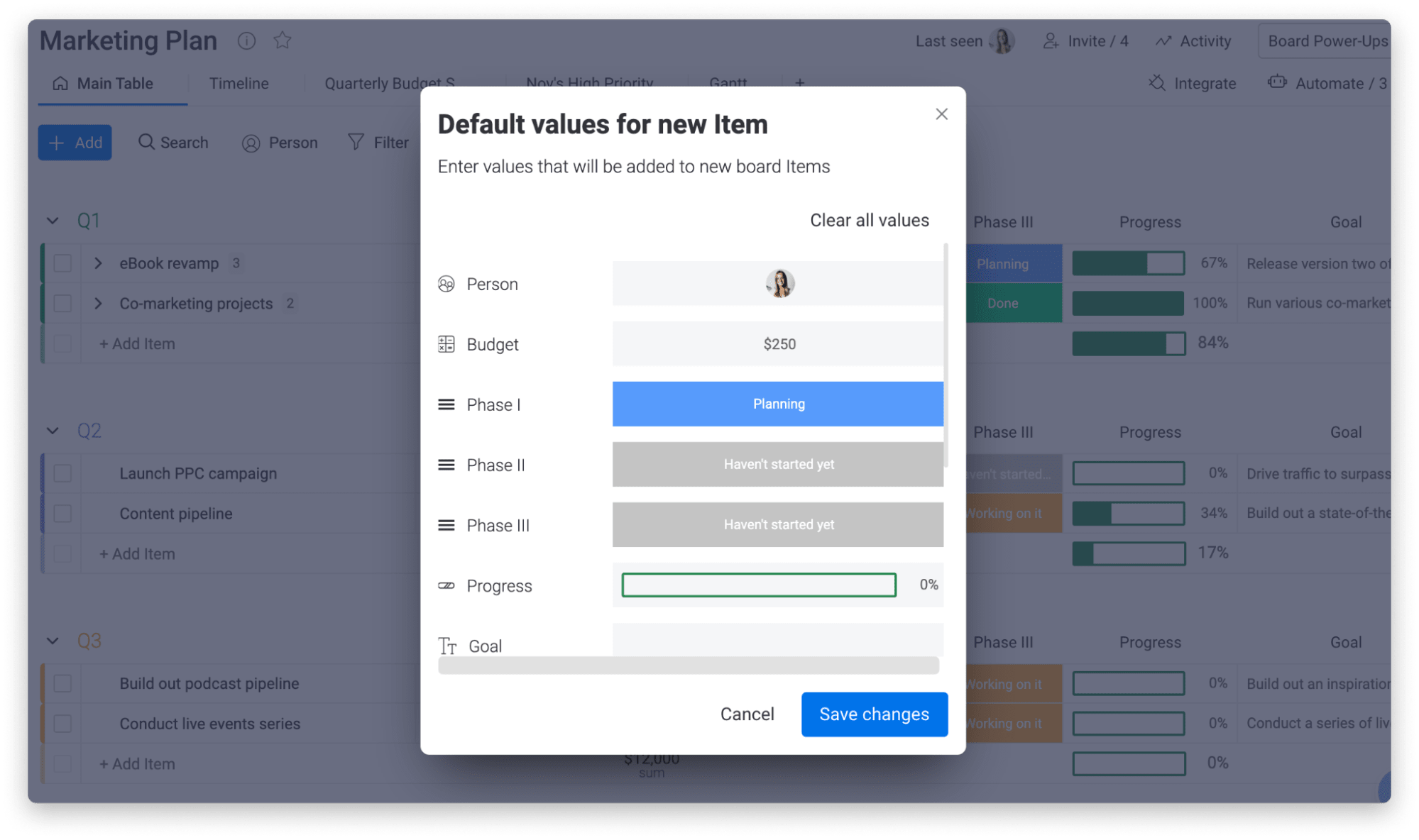
Columns: structure work with custom fields
Columns give structure to every board. Beyond the basics (status, owner, date), the platform supports formula fields, connected dependencies, time tracking, and integrations with financial, HR, and compliance systems.
Admins can control permissions at the column level, limiting visibility or editing access where needed. This is especially useful for high-sensitivity workflows like budget reviews, vendor contracts, or audit tracking.
Columns can also work together. For example, connect a date column to the status and people columns to power deadline alerts and ownership handoffs.
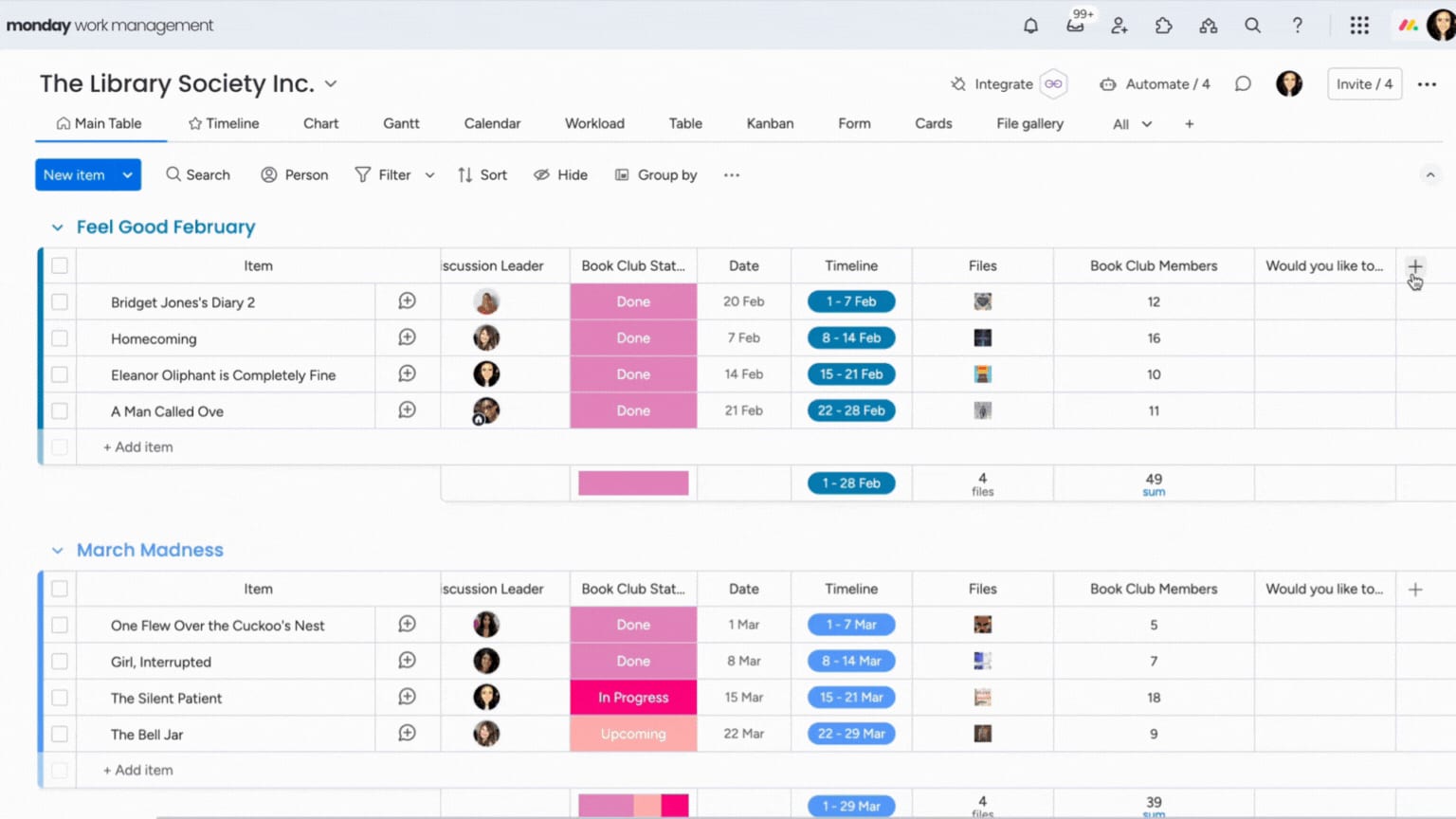
Views: visualize progress your way
Every team sees the data they need in the format that works best for them: Kanban for execution-focused contributors, Gantt for schedulers, and dashboards for VPs to provide high-level oversight.
Executives often favor dashboard views that show:
- Progress toward KPIs
- Upcoming blockers
- Team workload across multiple boards
All views update dynamically based on the board’s data.
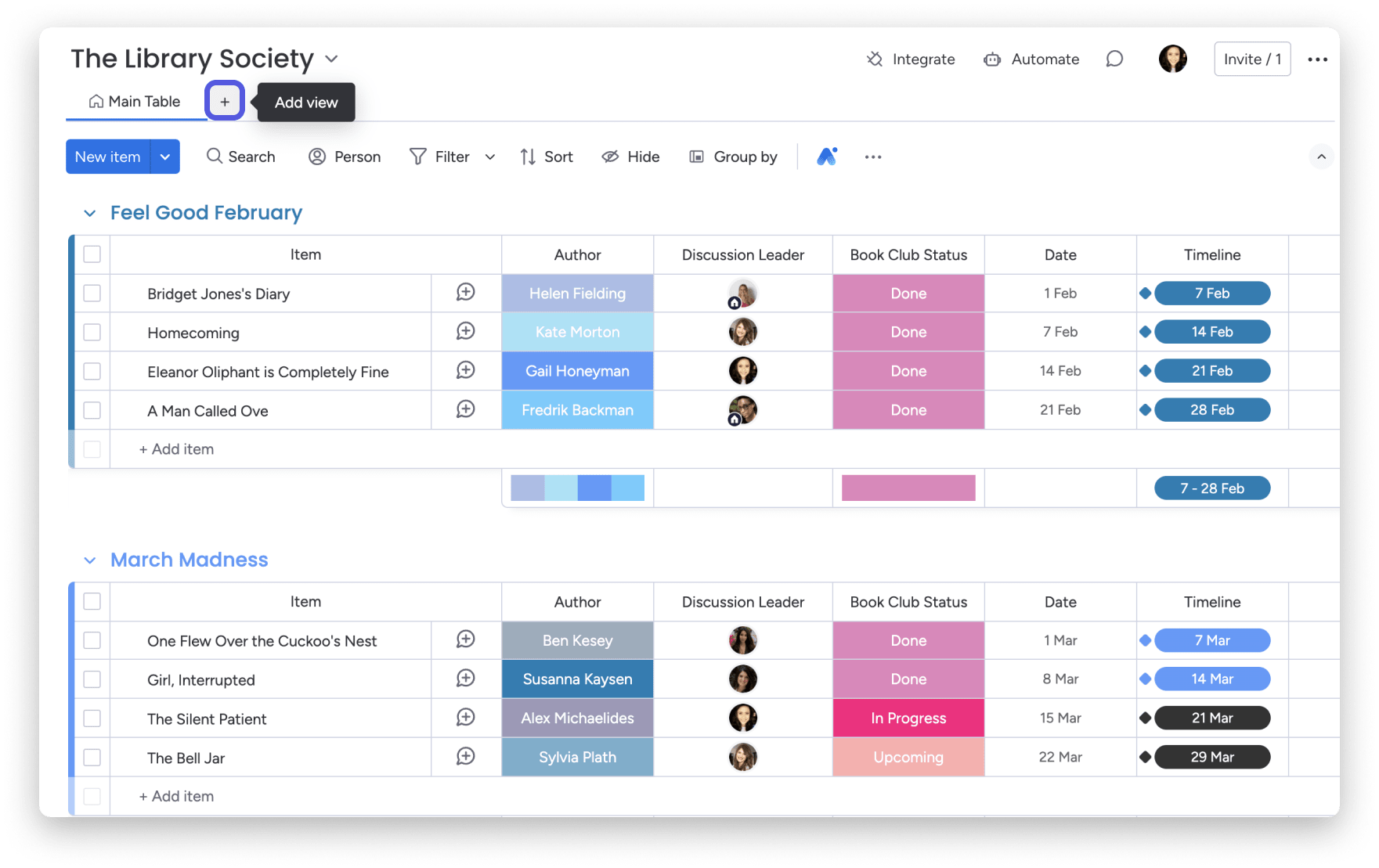
Automation: streamline repeatable processes
Enterprise workflows tend to grow in complexity, with more people involved, more approvals required, and more touchpoints along the way. Simplify that complexity by automating handoffs and repetitive busywork that eats into productivity. Teams looking to go deeper can explore how workflow automation transforms business processes at scale.
Think of automation not just as a time-saver, but as a process enforcer. It ensures that when X happens, Y always follows, no matter who is watching.
For example:
- A legal review is automatically triggered when a contract exceeds a specific value
- Status updates prompt stakeholder notifications across Slack and email
- Marketing requests are routed to the right regional team based on location tags
- Items auto-advance once documentation is uploaded or dependencies are complete
Automate your work: Integrations | monday.com tutorials
There is no ceiling here. You can combine multiple triggers and conditions paired with actions to reflect real-world business logic.
Integrations: sync work across your tech stack
The value of any enterprise platform is multiplied when it works with your existing ecosystem. With monday.com, you benefit from integrations with hundreds of tools, plus a powerful API to support custom connections. Here are some examples of what this looks like in action:
- Salesforce deal stages can trigger internal approval workflows
- Support tickets from Zendesk flow directly into team boards for resolution
- Budget approvals from Workday are logged alongside planning boards
- Jira epics sync with GTM timelines for tighter product-marketing collaboration
Instead of duplicating work across systems, teams stay aligned in a single environment, with updates reflected instantly across platforms.
Dashboards and widgets: monitor progress and performance
Visibility is not about seeing everything. It is about surfacing the right things at the right time, in the right context. Dashboards in the platform allow leaders to zoom in on what matters most. You can build high-level overviews or department-specific snapshots.
Let’s say you’re managing quarterly objectives across five business units. One dashboard can show:
- Overall progress toward each initiative
- Upcoming milestones across units
- At-risk items flagged by AI
- Individual team workload for redistribution
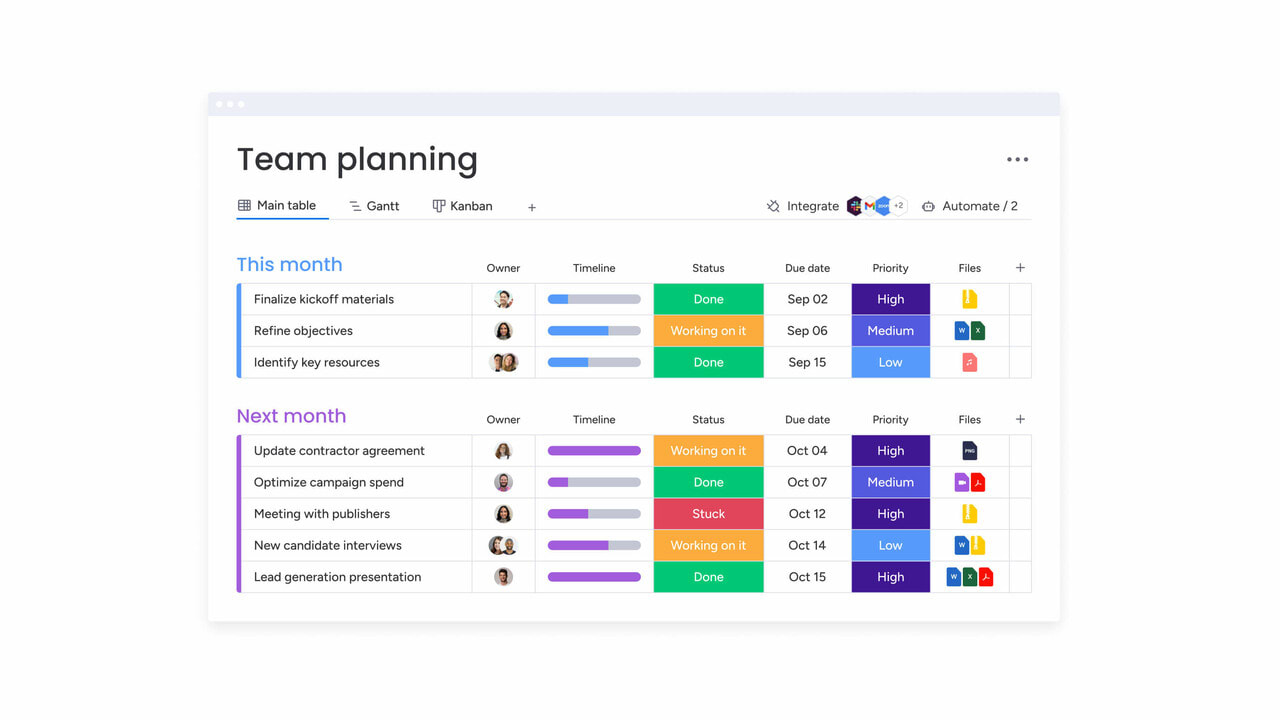
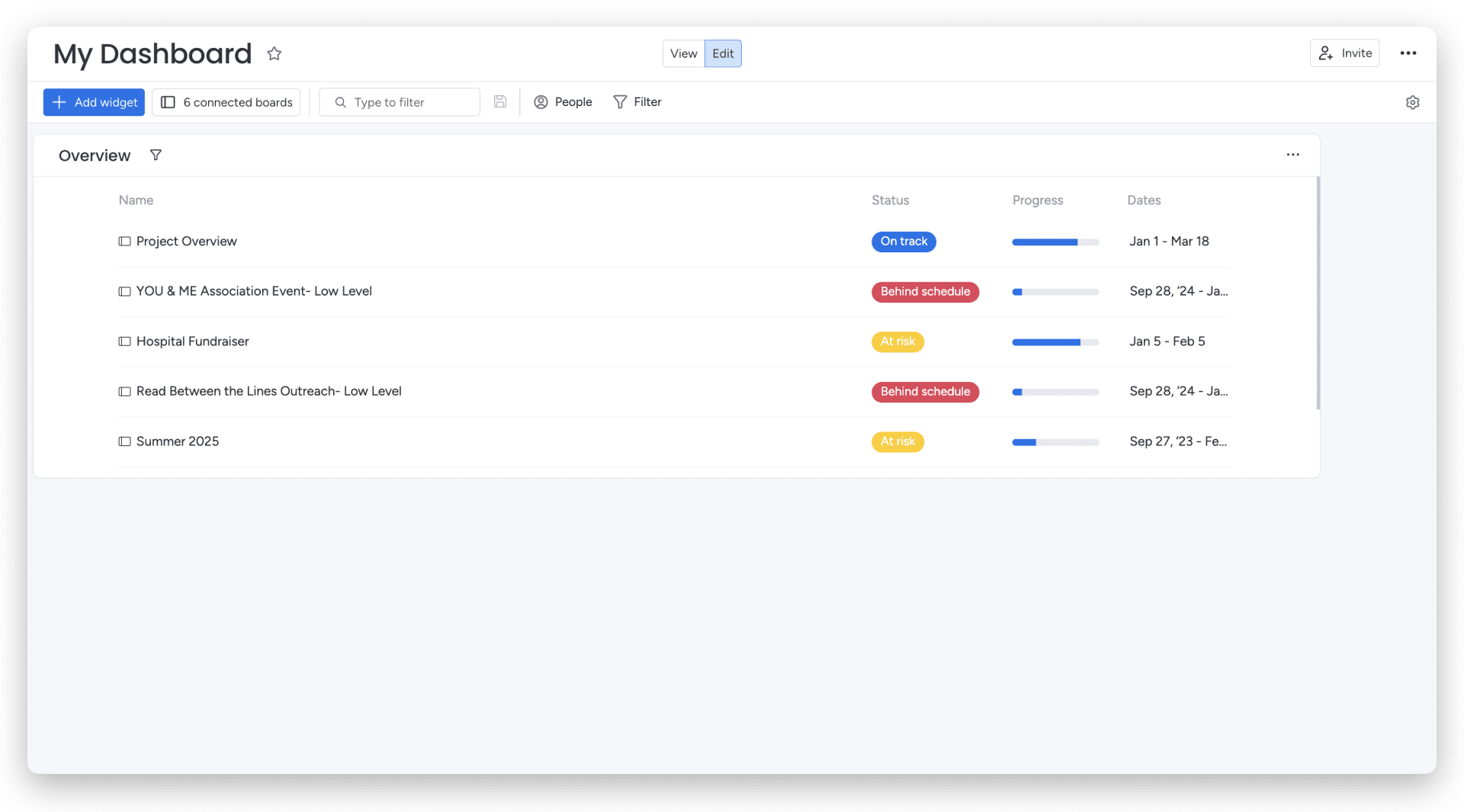
Mix widgets like timelines, numbers, work statuses, and workload overviews to create tailored executive views. Here are a few examples:
- Overview widget: Monitor cross-board progress toward goals,
team workload, or project status - Table widget: Aggregate items from different boards, ideal for portfolio views or initiative rollups
- Board updates widget: Stay close to the latest activity across your top-priority workflows
Apps: extend functionality to fit your needs
This is not a closed system; the platform is designed to scale with your processes. The apps framework opens up new functionality that aligns with your organization’s processes.
Need a specific workflow for RFP scoring or field-level approvals? You can build it internally with low-code options or install apps from the monday apps marketplace to get started right away. And with monday vibe, the platform’s AI-powered app builder, you can turn a natural-language prompt into a fully functional custom app spanning multiple boards, no coding required.
Apps include:
- Time tracking for billable work
- Document generators for client or compliance needs
- Permissions logic tailored to specific departments
- Dashboards built for external collaboration
This extensibility is what helps the platform evolve with your business, not hold it back.
How real teams use monday.com’s AI Work Platform
Enterprise teams across industries use monday.com to manage work across different structures, priorities, and departments. AI-powered capabilities can help teams surface risks, summarize updates, and identify workstreams that may need attention.
What does that look like across different functions?
Enterprise project management. PMOs gain a unified view of project health, resources, and risk. They monitor cross-functional initiatives in a centralized board, pull data from Jira and Salesforce, and assign work based on skills and availability. The Project Analyzer agent flags delays across active workstreams before they snowball into missed deadlines.
Strategic resource planning. Leaders see bandwidth across departments at a glance, reassign work before overload impacts delivery, and use AI to forecast resource needs based on upcoming milestones. A global ops leader can instantly spot where demand is outpacing bandwidth and rebalance accordingly, keeping programs on track without adding headcount. Leaders can see bandwidth across departments, rebalance work before overload affects delivery, and use dashboards to understand upcoming capacity needs.
Resource optimization | monday.com
Service operations and support. High-performing service and IT teams centralize requests from multiple channels (Zendesk, forms, email), route and prioritize based on urgency or sentiment detection, and track resolution times to uncover recurring issues. The result: SLAs stay on target and context-switching drops.
Cross-functional campaign execution. Marketing and go-to-market teams manage cross-channel campaigns from one workspace, keep messaging aligned with embedded monday workdocs, and use the Campaign Manager agent to identify winning campaigns and rebalance spend. Want to see how it works? Book a live demo.
Explore AI-powered work with monday.com’s AI Work Platform
monday.com’s AI Work Platform brings AI-powered capabilities into everyday workflows, helping teams summarize information, organize work, surface risks, and reduce manual effort across departments.This is not a bolt-on. AI is built into the platform through five key components that reduce manual effort, strengthen execution, and make complex workflows more manageable.
AI columns and AI workflow builder: add AI-powered steps without code
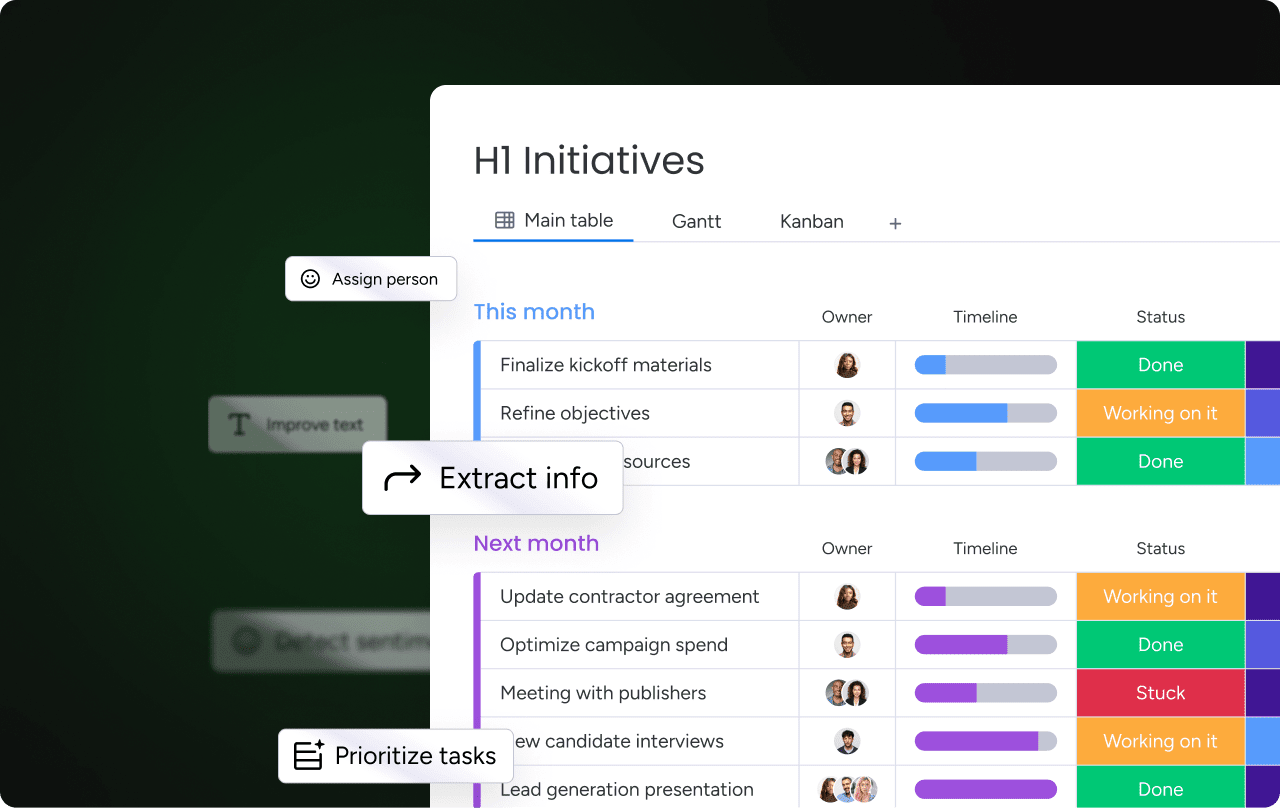
AI columns and the AI workflow builder help teams add AI-powered steps to boards and workflows without writing code. Teams can use them to summarize, categorize, extract, translate, and generate information directly where work is managed.
- Summarize long updates, meeting notes, or project context
- Categorize incoming requests by department, urgency, or topic
- Extract key details from files, emails, and text inputs
- Translate project content for regional teams
- Generate or refine text inside workflows
- Create AI-powered workflow steps without code
Teams use AI Blocks to triage tickets, automate intake, and reduce response times, especially in high-volume environments such as customer support or operations.
Monday sidekick: your built-in AI assistant
monday sidekick is a context-aware AI assistant that can help teams work with information from their boards, docs, and workflows. It can support tasks like summarizing updates, drafting content, answering questions, and helping teams focus on what needs attention.
Ask sidekick to generate a project status summary, analyze trends across a board, suggest next steps on a stalled initiative, or draft an update for stakeholders. It is available on mobile with voice interactions and is private by default with enterprise-grade security.
monday agents: AI-powered support for defined workflows
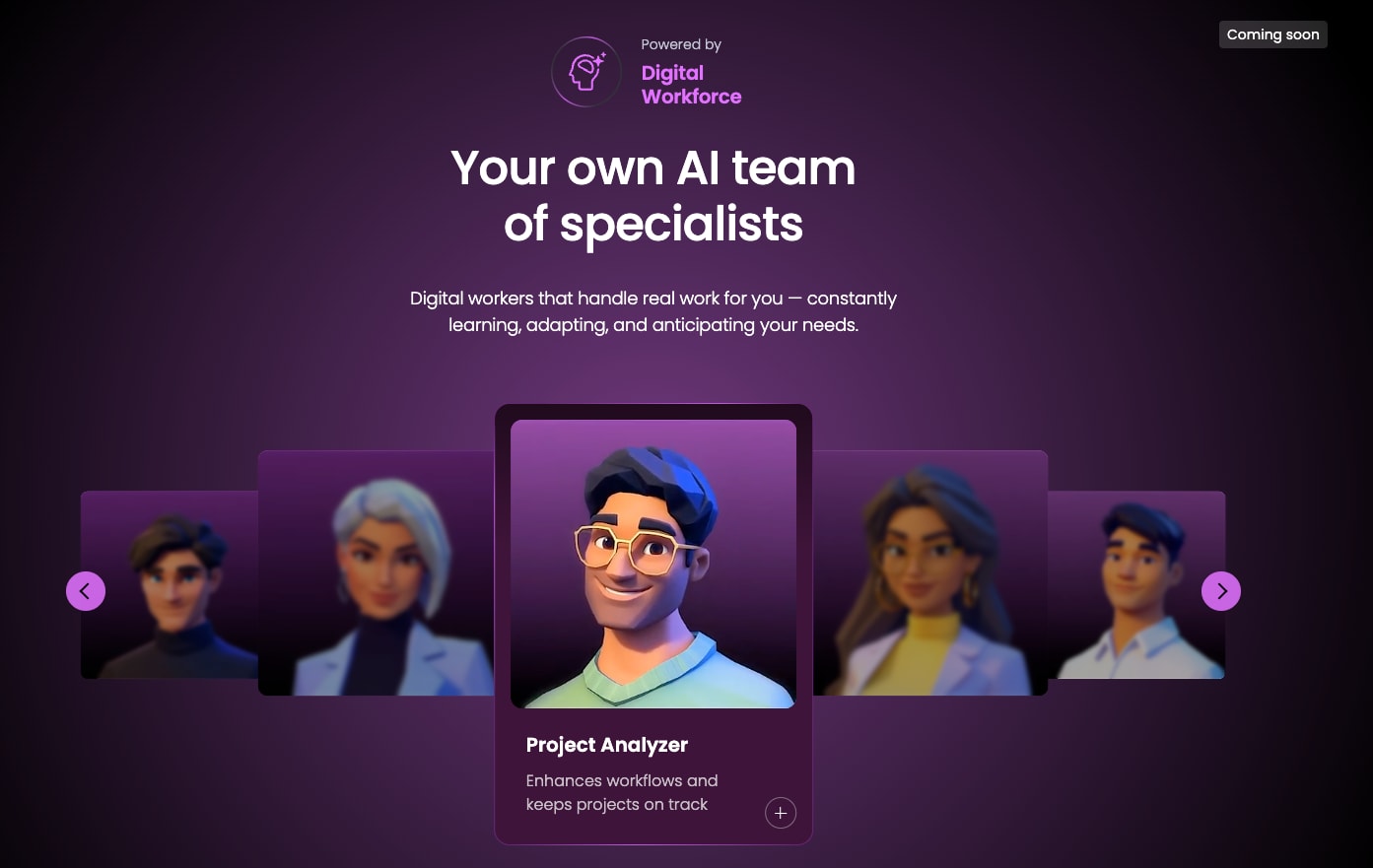 monday agents can support defined workflows by helping teams analyze work, summarize updates, surface risks, and keep processes moving with the right context and guardrails.
Ready-made agents include:
- Project-focused agents that help surface risks and summarize project context
- Sales-focused agents that help teams analyze deal activity and next steps
- Campaign-focused agents that help teams review campaign performance and updates
- Service-focused agents that help summarize issues and support workflows
- Research-focused agents that help gather and synthesize information
You can also build custom agents with the no-code agent builder, tailored to your domain-specific needs.
AI risk insights and reports | monday.com
monday vibe: build custom apps with AI
monday vibe helps teams build apps and workflows from natural-language prompts. Teams can describe what they need and move from idea to a structured workspace faster, without relying on engineering for every workflow request.
Enterprise teams use vibe to create apps for RFP tracking, approval workflows, client portals, and internal dashboards without involving engineering. On Enterprise plans, a vibe-built app can even replace the account homepage.
External AI and integrations: connect work across systems
monday.com’s integrations and open API help teams connect work across the systems they already use. This can support reporting, assignments, cross-team visibility, CRM workflows, and documentation workflows while respecting existing permissions and governance settings.
Use MCP for project reporting, smart management of assignments, cross-team visibility, CRM workflows, and docs workflows. All connections use OAuth-based security and respect your existing monday.com permissions.
How monday.com’s AI Work Platform compares to alternatives
How does the platform stack up against the most-evaluated alternatives? Here is a snapshot based on G2 ratings and publicly available capabilities.
When comparing monday.com with other enterprise project management platforms, teams should evaluate more than feature lists. The most important questions are whether the platform is easy for teams to adopt, flexible enough for different departments, secure enough for enterprise governance, and connected enough to support real workflows across tools.
A monday.com demo can help teams assess these areas in context, including dashboards, automations, integrations, AI-powered capabilities, permissions, and reporting.
How to get started with a monday.com demo
Ready to see the platform in action with your own workflows? Here is what to expect and how to prepare.
- What a personalized demo includes: A monday.com demo is a tailored walkthrough focused on your specific examples. You will see how the platform handles your workflows and integrations with built-in reporting needs, plus a live Q&A with a product specialist
- How to request a demo: Visit the enterprise demo page and share a few details about your organization. The monday.com team will set up a session that matches your priorities
- What to prepare: Bring context on your team size, the platforms you currently use, your top pain points, and the workflows you want to improve. The more detail you share upfront, the more relevant the demo will be
- CRM demos too: If your sales team needs a dedicated walkthrough of monday CRM, you can ask about a demo that covers both CRM workflows and project management needs
How monday.com’s AI Work Platform compares to alternatives
How does the platform stack up against the most-evaluated alternatives? Here is a snapshot based on G2 ratings and publicly available capabilities.
When comparing monday.com with other enterprise project management platforms, teams should evaluate more than feature lists. The most important questions are whether the platform is easy for teams to adopt, flexible enough for different departments, secure enough for enterprise governance, and connected enough to support real workflows across tools.
A monday.com demo can help teams assess these areas in context, including dashboards, automations, integrations, AI-powered capabilities, permissions, and reporting.
How to get started with a monday.com demo
Ready to see the platform in action with your own workflows? Here is what to expect and how to prepare.
- What a personalized demo includes: A monday.com demo is a tailored walkthrough focused on your specific examples. You will see how the platform handles your workflows and integrations with built-in reporting needs, plus a live Q&A with a product specialist
- How to request a demo: Visit the enterprise demo page and share a few details about your organization. The monday.com team will set up a session that matches your priorities
- What to prepare: Bring context on your team size, the platforms you currently use, your top pain points, and the workflows you want to improve. The more detail you share upfront, the more relevant the demo will be
- CRM demos too: If your sales team needs a dedicated walkthrough of monday CRM, you can ask about a demo that covers both CRM workflows and project management needs
Transform how your team manages enterprise work with AI-powered capabilities
Leading enterprise organizations use the platform to manage initiatives of all sizes. With AI capabilities built into every layer, the platform helps reduce complexity and drive faster results at scale.
By embedding AI into every layer of execution, enterprise teams can:
- Reduce repetitive tasks with automations and AI-powered workflow support
- Bring consistency across distributed operations with templates and shared workspaces
- Surface priorities faster with dashboards, summaries, and risk signals
- Support impact at scale without adding unnecessary operational complexity
Ready to experience it for yourself? Book your monday.com demo and see how the platform transforms enterprise project management with AI-powered precision and control.
The content in this article is provided for informational purposes only and, to the best of monday.com’s knowledge, the information provided in this article is accurate and up-to-date at the time of publication. That said, monday.com encourages readers to verify all information directly.
Frequently asked questions about monday.com demos
What’s included in a monday.com demo for enterprise teams?
A monday.com demo typically includes a tailored walkthrough of the platform's capabilities, including boards, dashboards, automations, integrations, workload views, permissions, reporting, and AI-powered features. The exact demo flow depends on your team’s priorities and workflows
Can I customize a monday.com demo for my team’s needs?
Yes. A monday.com demo can be tailored around your team’s use cases, such as IT operations, marketing workflows, PMO visibility, resource planning, service operations, or CRM workflows. Sharing details before the session helps make the demo more relevant
How does monday.com support enterprise security and governance?
monday.com offers enterprise-focused security, permissions, admin controls, and governance capabilities. Teams should review current security documentation and confirm specific compliance, data residency, and access-control requirements during the demo process
Does monday.com support hybrid or distributed teams?
Yes. monday.com supports distributed teams with shared boards, dashboards, automations, updates, integrations, and workdocs. Teams can centralize work in one workspace so people across locations and time zones can stay aligned without relying only on meetings
What industries use monday.com at the enterprise level?
Enterprise teams across industries use monday.com for project management, operations, marketing, service, sales, resource planning, and cross-functional workflows. The platform is flexible enough to support different departments and operating models
Can monday.com integrate with tools like Salesforce, Jira, Zendesk, or Microsoft Teams?
Yes. monday.com offers native integrations and an open API to help teams connect work across tools such as Salesforce, Jira, Zendesk, Microsoft Teams, Slack, Google Workspace, and more. Teams with custom systems can discuss integration needs during the demo
Is there a free plan or trial available?
monday.com offers a free plan and trial options for certain paid plans. Availability and plan details can change, so teams should check monday.com’s current pricing page or ask during the demo process
Can I request a monday CRM demo too?
Yes. If your sales or revenue teams want to evaluate monday CRM, you can ask about demo options that cover CRM workflows alongside project management and operational workflows

 Get started