


Manual data entry quietly drains budgets. It costs about $28,500 per employee each year and eats more than nine hours of every workweek, according to a 2025 Parseur/QuestionPro survey of 500 U.S. professionals. Much of that waste starts at intake. A promising client reaches out, and your team plays email tag for weeks to gather basic project details, while a well-designed client intake form template ends that scramble.
This guide covers intake templates for legal, healthcare, and consulting teams, the essential fields to include, and how to design forms people actually finish. You’ll also see how a monday.com intake form turns each submission into live, trackable work instead of another message stuck in someone’s inbox.
monday’s AI Workspace brings together intake forms, automated workflows, and intelligent agents in one connected workspace, so every request routes to the right team, updates in real time, and connects to the rest of your work without manual handoffs.
Key takeaways
- Design forms that get completed: use smart defaults, progress indicators, and mobile-responsive layouts to keep the process under 15 minutes
- Capture data that prevents scope creep: define objectives, deliverables, and budget ranges at intake to set an objective baseline for proposals and change management
- Turn submissions into instant workflows: connect intake data to monday’s AI Workspace to generate project boards and trigger team assignments automatically
- Tailor frameworks to your industry: specialized sectors like legal (conflict checks) and healthcare (HIPAA compliance) need custom intake architectures to meet regulatory and operational standards
- Use intake data for forecasting: read real-time dashboards to analyze lead volume and conversion trends, so leadership can plan resources and project revenue more accurately.
What is a client intake form?
A client intake form is a structured document that collects essential information from new clients at the start of a professional relationship. It’s your onboarding foundation, gathering contact details, project scope, budget, and timeline expectations before work begins.
Intake forms move leads into active projects. They go beyond basic introductions to establish how you’ll work together. When you standardize information collection, every project starts with complete data in one central place.

Getting this right also protects your team’s time. With manual data entry still costing about $28,500 per employee each year and roughly a quarter of professionals still processing intake by hand, a structured form is where the savings begin.
Why client intake forms drive business success
Client intake forms directly affect how efficiently you work and how profitable projects become. When you formalize intake, you shift from reactive information gathering to proactive project management. That shift reaches your bottom line and your team’s morale.
Without structured intake, teams spend hours chasing missing details, projects start with incomplete requirements, and scope creep becomes inevitable. A solid intake form prevents this by capturing everything you need for accurate proposals and realistic timelines.
- Reduced scope creep: a clear baseline of deliverables limits unplanned work
- Faster client onboarding: complete data means fewer follow-up rounds
- Improved resource allocation: you plan capacity against real requirements
- Enhanced client trust: an organized start signals a professional partnership
Client intake form vs contact form
Both forms collect data, but they serve different functions in the customer journey. Contact forms cast a wide net for low-friction lead capture. Intake forms are built for qualified prospects ready to engage.
| Feature | Contact form | Client intake form |
|---|---|---|
| Primary purpose | Lead generation and initial inquiry | Client onboarding and project scoping |
| Timing | Top of funnel (awareness/interest) | Middle/bottom of funnel (decision/action) |
| Complexity | Low (3-5 fields) | High (10+ fields, often multi-page) |
| Key information | Name, email, general message | Budget, timeline, specific deliverables, stakeholders |
| Outcome | Sales call or email reply | Project proposal, contract, or kickoff meeting |
Free client intake form templates for every industry
Regulatory requirements, service delivery models, and client expectations vary across sectors. Generic intake forms miss the details specialized industries need. Tailoring your intake process keeps you compliant and shows potential clients you know their field.
These templates address the unique needs of different professional services, from legal compliance to healthcare privacy standards. Each one includes industry-specific fields that help you gather the right information and meet regulatory requirements from the start.
Legal client intake form template
Legal intake forms serve a dual purpose: gathering comprehensive case information while maintaining strict confidentiality and regulatory compliance. As a result, these forms act as your first line of defense, screening for conflicts of interest and flagging time-sensitive matters that need immediate attention.
The legal sector operates under constraints that set it apart from other professional services. Before any substantive discussion about representation, firms must confirm they can ethically take on a case. A well-structured intake form addresses this head-on, protecting your practice from conflicts while keeping statute-of-limitations deadlines from slipping through the cracks.
- Case type classification: route the matter to the right practice area
- Conflict check data: confirm you can ethically represent the client
- Statute-of-limitations indicators: surface deadlines early
- Disclaimer acknowledgments: record consent and expectations
Healthcare patient intake form template
Healthcare intake forms operate at the intersection of clinical care and regulatory compliance, where accuracy directly affects patient safety and reimbursement. Unlike other industries, healthcare intake must satisfy HIPAA privacy requirements while capturing medical histories detailed enough to inform treatment and prevent claim denials.
These forms serve two operational functions. They equip clinical teams with comprehensive patient information before appointments begin. They also let administrative staff verify insurance coverage and prevent downstream billing complications.
- Insurance verification: confirm coverage before care
- Medical history and medications: inform safe treatment decisions
- Chief complaint: focus the appointment on the primary concern
- Consent for treatment: capture required authorizations
Consulting client intake form template
Consulting intake forms prioritize organizational context and strategic alignment. The primary objective is uncovering the “why” behind each engagement, understanding not just what the client wants to accomplish, but the business drivers motivating the project and the decision-making hierarchy that approves deliverables.
These forms transform discovery calls into strategic planning sessions. By collecting details about business challenges, key stakeholders, and success criteria upfront, your consulting team arrives at the first meeting already equipped to ask deeper questions and propose targeted solutions.
- Business challenge: the core problem the engagement solves
- Success metrics: how the client will measure results
- Stakeholder identification: who influences and approves the work
- Budget and authority: spending range and sign-off power
Each template is available in editable Word, PDF, and Google Docs formats, so your team can download a version, adjust the fields, and start collecting client information the same day.
Essential fields every client intake form must include
Whatever your industry, certain data points are always required to start a professional engagement. These core fields form the backbone of your intake process, giving you the logistical and operational information you need to do the work.
Knowing which fields are essential versus optional helps you build forms that collect what you need without overwhelming users. These core categories cover the fundamental data requirements that apply across all professional service sectors.
Contact and company information
Contact details go beyond simple email addresses. In B2B contexts, understanding corporate structure and billing contacts keeps admin work smooth.
Teams on monday’s AI Workspace can map these contact fields directly to board columns, creating client records that connect automatically to task management, resource allocation, and reporting dashboards.
- Primary and secondary contacts: know who owns decisions and day-to-day communication
- Billing information: route invoices to the right person from day one
- Company context: capture size, structure, and reporting lines
Project scope and service requirements
This section prevents scope creep by documenting exactly what the client expects. It becomes your reference point for proposals and contracts.
- Project objectives: the outcomes the client wants
- Deliverable list: the specific items you’ll produce
- Technical requirements: software, formats, and constraints
Budget and timeline expectations
Discussing money and time upfront filters unqualified leads and sets firm expectations.
- Budget ranges: confirm the engagement is viable
- Hard deadlines: identify fixed dates you must hit
- Timeline flexibility: align delivery with realistic capacity planning
How to create a client intake form in five steps
Creating an effective intake form means gathering necessary data while keeping the experience positive. This approach helps you capture essential information while keeping prospects engaged.
Follow these steps to build forms that convert prospects into clients while giving your team the data they need for successful projects.
Step 1: Identify your intake objectives
Before adding any field, define exactly what you need to know to start project management and delivery. Separate information critical for proposals from information you can gather during kickoff.
Remember that objectives should align with business processes: qualification criteria, project setup needs, and billing requirements.
Step 2: Select must-have form fields
Once you’ve set objectives, choose specific questions that fulfill them. Group fields logically. Start with easy contact questions to build momentum, move to project details, and finish with sensitive budget questions.
- Dropdowns: standardize answers for clean, filterable data.
- Open text areas: capture nuance and context.
- Checkboxes: let clients select multiple options quickly.
Avoid asking for publicly available information that you can research independently.
Step 3: Optimize for mobile and accessibility
Many people access intake forms on mobile devices, so responsive design needs to be built in from the start. Use touch-friendly fields, readable typography, clear labels, and layouts that work comfortably on smaller screens. In fact, 78% of organizations reported using AI in at least one business function in 2024, up from 55% a year earlier, according to the Stanford AI Index 2025, which raises the bar for smooth online experiences.
Short, mobile-friendly forms also protect completion rates. A 2025 Zuko analysis found that more than half of the people who visit a form abandon it before finishing, so every extra field carries a cost.
- Keyboard navigation: let users move through fields without a mouse
- Screen reader compatibility: label every field clearly
- High contrast text: keep content readable in any light
- Clear error messaging: tell users exactly what to fix
Step 4: Configure automated follow-up actions
The intake form should trigger immediate workflows. Automation sends clients a confirmation email that acknowledges receipt and outlines next steps.
- Team notifications: alert the right owner instantly
- CRM record creation: log the lead without manual entry
- Task assignment: route work to the correct person
- Calendar scheduling: offer the next available meeting
Step 5: Launch and refine your process
Launch isn’t the final step. Monitor your form’s performance metrics, specifically completion rate and data quality.
- Abandonment points: find where people drop off
- Blank field patterns: spot questions people skip
- Response quality: check whether answers are usable
- Conversion rates: track how many submissions become projects
If clients consistently leave fields blank or give vague answers, rephrase or remove those questions.
Client intake form best practices
High-performing intake forms reduce friction while improving data quality. The design choices that matter most make forms easy to finish and fast to act on.
Speed matters as much as design. A 2025 Chili Piper analysis of roughly 4 million B2B submissions found that instant post-form booking converts at 66.7% versus a 30% average, though the figure comes from the vendor’s own data. Responding within seconds keeps momentum on your side.
Length still counts, but relevance beats raw brevity. The same Zuko 2025 data shows that focused application forms complete at 75% while broad contact forms complete at 38%, so relevant, justified fields outperform arbitrarily short ones.
Design for quick completion
Smart defaults and progressive disclosure reduce mental effort and increase completion rates.
- Use smart defaults: pre-fill known values where you can
- Break into multi-step pages: reduce the feeling of a long form
- Implement conditional logic: show only the fields that apply
- Enable progress saving: let clients finish later without losing work
Provide visual progress indicators
Display progress bars (“Step 2 of 4” or “50% complete”) at the top of the form. Visual indicators work particularly well for longer forms. Teams on monday’s AI Workspace can create multi-stage intake workflows with automated progress tracking.
Data security and compliance for client intake
Client intake forms often collect sensitive business strategy, financial data, and personal information. Protecting this data is both a legal and a reputational requirement.
GDPR and privacy compliance
If you collect data from EU residents, you must follow strict privacy standards. Forms must include explicit, opt-in consent checkboxes.
- Purpose limitation: use data only for the reason you collected it
- Retention limits: delete records once they’re no longer needed
- User rights: support access, correction, and deletion requests
- Transparent processing: tell people how you handle their data
Enterprise-grade security features
Your intake platform must meet enterprise security standards. That means encrypting data in transit with TLS/SSL and at rest with AES-256.
- Single sign-on (SSO): control access through a central identity provider
- Regular penetration testing: find and fix gaps before attackers do
- SOC 2 Type II compliance: verify controls through independent audit
- Access controls: limit who can view and change each record
For example, monday’s AI Workspace provides multi-level permissions that control access to view and change data, including for vendors and guests. It is SOC 2 Type II, ISO 27001, HIPAA, and GDPR compliant, with Guardian for advanced security controls.
Connect intake forms to project workflows
Intake forms deliver real value when they connect directly to work execution. Automation is now a mainstream investment, and the workflow automation market reached about $23.77 billion in 2025 and is projected to hit $40.77 billion by 2031, a 9.41% CAGR, according to Mordor Intelligence.
Automatic project creation from submissions
Instead of manually copying data, intake systems automatically generate project boards when forms are submitted. Fields map directly to columns.
- Timeline setting: populate due dates from submitted deadlines
- Template application: apply a proven project structure instantly
- Resource assignment: route work to the right owners
- Status tracking: start every project with a clear pipeline stage
On monday’s AI Workspace, teams configure automations that generate templated project boards the moment a form is submitted.
Real-time intake dashboard analytics
Intake data reveals future demand. Dashboards on monday’s AI Workspace support over ten drag-and-drop widgets that display live project data for insights on budget, goals, schedules, and resources.
AI-powered request categorization
AI improves intake by analyzing unstructured submission text and tagging requests by urgency or category. In monday AI Workspace, AI-powered actions can classify submissions by type, urgency, or sentiment and extract key information into structured fields, reducing manual triage.
Turn intake submissions into work with monday AI Workspace
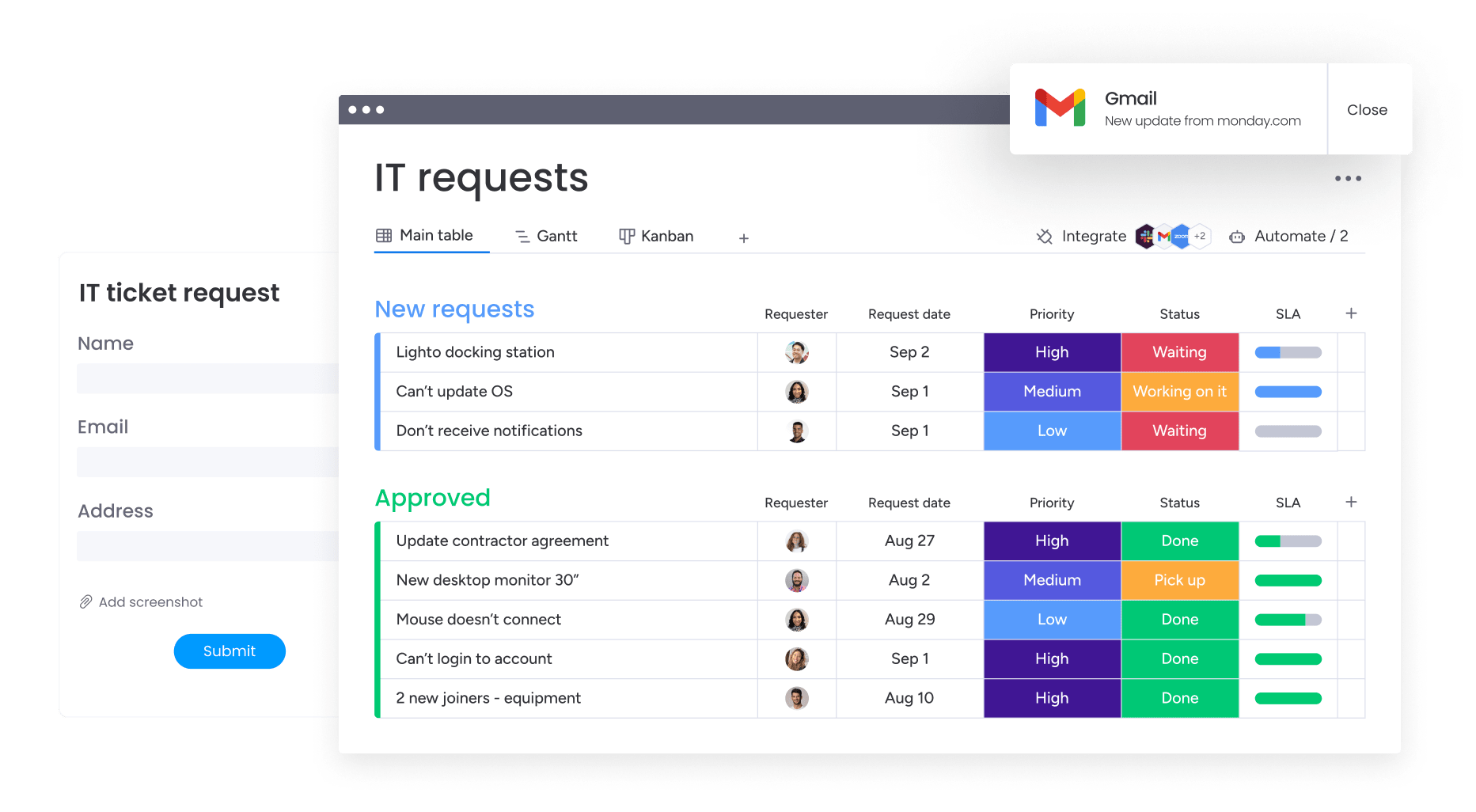 Static documents and standalone form builders stop at data collection. A monday.com intake form goes further, turning every submission into a live work item that routes, updates, and reports on itself. Everything below runs on mondayDB, the connected data layer that gives your teams and AI one shared view across departments.
Here’s how the pieces fit together for client intake, moving from scattered requests to a single, governed system your whole team can trust.
Build custom intake workflows without code
Start with monday WorkForms, the no-code form builder that connects every submission directly to your boards. Build forms from scratch, from a template, or with the AI Form Builder, then add conditional logic so clients see only the questions that apply.
monday WorkForms maps responses natively to board columns, so a submission becomes structured, ready-to-use data instead of a static reply. AI Insights summarizes long-text answers into categories and trends, which speeds up review of detailed requests.
When you need something more tailored, monday vibe builds a custom intake app from a plain-language prompt. Describe the intake experience you want, and Vibe generates a secure app that inherits your permissions and connects to your existing data.
Track requests with real-time dashboards
With monday WorkForms, each intake submission can become a structured item in monday AI Workspace instead of another disconnected form response. Teams can map answers directly to board fields, trigger assignments and follow-up workflows, and keep intake data connected to project execution.
Automations handle the busywork once a form arrives. They route each request, auto-assign owners, send notifications, and trigger approvals, replacing thousands of manual actions with rules you set once.
Dashboards then turn your intake pipeline into a real-time view. With more than ten widgets plus AI-generated summaries and risk alerts, leaders can watch lead volume, spot bottlenecks, and forecast demand without waiting on a report.
For teams that live in other AI assistants, monday MCP lets external tools like Claude and ChatGPT act on intake data securely. They work within your existing permission model, so AI stays inside clear, auditable boundaries.
Automate approvals and assignments
monday agents add capacity where intake gets heavy. An intake and triage agent can validate incoming requests, catch duplicates, and route each one to the right team, while a Sentiment Detector flags frustrated clients and a Lead Scorer prioritizes the strongest opportunities.
These agents work alongside your team, not instead of it. They handle repetitive validation and routing so people can focus on judgment calls, and every action they take stays transparent and governed.
Integrations keep the rest of your stack in sync, with 850+ connections and 2-way CRM sync for platforms like Salesforce and HubSpot. A new client record on your intake board updates your CRM automatically, and vice versa.
| Capability | Static forms (Word/PDF) | Standalone form builders | monday’s AI Workspace |
|---|---|---|---|
| Data capture | Manual re-entry into other systems | Digital capture in one place | Structured capture mapped to boards |
| Routing and assignment | None | Basic email notifications | Automated routing, auto-assign, and approvals |
| Automatic project creation | None | Limited or add-on only | Templated project boards created on submission |
| Real-time dashboards | None | Basic response summaries | Live dashboards with 10+ widgets and AI summaries |
| AI triage | None | Rare or bolt-on | Agents that validate, categorize, and prioritize requests |
| Security and compliance | Depends on file handling | Varies by vendor | SOC 2 Type II, ISO 27001, HIPAA, GDPR, Guardian |
Teams describe the difference in practical terms. “monday.com has been a life-changer. It gives us transparency, accountability, and a centralized place to manage projects across the globe,” says Kendra Seier, Project Manager.
Others point to connected visibility across the business. “monday.com is the link that holds our business together, connecting our support office and stores with the visibility to move fast, stay consistent, and understand the impact on revenue,” says Duncan McHugh, Chief Operations Officer.
Streamline client onboarding with strategic intake forms
A structured client onboarding process can reduce the time between signed agreement and active delivery by standardizing the steps that follow intake. It’s the first step in a connected process that captures complete data, routes work to the right people, and gives leaders real-time visibility from the very first submission.
The next shift is agentic intake, where monday WorkForms and AI-powered workflows do more than collect answers. AI agents validate, categorize, and route requests as soon as they arrive, working alongside your team so people can spend their time on client relationships instead of manual sorting.
Frequently asked questions
How do I create a client intake form in Word?
Create a client intake form in Word by starting with a blank document or a downloadable template, then adding labeled fields for contact details, project scope, budget, and timeline. Use tables and form controls to keep sections organized, and save an editable copy your team can reuse for each new client.
What should a client intake form include?
A client intake form should include contact and company information, project scope and deliverables, budget ranges, timeline expectations, and decision-maker details. Add industry-specific fields where they apply, such as conflict checks for legal or insurance verification for healthcare, so every project starts with complete, standardized data.
Where can I find a free client intake form template?
You can find a free client intake form template in editable Word, PDF, and Google Docs formats, including the legal, healthcare, and consulting versions in this guide. Download the one that fits your sector, adjust the fields to match your process, and start collecting client information the same day.
Can client intake forms be automated?
Yes, client intake forms can be automated end to end. On monday's AI Workspace, a submission can create a project board, assign owners, send a confirmation email, and update your CRM automatically. Automation removes manual handoffs, so requests turn into tracked work without anyone re-entering data.
How long should a client intake form take to complete?
A client intake form should take about 5 to 15 minutes to complete. Keep it short enough to respect the client's time while still capturing scope, budget, and timeline. Use conditional logic and multi-step pages so people answer only relevant questions, which protects completion rates on longer forms.
How does monday's AI Workspace handle client intake forms?
monday's AI Workspace handles client intake forms by turning each submission into live work. A monday.com intake form built with monday WorkForms maps answers to boards, automations route and assign requests, dashboards track the pipeline in real time, and agents validate and prioritize incoming work alongside your team.
 Get started