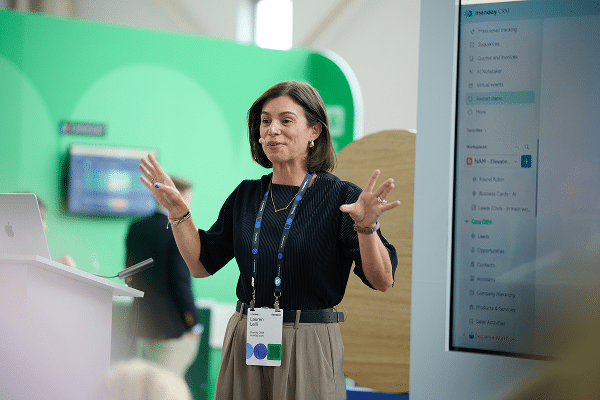
Done Awards Hall of Fame: Jen Brugge (People’s Pick)

- Company: The Universal Group
- Industry: Construction
- Tier: Enterprise
- 500+ payroll requests and 100+ pay breakdowns processed
- Up to 4+ hours saved per day
- 14 divisions and 16+ brands managed
- 100% real-time global bandwidth visibility
Jen’s story
Automating high-volume payroll support with a brand-aware, The Office-inspired agent team
Universal Group is made up of more than 16 brands, and the UG Cares monday.com board is the central place where employees submit concerns ranging from payroll and benefits questions to leave requests and everyday needs.
Before I built the AI-agent process, each request required manual triage. I had to open every ticket, investigate the issue, determine which brand and team should handle it, gather information, involve colleagues, and draft and send responses.
Depending on volume and complexity, this work could take at least four hours and sometimes consume my entire workday. It was highly manual, repetitive, and took time away from complex employee concerns that needed personal attention.
I built a team of Monday AI agents within our UG Cares board to automate repeatable steps in employee-support requests while keeping complex issues with the People Experience team.
Because Universal Group supports 14 divisions—some unionized and some non-unionized—I configured brand-specific payroll agents to monitor tickets and respond using applicable division pay rules.
An intake agent turns employee emails and voicemails into trackable UG Cares tickets. A brand-verification agent checks the selected brand, sending polite corrections and routing tickets when needed.
Finally, payroll agents review pay-breakdown requests, pull relevant data from a separate board, and create readable employee responses, replacing manual screenshots.
In the past three months, UG Cares has received more than 500 payroll-related tickets, including more than 100 pay-breakdown requests. Before AI agents, every email and voicemail had to be manually turned into a ticket, researched, and documented. Pay breakdowns were especially time-consuming, requiring manual data gathering and screenshots section by section.
Agents now create tickets from incoming emails and voicemails, handle routine requests, route tickets, and prepare readable pay-breakdown responses.
Work that could take four hours or most of my workday is now largely handled during a focused morning review, moving 500+ requests through a consistent process while freeing time for complex employee concerns.
Watch Jen work
- Demo video
Get inspired by what Jen built for The Universal Group.
Steal Jen’s playbook
Recreate Jen’s HR agents by plugging this prompt into Sidekick.
🎯 The Goal
Scale employee support across dozens of corporate brands, operating divisions, and union/non-union pay policies without expanding HR headcount—automating repetitive intake, brand verification, ticket routing, and tedious cross-board payroll lookups while freeing specialists to focus on sensitive, human-centered employee relations.
🏗️ Architecture & Data Model
 ┌─────────────────────────────────────────────────────────────┐
 │ INCOMING EMPLOYEE REQUESTS (Email, Voicemail, WebForm)      │
 └──────────────────────────────┬──────────────────────────────┘
                                │
                                ▼
 ┌─────────────────────────────────────────────────────────────┐
 │ 1. OMNICHANNEL INTAKE AGENT                                 │
 │    Transcribes audio/email, classifies intent, extracts      │
 │    employee ID & creates structured central ticket          │
 └──────────────────────────────┬──────────────────────────────┘
                                │
                                ▼
 ┌─────────────────────────────────────────────────────────────┐
 │ 2. BRAND & POLICY ROUTING AGENT                             │
 │    Validates company/division (14+ brands, union vs. non)   │
 │    Auto-corrects mismatched routing & applies brand rules   │
 └──────────────────────────────┬──────────────────────────────┘
                                │
         ┌──────────────────────┼──────────────────────┐
         ▼                      ▼                      ▼
 ┌──────────────┐       ┌──────────────┐       ┌──────────────┐
 │ BRAND A PAY  │       │ BRAND B PAY  │       │ GENERAL HR   │
 │ Union rule   │       │ Non-union    │       │ Equipment,   │
 │ lookup agent │       │ rule agent   │       │ PTO & leaves │
 └───────┬──────┘       └──────┬───────┘       └──────┬───────┘
         └──────────────────────┼──────────────────────┘
                                │
                                ▼
 ┌─────────────────────────────────────────────────────────────┐
 │ 3. SECURE CROSS-BOARD DATA LOOKUP                           │
 │    Fetches pay stub breakdown / PTO balance from payroll     │
 │    board & drafts clean, human-readable employee response   │
 └──────────────────────────────┬──────────────────────────────┘
                                │
                                ▼
 ┌─────────────────────────────────────────────────────────────┐
 │ 4. MORNING HR TRIAGE & DISPATCH COCKPIT                     │
 │    Specialist reviews pre-generated responses in minutes,   │
 │    answers complex cases, and sends approved resolutions    │
 └─────────────────────────────────────────────────────────────┘
- Central Service Desk Board (e.g., “Employee Care Hub”):
- Key Columns:
Employee Name(Name/Text),Employee ID(Text/Numbers),Brand / Division(Dropdown: 14+ distinct entities),Policy Type(Status: Union / Non-Union / Corporate),Category(Status: Payroll Breakdown / Vacation Payout / Benefits / Equipment & Supplies / Leave of Absence),Triage Status(Status: New Intake / Auto-Processed / Needs Human Review / Resolved),Assigned Specialist(People),Draft Response(Long Text).
- Key Columns:
- Back-Office Payroll & Records Board (Restricted Access):
- Secure board storing pay runs, vacation banks, union wage scales, and deduction histories, queried strictly via agent lookup permissions.
- Specialized Agent Fleet Roles:
- Intake & Transcription Agent: Converts raw voicemails, mobile app inquiries, and emails into standardized ticket items.
- Brand Verification Agent: Cross-references employee directory; detects when an employee selected the wrong subsidiary brand and reassigns them courteously.
- Division-Specific Payroll Agents: Configured with division-specific collective bargaining agreements (CBAs) or corporate compensation policies.
- Focused Morning Review Workflow:
- Replaces 4+ hours of manual screenshotting and data hunting with a 15-minute morning approval scan of agent-compiled response cards.
📋 White-Labeled Prompts & Setup Guides
1. Omnichannel Intake & Brand Verification Agent Prompt
“You are the Frontline Employee Care Intake Agent for [Company Name] (supporting all [X] operating subsidiaries).
When a new inquiry arrives via email, voicemail transcript, or form:
- Parse the employee’s name, employee ID, contact details, and core request.
- Cross-reference our [Employee Directory Board] to verify their active division/brand and union affiliation status.
- If the selected brand doesn’t match employee records:
- Re-tag the ticket with the verified brand and policy tier ([Union / Non-Union]).
- Add an internal note:
Auto-corrected division from [Input Brand] to [Verified Brand] based on HR Directory.- Classify request category (
Payroll,Benefits,Equipment,Time-Off) and route to the corresponding specialist queue.”*
2. Cross-Board Payroll Breakdown Agent Prompt
“You are the Payroll Resolution Agent for [Division / Brand Name]. You explain pay calculations clearly and accurately to team members.
When an employee requests an explanation of their recent paycheck, deduction, or vacation payout:
- Query the secure [Payroll Records Board] using the verified
Employee IDand relevant pay period date.- Retrieve: Gross earnings, standard deductions, union dues (if applicable), tax withholdings, and net payout.
- Apply the division-specific pay policy rules for [Division Name].
- Generate a clean, easy-to-read breakdown and post it as a draft in the
Draft Responsecolumn:
- Greeting & Overview: [Polite acknowledgement of the request]
- Itemized Pay Summary: [Table or bullet breakdown of hours, rates, and deductions]
- Policy Explanation: [Clear explanation of why specific deductions or adjustments were made]
- Next Steps: [Instructions if they require further adjustments]
- Set ticket status to
Draft Ready for HR Reviewand notify the assigned Payroll Specialist.”*
3. Routine Request Auto-Dispatcher Agent Prompt
“You are the Operations & Supplies Dispatcher Agent for [Company Name].
When a ticket category is identified as routine operational support (e.g., PPE/Coveralls, Badge Replacement, Direct Deposit Change Form):
- Identify the employee’s assigned work site / branch location.
- Auto-assign the ticket to the local [Site Office Manager / Safety Lead].
- Draft an instant confirmation to the employee letting them know the local coordinator has been notified with estimated pickup/processing times.
- If action requires an external form link (e.g., Direct Deposit Portal), supply the secure link directly in the draft reply.”*
4. Automated Support Desk Recipes
- Intake Escalation Trigger: When ticket sentiment is classified as
Urgent / Grievanceor category isHarassment / Compliance, immediately assign to[Director of People Experience]and send SMS / Slack alert. - Auto-Resolution Notification: When HR specialist changes status from
Draft Ready for HR ReviewtoResolved & Send, automatically email the draft response to the employee and log resolution timestamp.
Explore the entire hall of fame
Check out all of our winners from the Done Awards to see what they built
FAQs about the Done Awards
-
What are the Done Awards?
The Done Awards are monday.com’s first customer awards program, recognizing customers who use AI on the platform to get real work done. Winners were announced live at Elevate ’26.
-
Who won the 2026 Done Awards?
Kendal Sparks of Frankly Spoken Productions (best AI workflow wiz), Jeff Benton of Clearwater (best agent builder), Alexis Reese of Horizon Media (best vibe app), Rosie Vargas of Hammer and Nails Grooming (best cross-collaborator), Aaron Rasmussen of Pritchard Companies (best decision driver), Beth Juliano of 1021 Creative (best global impact), and Jen Brugge of The Universal Group (People’s pick).
-
How many Done Awards categories are there?
Seven: best AI workflow wiz, best agent builder, best vibe app, best cross-collaborator, best decision driver, best global impact, and the People’s pick.
-
Which monday.com capabilities did the winners use?
The winners used monday agents, monday vibe, monday sidekick, and AI workflows, along with automations, integrations, dashboards, and multi-level permissions.
-
How were the Done Awards winners chosen?
A panel of monday.com product and client-facing leaders, and Elevate insiders scored six core categories on the challenge (30%), the build (40%), and the impact (30%). The People’s pick was decided by a one-week community vote on the monday Reddit community. The Agent on-board award was chosen by our agent product leaders on-site, at Elevate.
-
What did Done Awards winners receive?
Each winner received a trophy, a travel voucher, a VIP pass to Elevate, a feature across monday.com and Elevate channels, and a toast with fellow winners after the ceremony.
-
Where and when did Elevate ’26 take place?
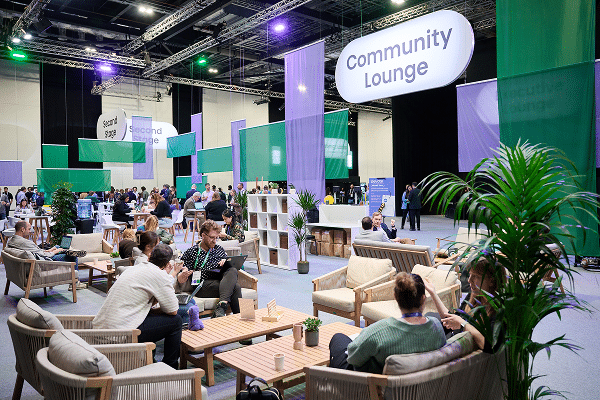
Elevate ’26 took place October 28 to 29, 2026 at the Javits Center in New York City, with a pre-conference Certification Day on October 27.