Done Awards Hall of Fame: Aaron Rasmussen (Decision Driver)
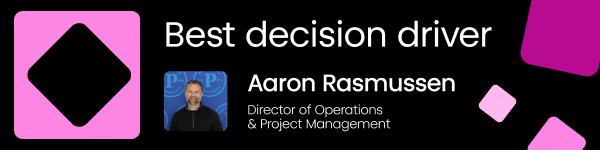
- Company: Pritchard Companies
- Industry: Transportation
- Tier: Enterprise
- 18,500+ active development tasks coordinated
- 120 action items tracked monthly
- 12 business units unified
- 100% automated pre-reads and follow-ups:
Aaron’s story
Transforming monthly executive meetings into real-time decision engines
Before monday.com, our leadership team had no shared system for reporting and driving decisions across 12 business units and department leads reporting to one COO. Every lead ran meetings their own way with different formats and follow-up habits. There was no standard and no visibility. Decisions got made in rooms and then lost; action items lived in notes or nowhere.
The deeper problem was that Goals and KPIs never led the conversation. Metrics lived in spreadsheets or heads and were reviewed after decisions were already made. Leadership was flying with instruments that were reactive, not strategic. Teams reported on what happened instead of deciding what to do about it. Goals were tracked in silos, disconnected from conversations.
The L2 Meeting Hub was built using monday.com’s AI Vibe builder, designing and deploying the entire meeting experience through AI-driven development.
A floating timer stays visible with the agenda item tracker so facilitators track pace in real time. Leaders log decisions, assign action items, and review live Goals and KPIs from one screen.
Configured as a shareable board across all 12 business units, operations leadership has full cross-organizational visibility (completion rates, recurring stalls, decision velocity) while preserving privacy between units.
When agenda items are added, Outlook automatically delivers an Executive Pre-read. After the meeting, a Follow-Up is auto-generated with decisions, owners, and due dates.
Time Recovered: Each of the 12 business units holds one L2 meeting per month. Pre-meeting prep took 2 to 4 hours, and post-meeting follow-up added 30 minutes. Across 12 units, that’s 30 to 54 hours of monthly administrative overhead, now fully automated through the Outlook integration and templated Doc columns.
Accountability at Scale: Each business unit generates ~10 action items per meeting (120 tracked commitments monthly). Previously, an estimated 25% fell through the cracks (~30 decisions lost per month). They are now assigned, tracked, and visible in real time.
Faster decisions mean faster execution, ensuring profitability isn’t waiting on a meeting or an unfollowed-up action item.
Watch Aaron work
Get inspired by what Aaron built for Pritchard Companies
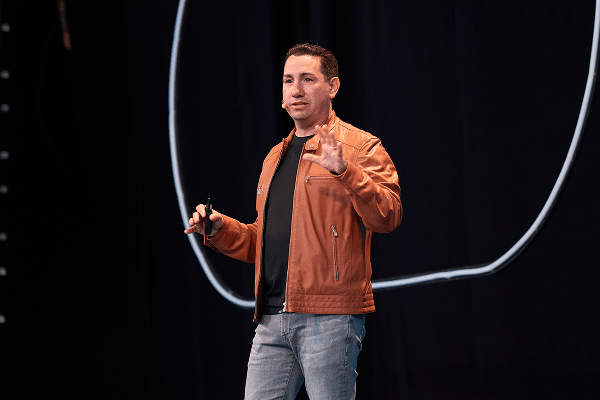
See what Aaron walked on stage to during the Done Awards
Explore the entire hall of fame
Check out all of our winners from the Done Awards to see what they built
Steal Aaron’s playbook
Recreate Aaron’s Leadership Meeting Hub by plugging this prompt into Sidekick.
🎯 The Goal
Standardize executive operations across multi-business-unit organizations where leadership meetings run inconsistently, metrics are reviewed reactively after decisions are already made, and action items slip through the cracks—transforming meetings into high-velocity, disciplined decision engines with live agenda pacing, KPI governance, automated Outlook pre-reads, and instant post-meeting accountability recaps.
🏗️ Architecture & Data Model
                    ┌──────────────────────────────────────────────┐
                    │      OUTLOOK PRE-READ AUTOMATION             │
                    │   Auto-delivers agenda & context beforehand  │
                    └──────────────────────┬───────────────────────┘
                                           │
                                           ▼
 ┌─────────────────────────────────────────────────────────────────────────────────┐
 │                     THE L2 MEETING HUB (monday Vibe App)                        │
 ├────────────────────────────────┬────────────────────────────────────────────────┤
 │ ⏱️ FLOATING MEETING TIMER      │ 🎯 LIVE KPI & GOALS BANNER                     │
 │    Persistent pacing tracker   │    Target vs. actual metrics drive discussions │
 ├────────────────────────────────┼────────────────────────────────────────────────┤
 │ 📝 REAL-TIME AGENDA FLOW       │ ⚡ INSTANT ACTION & DECISION LOG               │
 │    Topic queue with time limits│    One-click assignee, owner & due date tagging│
 └────────────────────────────────┴────────────────────────┬───────────────────────┘
                                                           │
                                                           ▼
                    ┌──────────────────────────────────────────────┐
                    │       AUTOMATED FOLLOW-UP & RECAP            │
                    │   Auto-distributes decisions & owners via    │
                    │   Outlook; syncs to "Action Items by Owner"  │
                    └──────────────────────────────────────────────┘
- Multi-Unit Shareable Meeting Boards:
- Structured across business units (e.g., 12 Business Units / Departments) with admin access control centers so the COO/Executive team has cross-org roll-up visibility while unit leads see only their operational space.
- Key Columns:
Agenda Topic(Item Name),Department / BU(Dropdown),Topic Leader(People),Allotted Time (Mins)(Numbers),Discussion Type(Status: Decision Required / Information / Brainstorm / KPI Review),Outcome / Decision(Long Text),Action Item Owner(People),Action Due Date(Date),Meeting Date(Date).
- The L2 Meeting Hub Vibe App (The Meeting Room Interface):
- Floating Agenda Timer: A persistent timer remains on screen as facilitators scroll through topics, enforcing tight timeboxing.
- Live KPI Review Header: Embeds active Goals & Metric dashboards above the agenda, ensuring numbers drive decisions before action plans are formed.
- In-Meeting Decision & Action Logger: Facilitators assign owners and deadlines on the fly without leaving the presentation interface or navigating raw board grids.
- Automated Pre-Read & Follow-Up Distribution (Outlook Integration):
- Pre-meeting automation emails executive summaries and background materials so leaders arrive ready to decide rather than orient.
- Post-meeting automation instantly compiles decisions, assigned action items, and target dates into a formatted recap sent to all attendees.
- “Action Items by Owner” Cross-Meeting Dashboard:
- Surfaces all outstanding commitments across all business units, grouped by person and sorted by due date, preventing decision drop-off between monthly sessions.
📋 White-Labeled Prompts & Setup Guides
1. Master Monday Vibe App Prompt (L2 Leadership Meeting Hub)
“Build an interactive executive meeting workspace called [Company Name] Leadership Decision Hub connected to our [Executive Meetings & Decisions Board].
Create a focused meeting facilitator interface with these components:
- Live Pacing Header:
- A floating countdown timer with
Start,Pause, andNext Topiccontrols.- A live agenda tracker showing total topics, remaining topics, and overall meeting elapsed time.
- Context & Goals Banner: A top summary strip displaying current quarter OKRs/KPIs ([Revenue Target], [Delivery Margin], [NPS / CSAT]) so metrics remain front-and-center throughout the meeting.
- Active Agenda Stream: A clean list of agenda topics for the selected meeting date. Clicking a topic expands discussion context, attached pre-read docs, and previous meeting takeaways.
- In-Flight Decision & Action Capture Box: A docked input panel allowing facilitators to instantly log:
Decision Logged: The agreed strategic outcome.Action Item: Specific next step.Assigned Owner: Selected leader.Due Date: Deadline commitment.- Action Items by Owner View: A dedicated tab filtering all open action items across all previous meetings, grouped by Owner and sorted by urgency.”*
2. Executive Pre-Read & Follow-Up Workflow Prompts (Outlook Integration)
- Automated 24-Hour Pre-Read Dispatch:Trigger: 24 hours before
Meeting Date. Action: Generate and email an Executive Briefing to all participants containing the agenda topics, allotted times, linked pre-read documents, and open action items carried over from the last meeting. - Post-Meeting Instant Recap Generator:Trigger: When Meeting status changes to
Adjourned / Complete. Action: Extract all items logged underOutcome / DecisionandAction Item, format them into a structured executive summary table, email to all attendees via Outlook, and post to the company Leadership Channel.
3. AI Agent Prompt (Meeting Preparation & Follow-Up Secretary)
“You are the Executive Meeting Operations Agent for [Company Name]. Your mission is to maximize meeting efficiency and guarantee accountability.
1. Pre-Meeting Phase (48 Hours Prior):
- Scan submitted agenda items on the [Executive Meeting Board].
- Flag any topic marked
Decision Requiredthat lacks background notes or attached files, prompting the topic owner to supply context.- Verify that the total allotted agenda time does not exceed the scheduled meeting length.
2. Post-Meeting Accountability Phase (Immediately after meeting):
- Compile all logged decisions and action items into a clean markdown summary:
- Key Strategic Decisions: [Bullet list of finalized decisions]
- Committed Action Items: [Table of Action Item | Owner | Target Due Date]
- Carried-Over / Unresolved Topics: [Topics tabled for next session]
- Post the summary to the meeting update thread and sync action items to each owner’s personal work queue.”*
4. Accountability Governance Recipes
- Action Item Escalation: When an item in
Action Items by Ownerpasses itsDue Dateand status is notDone, notify the item owner and CC[Chief Operating Officer / Meeting Lead]. - Cross-Unit Metric Rollup: When all business units complete their monthly review, update the
Executive Performance Rollup Dashboardwith aggregated completion rates and decision velocity.
Explore the entire hall of fame
Check out all of our winners from the Done Awards to see what they built
FAQs about the Done Awards
-
What are the Done Awards?
The Done Awards are monday.com’s first customer awards program, recognizing customers who use AI on the platform to get real work done. Winners were announced live at Elevate ’26.
-
Who won the 2026 Done Awards?
Kendal Sparks of Frankly Spoken Productions (best AI workflow wiz), Jeff Benton of Clearwater (best agent builder), Alexis Reese of Horizon Media (best vibe app), Rosie Vargas of Hammer and Nails Grooming (best cross-collaborator), Aaron Rasmussen of Pritchard Companies (best decision driver), Beth Juliano of 1021 Creative (best global impact), and Jen Brugge of The Universal Group (People’s pick).
-
How many Done Awards categories are there?
Seven: best AI workflow wiz, best agent builder, best vibe app, best cross-collaborator, best decision driver, best global impact, and the People’s pick.
-
Which monday.com capabilities did the winners use?
The winners used monday agents, monday vibe, monday sidekick, and AI workflows, along with automations, integrations, dashboards, and multi-level permissions.
-
How were the Done Awards winners chosen?
A panel of monday.com product and client-facing leaders, and Elevate insiders scored six core categories on the challenge (30%), the build (40%), and the impact (30%). The People’s pick was decided by a one-week community vote on the monday Reddit community. The Agent on-board award was chosen by our agent product leaders on-site, at Elevate.
-
What did Done Awards winners receive?
Each winner received a trophy, a travel voucher, a VIP pass to Elevate, a feature across monday.com and Elevate channels, and a toast with fellow winners after the ceremony.
-
Where and when did Elevate ’26 take place?
Elevate ’26 took place October 28 to 29, 2026 at the Javits Center in New York City, with a pre-conference Certification Day on October 27.