How to reserve your spot in limited-capacity sessions at Elevate ‘26
- Masterclasses, roundtables, and Spark Meetups have limited capacity and require advance reservations through the Elevate agenda.
- Each attendee can reserve up to 2 sessions across Masterclasses and Roundtables.
- Spark Meetup reservations are also limited capacity but you can reserve as many as you’d like.
- Registration opens for VIP ticket holders on Sept 23 at 12:00pm EST / 9:00 am PST.
- Registration opens for GA ticket holders on Sept 30 at 12:00pm EST / 9:00 am PST.
Some of the most valuable sessions at Elevate have limited capacity, and spots go fast. Masterclasses, roundtables, and Spark Meetups all require advance reservations through the Elevate agenda. Here’s exactly how it works so you’re not scrambling when reservation windows open.
Elevate ’26 takes place October 28-29 at the Javits Center in NYC. Get your tickets before reservation windows open.
Which sessions require a reservation?
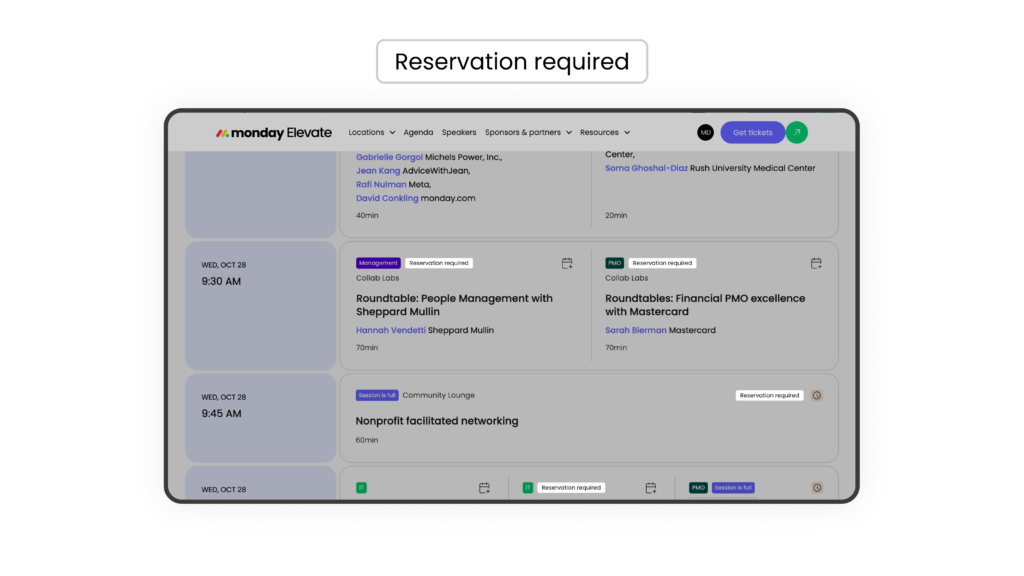
Three session types at Elevate ‘26 require pre-reservation. On the agenda, these are marked with a “Reservation required” tag:
Masterclasses are hands-on learning sessions where you build real skills in a smaller, classroom-style setting. They go deep on specific workflows, tools, and use cases.
Roundtables are facilitated peer discussions organized around a specific function, industry, or topic. They’re conversation-driven and intentionally small.
Spark Meetups take place in The Spark Lounge and are built around your actual job, not a generic networking format. A facilitator guides the conversation across the group so you leave with names, context, and next steps instead of a stack of business cards.
All other sessions at Elevate, including keynotes, product sessions, thought leadership sessions, and customer stories don’t require pre-reservations. You can add those to your agenda without reserving a seat.
How many limited-capacity sessions can you reserve?
Until October 15, you can reserve up to 2 sessions that require reservation. Starting October 15, reservations are unlimited. Please reserve only the sessions you plan to attend.
The platform will automatically block you from reserving two sessions that overlap in time, so you won’t accidentally double-book yourself.
Roundtables are hosted by customer speakers, and empty seats are a missed opportunity for others. If a session is full, join the waitlist or check the onsite line.
How to log in and access your agenda
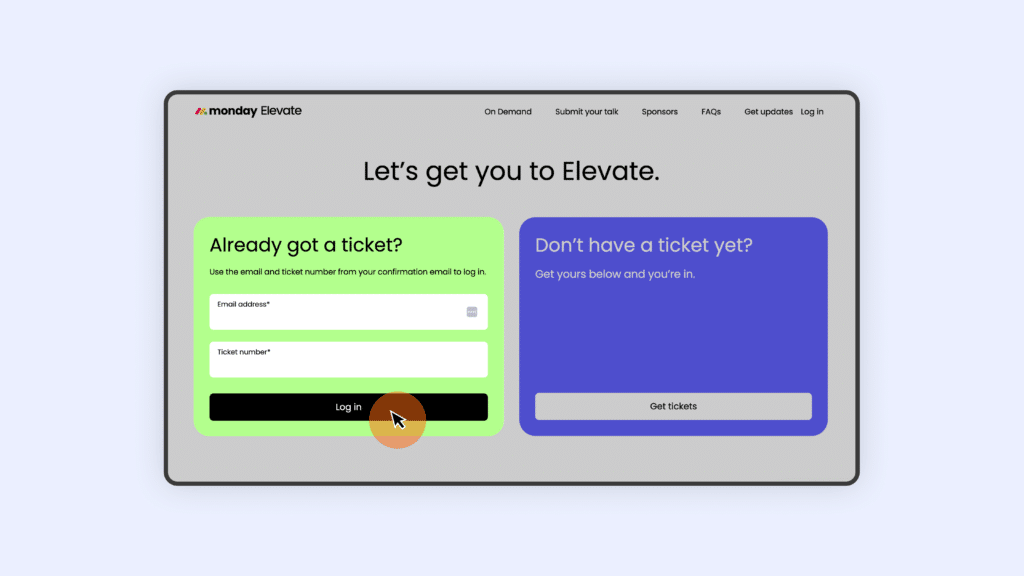
- Go to the Elevate agenda page and click log in.
- Enter your email address and ticket number (found in your registration confirmation email), then click log in.
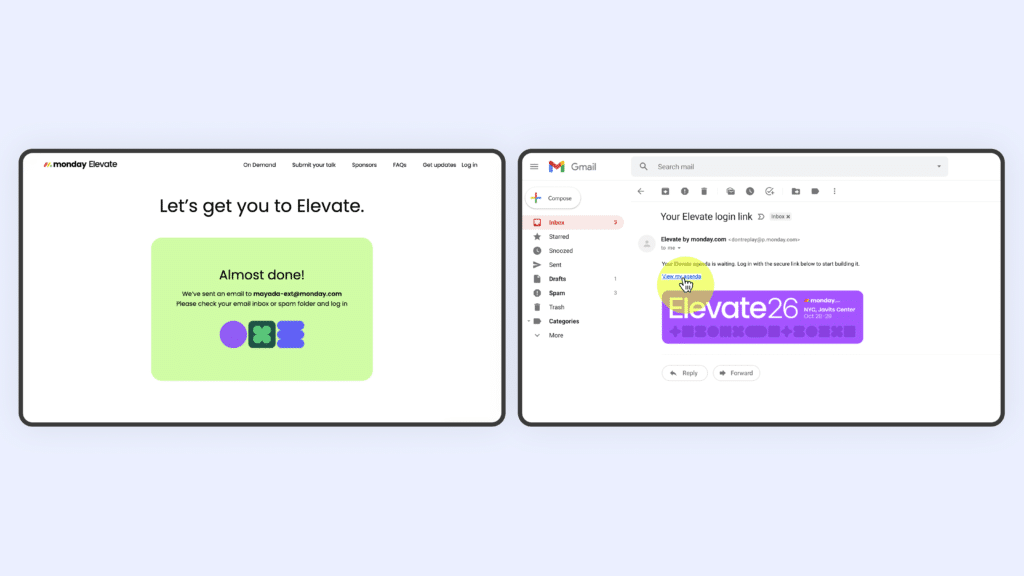
- Check your inbox for a magic link email, check spam if it doesn’t arrive within a minute or two.
- Click the link and you’re in.
Once logged in, you’ll see the full agenda with filters by day, session format, audience, industry, and more. The “My Agenda” view shows only the sessions you’ve added or reserved.
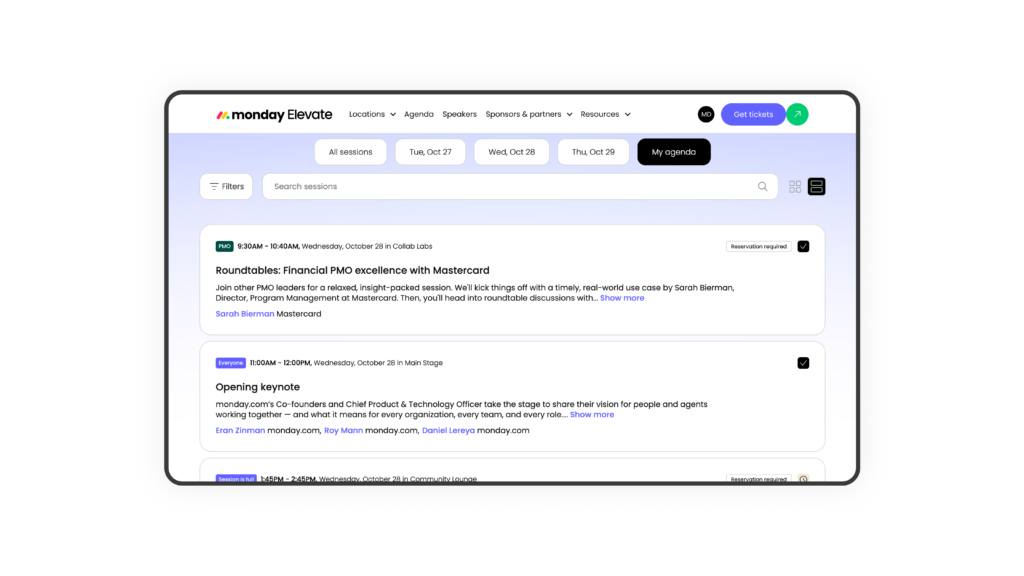
How to reserve a session
Find the session you want using the agenda filters. Sessions that require a reservation are labeled “Reservation required”.
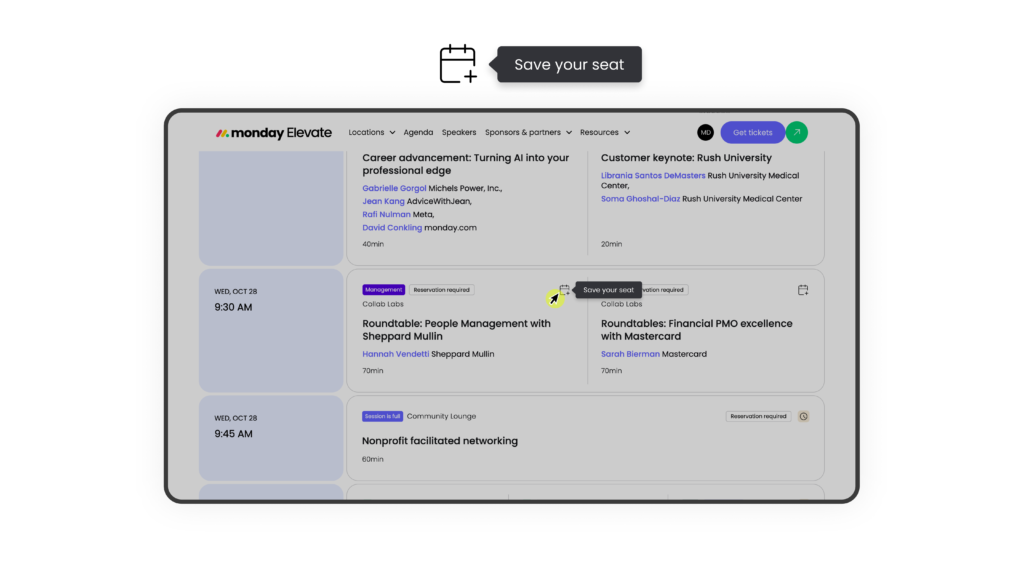
When you click on the add to agenda button, you’ll see a “Save your seat” option rather than a standard “Add to agenda” button. Clicking it counts toward your 2-reservation limit. Your reservation is confirmed immediately. Until October 15, you can reserve up to 2 sessions that require registration. Starting October 15, reservations are unlimited.
Once you’ve saved your reservations, you’ll receive a session registration summary email with the option to add your sessions to your calendar.
What if a session is full?
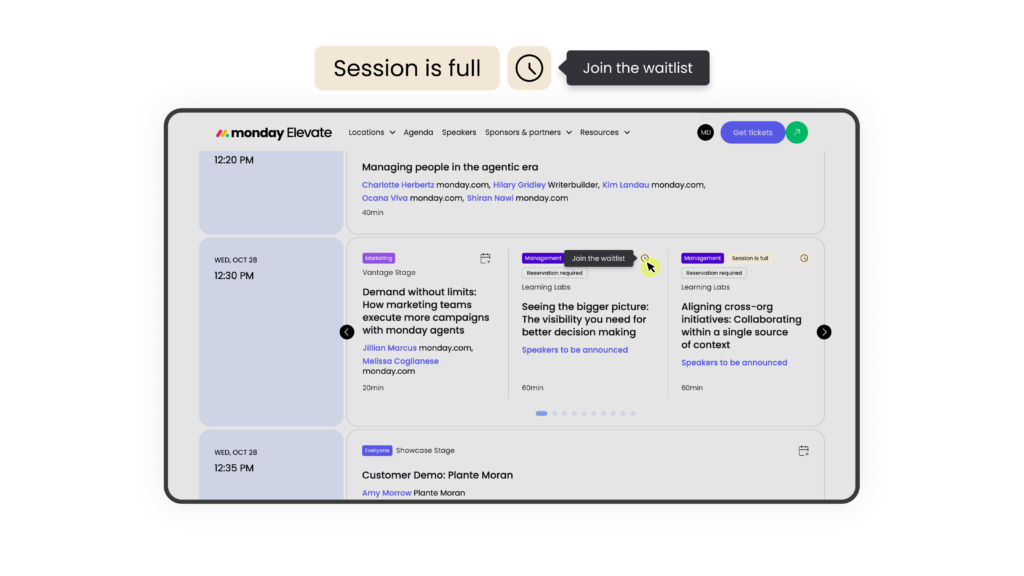
If a session is at capacity, you’ll see an option to join the waitlist. You can add yourself to as many waitlists as you’d like, with no limit. If a spot opens up, you’ll be automatically added to the ses sion, even if you’ve already used both of your reservations. You’ll receive an email when that happens.
How to cancel or change a reservation
Go to your “My Agenda” view, find the reserved session, and select “Cancel Reservation.” This frees up your seat for someone else and removes the session from your count, so you can use that reservation slot for a different session.
Reservation windows open by ticket type:
- VIP ticket holders: September 23 at 12:00 PM EST / 9:00 AM PST
- General Admission ticket holders: September 30 at 12:00 PM EST / 9:00 AM PST
These sessions fill quickly once each window opens. Log in as soon as your window is live.
Don’t have a ticket yet? Grab one before your window closesA note on Certification Day sessions
Sessions on October 27 (pre-conference Certification Day) require a Certification Pass and cannot be added to a General Admission agenda. If you have a GA ticket and want to attend Certification Day, you’ll need to upgrade your ticket. Reach out to the team via the contact form.
Frequently asked questions about limited capacity sessions
-
Do I need to reserve a spot for keynotes and main stage sessions?
No. Keynotes and main stage sessions are open to all attendees. You can add them to your agenda for scheduling purposes, but no reservation is required.
-
What if I didn’t get into a session I wanted?
We encourage you to join the waitlist ahead of the event. However, you can also join the standby line onsite for a chance to get in if seats are available.
-
Can I reserve a Masterclass and a Roundtable, or does it have to be two of the same type?
You can mix and match. Your 2-reservation limit applies across Masterclasses and Roundtables combined, regardless of type.
-
What happens if I join a waitlist and get added to a session, but I already have 2 reservations?
Waitlist additions are automatic and can place you in a session beyond your standard 2-reservation limit. You don’t need to cancel an existing reservation to benefit from a waitlist spot.
-
Can I cancel and rebook if I change my mind?
Yes. Cancel anytime through “My Agenda.” Canceling frees up your reservation slot so you can use it for something else.
-
What’s my ticket number and where do I find it?
Your ticket number is in your registration confirmation email. You’ll need it to log in to the agenda platform.
-
Is there a conference app?
Yes. The Elevate app will be available closer to the event. All registrants will receive download instructions via email.