First-timer’s guide to attending Elevate
- The 2026 certifications feature an entirely new AI-focused curriculum, so even experienced monday.com customers will find fresh material worth their time.
- Masterclasses and roundtables require pre-registration and fill up fast, with VIP pass holders getting first access before General Admission attendees.
- You can attend Elevate with zero prior monday.com experience since the Work Management Core AI Certification is designed for all levels.
- The conference app lets you identify relevant peers before you arrive, so your networking starts productive from the moment you walk in.
- Leaving with three quick wins you can implement in your first week back turns conference attendance into visible career momentum. Ask anyone who’s been to Elevate: the best conversations happen when you show up with a plan. Show up with even a loose plan and you’ll hit better sessions, meet sharper people, and leave with ideas you can use next week. That’s true whether you’ve been three times or you’re pulling up to the Javits Center for the first time this October.
Work is changing fast, and Elevate is the one place built to keep you ahead of it. Every year, the program brings together the latest in work so you leave with new AI capabilities and everything you need to put them to work: the big ideas, the strategic clarity, the people.
Elevate ’26 runs October 28-29 at the Javits Center in New York City, with Pre-conference Certification Day on October 27. 250+ sessions across keynotes, hands-on masterclasses, roundtables, live AI demos, and customer stories. 5K+ professionals from 200+ industries attend, from ICs to senior leaders across marketing, sales, PMO, operations, IT, and dev.
If this is your first time, here’s what to expect: two days that move fast, go deep, and leave you with more clarity about where AI at work is actually headed than anything you could get from reading about it. The sessions are good. The conversations between them are often better. And the feeling of being in a room full of people who are taking this seriously is the part that’s hard to describe until you’ve been there.
This guide covers everything you need to know before you arrive, how to build your agenda, and how to leave with something you can actually use.
Choose the experience that matches your goals
Pick your pass based on what matters most to you. Each option is built around specific outcomes.
| Pass type | What’s included | Best for |
| General Admission Pass | Full access to October 28-29 sessions, networking events, expo. | Sessions, networking, and product exploration. |
| General Admission + Certification Pass | Everything in General Admission plus Pre-conference Certification Day (October 27). | Structured AI skill-building and official certification. |
| VIP Pass | Priority access to masterclasses and roundtables, VIP seating for main stage, exclusive networking. | Guaranteed access to high-demand sessions. |
| VIP + Certification Pass | Everything in VIP plus Pre-conference Certification Day. | Priority access and certification combined. |
Most people blend a few goals. Know which one matters most so you can choose when sessions overlap.
- Skill-building focus: Prioritize masterclasses, the expert bar, and Certification Day. The 2026 certifications feature an entirely new AI-focused curriculum with fresh material at every experience level.
- Product depth focus: Prioritize demos, product sessions, and customer stories. See monday.com’s AI work platform in action, including monday sidekick, monday agents, and AI workflows.
- Peer insight focus: Prioritize roundtables and facilitated networking. Learn how people in similar roles are solving similar challenges.
- Leadership perspective focus: Prioritize keynotes, panels and thought leadership sessions. Gain strategic clarity on where AI for work is heading and what it takes to lead your organization through the shift.
Build your agenda around outcomes
With 250+ sessions across two days, the agenda can feel like a lot. The instinct for a lot of first-timers is to stack as many hands-on masterclasses as possible. That’s understandable, but the attendees who get the most out of Elevate tend to mix it up. A good schedule combines different session types: a keynote for the big-picture thinking, a masterclass or two for hands-on skill-building, a roundtable for peer conversation, time at the Expert Bar for 1:1 guidance, and some room to explore the demo stage and let things breathe. Each format does something different. Together, they cover more ground than any single type could. Elevate offers several session formats depending on what you need:
Main stage sessions with monday.com leadership, thought leaders, and industry voices. Big-picture view of where AI for work is heading.
Hands-on sessions led by our in-house experts where you build skills and apply them immediately. Limited capacity, pre-registration required.
Peer discussions on a variety of industry specific topics where you share challenges and solutions with people facing the same situations. Limited capacity, pre-registration required.
Real organizations showing how they used monday.com and AI to solve actual problems.
The demo stage features demonstrations of specific monday.com features and workflows in action.
Sessions that require pre-registration.
Masterclasses and roundtables have limited capacity and fill quickly. Here’s how it works:
- Elevate has significantly expanded the number of masterclasses and roundtables this year to give more attendees the chance to participate.
- You’ll receive an email when registration opens with instructions on how to secure your spot.
- VIP ticket holders get priority access, followed by General Admission attendees.
Jeremy Griggs, Director of Program Management at Five9 and a main stage speaker at Elevate ’25, has one piece of advice: “Register early and register for the classes early, because they’re like concert tickets.”
What the on-site experience looks and feels like
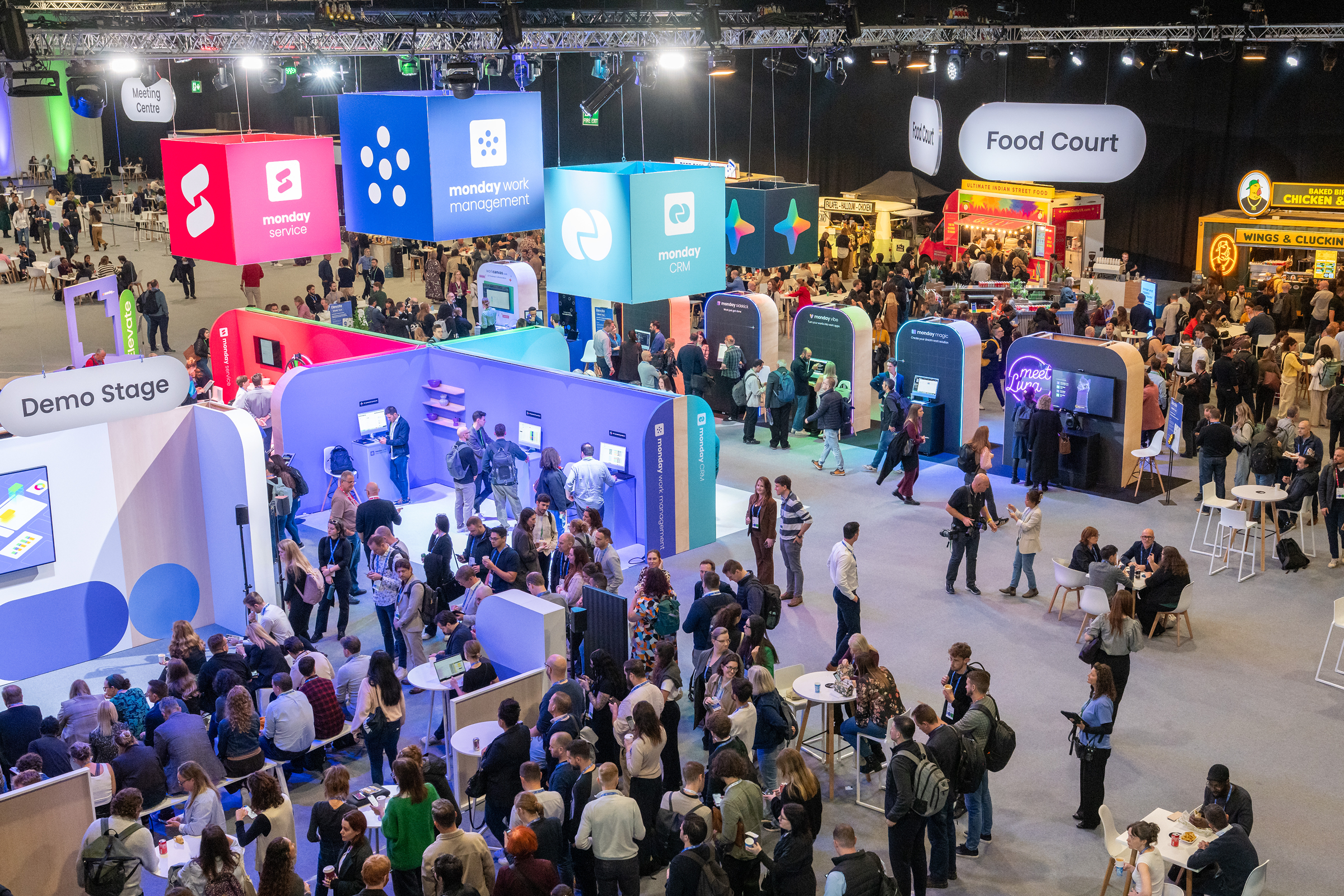
Elevate is held at the Jacob K. Javits Convention Center, 429 11th Avenue, New York, NY 10001. The venue is accessible by subway, bus, and rideshare.
Here’s the practical stuff, answered upfront.
What does a day look like? Doors open at 8am both days for badge pickup and the community lounge. Day One kicks off at 10am, opening keynote at 11am, then the full Elevate experience runs from 12pm through 5:30pm, followed by happy hour and a party starting at 5:30pm. Day Two doors open at 8am for badge pickup and the community lounge. Sessions run from 9:30am through 4pm, closing with keynotes and a surprise speaker from 4pm to 5:30pm.
Badge pickup: Head to the registration desk when you arrive. You’ll be pointed there right at the entrance.
What should I wear? No dress code. Wear whatever you’re comfortable in.
WiFi: Available on-site.
Coat check: Available at the venue.
Conference app: Download instructions arrive by email closer to the event. Use it to build your agenda, navigate the venue, connect with other attendees, and get live updates. Worth downloading before you arrive.
Food and breaks: Catered food stations are available throughout the event, clearly labeled with common allergens and dietary information (gluten-free, vegan, vegetarian, nut-free, halal, kosher, and more). If you have a severe allergy or complex dietary need, reach out to the team here.
Pacing: Two full days is a lot. Build in breaks, focus on what matters most, and give yourself room to think.

Accessibility at the Javits Center
The Javits Center is fully accessible. All session rooms, expo areas, and classroom spaces are wheelchair accessible, with elevators, ramps, and wide pathways throughout. If you use a mobility device or other assistive equipment, you’re welcome to bring it.
- ASL interpretation: Provided during the keynote.
- Closed captioning: Available across all stages.
- Nursing room: A private nursing room will be available on-site. Location details will be in your attendee guide and the event app.
- Reserved seating: Available in all general sessions. Contact the team in advance if you have specific needs.
- Service animals: Always welcome. Contact the team if you’re attending with a personal care attendant or companion.
If you have accessibility needs, reach out via the contact form to arrange accommodations before the event.
Show up a first-timer. Leave the person who gets it.
By the end of Day 2, you’ve built real skills in hands-on masterclasses. You’ve connected with peers solving the same challenges. You’ve seen how leading organizations apply AI to workflows that look like yours. That only means something if you do something with it.
Before you leave the venue, identify three quick wins you can act on in your first week back and capture the connections worth following up on. Back at work: share a summary with your team while the ideas are still sharp, block time to execute on what you identified, and send brief follow-ups to the people you met.
The first-timers who get the most out of Elevate are the ones who show up knowing what they’re after and leave with a plan. Now you know how to do both.
Frequently asked questions
-
When and where does Elevate ’26 take place?
Elevate takes place October 28-29, 2026 at the Javits Center in New York City, with Pre-conference Certification Day on October 27. Elevate EMEA takes place November 24, 2026 at ExCeL London.
-
How much do Elevate tickets cost?
Pricing is on the Elevate pricing page. If you’re bringing a group, teams of 3 or more receive a 15% discount on the current ticket price.
-
What is the refund policy for Elevate tickets?
Full refund is available up to 90 days before the event. Within 90 days, full refund is only available within 24 hours of purchase. No refunds are available in the last 15 days before the event.
-
Can Elevate tickets be transferred to someone else?
Yes. Tickets can be transferred through the “Manage Your Registration” link in the confirmation email.
-
Do first-timers need prior monday.com experience to attend Elevate?
No. Elevate is an AI for work conference, not a product event. The program is built around thought leadership, expert speakers, practitioner panels, and peer connection — content that’s valuable regardless of what tools you use. Whether you’re a monday.com customer or not, you’ll leave with frameworks, real-world examples, and connections that apply to how your team works right now.