Done Awards Hall of Fame: Kendal Sparks (AI Workflow Wiz)
- Industry: Media & Entertainment
- Tier: pro
- 30 agent-driven workspace
- 8 employees
- 7 MCP servers
- 188 agent runs over 9 weeks
Kendal’s story
Bringing an agentic mindset to show business communications
The challenge
Frankly Spoken Productions co-produces at Broadway scale — three active shows, millions in capitalized risk, real relationships with studios, investors, and outside counsel. The back office this requires normally employs 6–10 people. We have two. Both founders carry non-operational day jobs.
The failure mode wasn’t dramatic. It was slow drift: emails sitting too long, follow-ups missed, context lost between conversations. In Broadway producing, relational continuity is the work. We were logging 2–3 missed partner follow-ups per month.
The real problem wasn’t email volume. It was this: we needed agents that could act at speed, with the strong guardrails locked into place.
We needed a pipeline where human approval had to be structural, rather than instructional.
We built a governed 4-agent inbound communications pipeline — each agent in a separate lane with a hard scope limit. Rosie classifies triage via Gmail. Frankie cross-references the Partner CRM. Collin drafts using Frankie’s brief and a Voice & Tone board.
The structural gate: nothing sends until Kendal manually changes the Status column from “Awaiting Approval” to “Approved to Send.” That status change triggers a monday.com automation that stages Collin’s draft as a Gmail Draft. Only Kendal has workflow access to make that change. No instruction to interpret.
The pipeline now runs inside a 30-agent workspace with an AI Agent Registry, CAPA board, Agent README, weekly audit agent, and 7 MCP servers.
188 agent runs over 9 weeks.
The output includes 60+ CRM records created or enriched, 30+ partner profiles built, 43 morning standup briefs, and 25+ email responses staged.
For pre-call research, we’ve seen a 70% reduction, replacing ~75 hours of research labor. When looking at our follow-up rate, we’re seeing zero missed since activation (down from 2-3 per month).
With all this in place, Frankie surfaced a co-production financial obligation with a time-sensitive deadline, exceeding platform cost.
Looking at the numbers, the platform cost $14,466/year annualized compared to the human equivalent of $148,000–$222,000/year. That’s a 10×–15× cost ratio, documented to the invoice line item.
Watch Kendal work
Get inspired by what Kendal’s built for Frankly Spoken Productions.
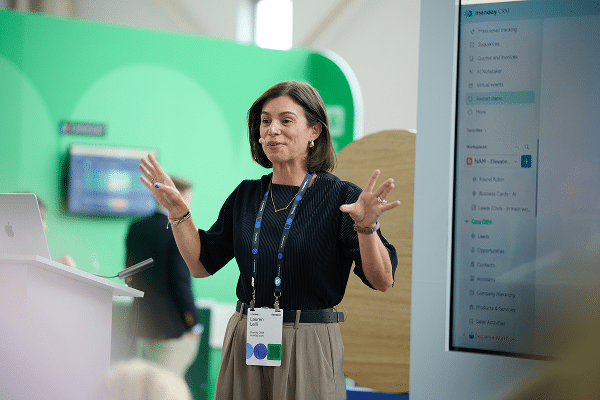
See what Kendal walk on stage to during the Done Awards
Steal Kendal’s playbook
Recreate Kendal’s AI workflow by plugging this prompt into Sidekick.
🎯 The Goal
Process high-stakes inbound emails, enrich them with deep CRM context, and draft executive-ready responses at scale—using hard, structural permission gates so an AI agent can never hallucinate deal terms or send an unapproved email directly to clients, partners, or counsel.
🏗️ Architecture & Data Model
 ┌────────────────┐
 │ INBOUND GMAIL  │
 └───────┬────────┘
         │
         ▼
 ┌─────────────────────────────────────────────────────────────┐
 │ 1. TRIAGE AGENT (Rosie)                                     │
 │    Categorizes intent, sets urgency, creates board item     │
 │    🔒 Permission: Gmail Read-Only (no compose / send)       │
 └───────┬─────────────────────────────────────────────────────┘
         │
         ▼
 ┌─────────────────────────────────────────────────────────────┐
 │ 2. CONTEXT AGENT (Frankie)                                  │
 │    Cross-references CRM via Board Relation                  │
 │    Pulls history, commitments, deadlines & posts Brief      │
 └───────┬─────────────────────────────────────────────────────┘
         │
         ▼
 ┌─────────────────────────────────────────────────────────────┐
 │ 3. DRAFTING AGENT (Collin)                                  │
 │    Drafts response using Frankie's Brief + Tone Guidelines  │
 │    🔒 Permission: Posts draft to item update thread ONLY    │
 └───────┬─────────────────────────────────────────────────────┘
         │
         ▼
 ┌─────────────────────────────────────────────────────────────┐
 │ 🛑 STRUCTURAL GATE (Human in the Loop)                      │
 │    Review via Vibe App · Status: "Awaiting Approval"        │
 │    Only human can change status to "Approved to Send"       │
 └───────┬─────────────────────────────────────────────────────┘
         │
         ▼ (Status change triggers board automation)
 ┌─────────────────────────────────────────────────────────────┐
 │ 4. SEND AUTOMATION & CRM LOGGING                            │
 │    Stages Gmail draft/sends, moves item to "Sent Pending",  │
 │    and updates Partner CRM touchpoint in one chain          │
 └─────────────────────────────────────────────────────────────┘
- Communications Queue Board (The Staging Area):
- Key Columns:
Subject / Sender(Name/Text),Sender Email(Email),Intent(Dropdown: Deal Terms / Partnership / Press / Support),Urgency(Status: High / Medium / Low),Approval Status(Status: Awaiting Approval / Approved to Send / Needs Revision / Rejected),Linked Partner(Board Relation to CRM),Last Contact Date(Mirror/Date).
- Key Columns:
- Hard Permission Boundaries (Lane Isolation):
- No Agent Has Send Access: Inbound triage reads only; context enrichment reads CRM only; drafting agent writes only to monday.com update threads.
- Draft Review Vibe App (The Human Cockpit):
- Central review screen displaying:
- Inbound message & Frankie’s intelligence brief.
- Full agent lineage trail with timestamps (
Rosie ➔ Frankie ➔ Collin). - Editable draft response box.
- One-click action button to mark as
Approved to Send.
- Central review screen displaying:
- Structural Release Automation:
- A monday board automation listens strictly for the human status update to
Approved to Sendto trigger the final dispatch or stage as a Gmail draft.
- A monday board automation listens strictly for the human status update to
📋 White-Labeled Prompts & Setup Guides
1. Context & Research Agent Prompt (Frankie)
“You are the Relationship Intelligence Agent for [Company Name]. Your role is to brief our team before any communication is drafted.
When a new item is created from an inbound message:
- Match the sender email to our [Partner / Client CRM Board] via the linked relation column.
- Retrieve: Last interaction date, active project/deal names, key decision-makers, and any recorded sensitivities or open commitments.
- Post a formatted update to the item thread:
- Partner Overview: [Company / Role / Relationship Tier]
- Recent History & Commitments: [Bullet list of past touchpoints or promises]
- Context Alert: [Any potential conflict, financial term, or high-priority detail]
- Recommended Reply Angle: [1–2 sentences on suggested positioning]”*
2. Response Drafting Agent Prompt (Collin)
“You are the Executive Communications Drafting Agent for [Company Name]. You draft responses for human review—you never send emails directly.
When a Relationship Brief is posted to an item update thread:
- Read the original inbound email and the Relationship Intelligence Brief.
- Reference our [Tone & Style Guidelines Doc] (Tone: [Warm / Direct / Professional / Broadway-standard]).
- Draft a tailored reply addressing all questions without committing to unverified deal terms or dates.
- Post your output to the item update thread formatted as:
- Proposed Subject Line: [Subject]
- Draft Response: [Full email body with greeting and sign-off]
- Reviewer Notes: [Flag any placeholders or approvals required from leadership]
- Set the item’s Approval Status column to
Awaiting Approval.”*
3. Monday Vibe App Prompt (Executive Draft Review Portal)
“Build a single-screen review workspace called [Company] Staged Communications Hub connected to our [Inbound Communications Board].
Include the following views and components:
- Approval Queue: A focused card list showing items where Approval Status is
Awaiting Approval, sorted by Urgency (Highfirst).- 3-Panel Review Layout:
- Left Panel: Inbound email details, sender information, and original timestamp.
- Center Panel: Agent intelligence brief (CRM history, open commitments, key deal terms).
- Right Panel: Collin’s draft response in an editable rich-text viewer with the agent audit trail.
- Action Bar: Floating buttons for
Approved to Send,Request Revision, andReject / Archivethat update the board status in real time.”*
4. Release Automation Recipes
- Stage / Send on Approval:When
Approval Statuschanges toApproved to Send, send email / create draft in Gmail using the update text, move item to groupSent Items, and updateLast Touchpoint Dateon [Partner CRM Board] toToday. - Revision Loop Trigger:When
Approval Statuschanges toNeeds Revision, notify[Drafting Agent / Collin]with human reviewer comments and reset status toWorking on Revision
Explore the entire hall of fame
Check out all of our winners from the Done Awards to see what they built
FAQs about the Done Awards
-
What are the Done Awards?
The Done Awards are monday.com’s first customer awards program, recognizing customers who use AI on the platform to get real work done. Winners were announced live at Elevate ’26.
-
Who won the 2026 Done Awards?
Kendal Sparks of Frankly Spoken Productions (best AI workflow wiz), Jeff Benton of Clearwater (best agent builder), Alexis Reese of Horizon Media (best vibe app), Rosie Vargas of Hammer and Nails Grooming (best cross-collaborator), Aaron Rasmussen of Pritchard Companies (best decision driver), Beth Juliano of 1021 Creative (best global impact), and Jen Brugge of The Universal Group (People’s pick).
-
How many Done Awards categories are there?
Seven: best AI workflow wiz, best agent builder, best vibe app, best cross-collaborator, best decision driver, best global impact, and the People’s pick.
-
Which monday.com capabilities did the winners use?
The winners used monday agents, monday vibe, monday sidekick, and AI workflows, along with automations, integrations, dashboards, and multi-level permissions.
-
How were the Done Awards winners chosen?
A panel of monday.com product and client-facing leaders, and Elevate insiders scored six core categories on the challenge (30%), the build (40%), and the impact (30%). The People’s pick was decided by a one-week community vote on the monday Reddit community. The Agent on-board award was chosen by our agent product leaders on-site, at Elevate.
-
What did Done Awards winners receive?
Each winner received a trophy, a travel voucher, a VIP pass to Elevate, a feature across monday.com and Elevate channels, and a toast with fellow winners after the ceremony.
-
Where and when did Elevate ’26 take place?
Elevate ’26 took place October 28 to 29, 2026 at the Javits Center in New York City, with a pre-conference Certification Day on October 27.